
de: VP Series: Difference between revisions
From ViewSonic Documentation
Created page with "{{DISPLAYTITLE:Profi VP Serie}} {{Product |1=<div class="res-img">center|link=</div> |2=<div><span style="color:#990000;">'''VP3481'''</div> |3=<ol style=..." |
No edit summary |
||
| (16 intermediate revisions by the same user not shown) | |||
| Line 1: | Line 1: | ||
{{DISPLAYTITLE:Profi VP Serie}} | {{DISPLAYTITLE:Profi VP-Serie}} | ||
{{Product | |||
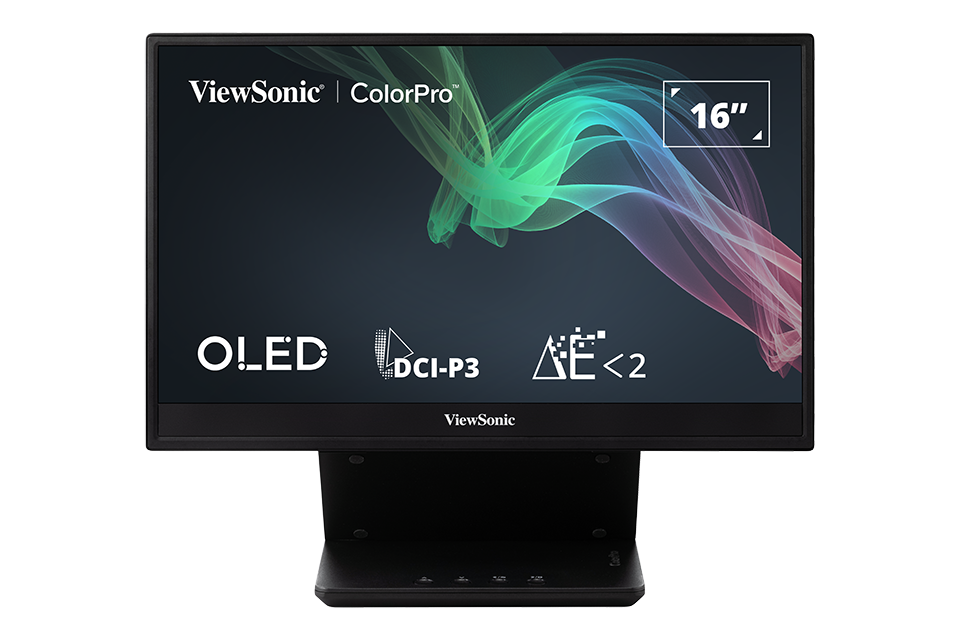
|1=<div class="res-img">[[File:VP16-OLED.png|center|link=]]</div> | |||
|2=VP16-OLED | |||
|3=<ol style="list-style-type:square; color:#C8102E;"> | |||
<li>[[VP16-OLED_Introduction|Einleitung]]</li> | |||
<li>[[VP16-OLED_Initial_Setup|Grundeinstellungen]]</li> | |||
<li>[[VP16-OLED_Connecting_Power_and_Devices|Verbindungen herstellen]]</li> | |||
<li>[[VP16-OLED_Adjusting_the_Viewing_Angle|Betrachtungswinkel anpassen]]</li> | |||
<li>[[VP16-OLED_Quick_Menu|Schnellmenü]]</li> | |||
<li>[[VP16-OLED_Hot_Keys|Schnelltasten]]</li> | |||
<li>[[VP16-OLED_On-Screen_Display_Menu|Allgemeine Aktionen]]</li> | |||
<li>[[VP16-OLED_On-Screen_Display_Menu_Tree|Bildschirmmenübaum]]</li> | |||
<li>[[VP16-OLED_On-Screen_Display_Menu_Options|Menüoption]]</li> | |||
<li>[[VP16-OLED_Specifications|Technische Daten]]</li> | |||
<li>[[VP16-OLED_Regulatory_and_Service_Information|Informationen zu Richtlinien und Service]]</li> | |||
<hr> | |||
<li>[[Monitor_Safety_Precautions_SU|Sicherheitshinweise]]</li> | |||
<li>[[Monitor_Glossary|Glossar]]</li> | |||
<li>[[Monitor_Troubleshooting|Problemlösung]]</li> | |||
<li>[[Monitor_Maintenance|Wartung]]</li> | |||
<hr> | |||
<li>[[VP16-OLED_Full_Guide|'''Vollständige Anleitung herunterladen''']]</li></ol> | |||
}} | |||
{{Product | |||
|1=<div class="res-img">[[File:VP3456a.png|center|link=]]</div> | |||
|2='''VP3456a''' | |||
|3=<ol style="list-style-type:square; color:#C8102E;"> | |||
<li>[[VP3456a_Introduction|Einleitung]]</li> | |||
<li>[[VP3456a_Initial_Setup|Grundeinstellungen]]</li> | |||
<li>[[VP3456a_Connecting_Power_and_Devices|Verbindungen herstellen]]</li> | |||
<li>[[VP3456a_Adjusting_the_Viewing_Angle|Betrachtungswinkel anpassen]]</li> | |||
<li>[[VP3456a_Quick_Menu|Schnellmenü]]</li> | |||
<li>[[VP3456a_Hot_Keys|Schnelltasten]]</li> | |||
<li>[[VP3456a_On-Screen_Display_Menu|Allgemeine Aktionen]]</li> | |||
<li>[[VP3456a_On-Screen_Display_Menu_Tree|Bildschirmmenübaum]]</li> | |||
<li>[[VP3456a_On-Screen_Display_Menu_Options|Menüoption]]</li> | |||
<li>[[VP3456a_Advanced_Features_and_Settings|Erweiterte Funktionen und Einstellungen]]</li> | |||
<li>[[VP3456a_Specifications|Technische Daten]]</li> | |||
<li>[[VP3456a_Regulatory_and_Service_Information|Informationen zu Richtlinien und Service]]</li> | |||
<hr> | |||
<li>[[Monitor_Safety_Precautions_SU|Sicherheitshinweise]]</li> | |||
<li>[[Monitor_Glossary|Glossar]]</li> | |||
<li>[[Monitor_Troubleshooting|Problemlösung]]</li> | |||
<li>[[Monitor_Maintenance|Wartung]]</li> | |||
<hr> | |||
<li>[[VP3456a_Full_Guide|'''Vollständige Anleitung herunterladen''']]</li></ol> | |||
}} | |||
{{Product | |||
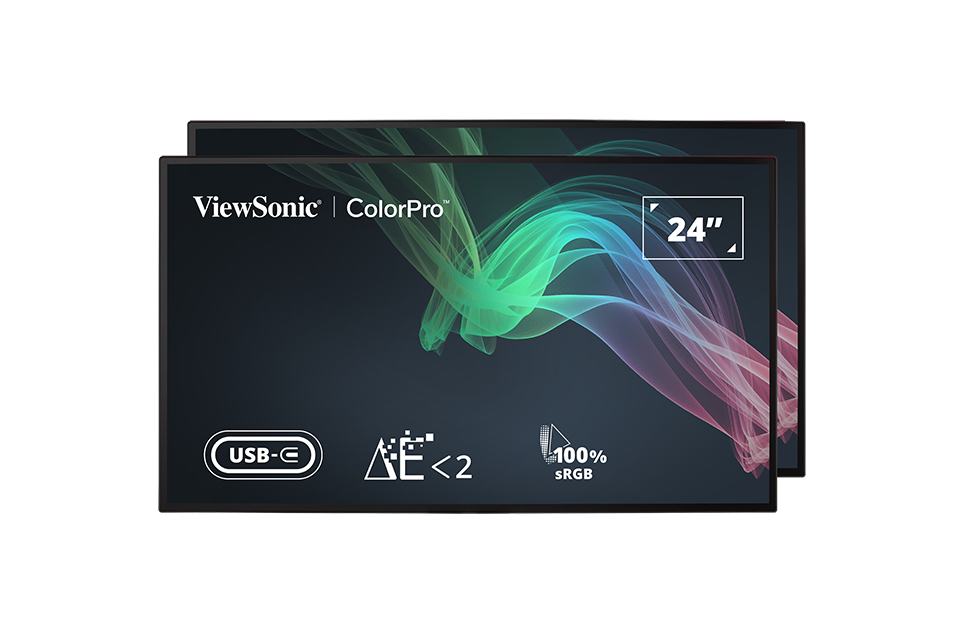
|1=<div class="res-img">[[File:VP2468a_H2.png|center|link=]]</div> | |||
|2='''VP2468a_H2''' | |||
|3=<ol style="list-style-type:square; color:#C8102E;"> | |||
<li>[[VP2468a_H2_Introduction|Einleitung]]</li> | |||
<li>[[VP2468a_H2_Initial_Setup|Grundeinstellungen]]</li> | |||
<li>[[VP2468a_H2_Connecting_Power_and_Devices|Verbindungen herstellen]]</li> | |||
<li>[[VP2468a_H2_Quick_Menu|Schnellmenü]]</li> | |||
<li>[[VP2468a_H2_Hot_Keys|Schnelltasten]]</li> | |||
<li>[[VP2468a_H2_On-Screen_Display_Menu|Allgemeine Aktionen]]</li> | |||
<li>[[VP2468a_H2_On-Screen_Display_Menu_Tree|Bildschirmmenübaum]]</li> | |||
<li>[[VP2468a_H2_On-Screen_Display_Menu_Options|Menüoption]]</li> | |||
<li>[[VP2468a_H2_Advanced_Features_and_Settings|Erweiterte Funktionen und Einstellungen]]</li> | |||
<li>[[VP2468a_H2_Specifications|Technische Daten]]</li> | |||
<li>[[VP2468a_H2_Regulatory_and_Service_Information|Informationen zu Richtlinien und Service]]</li> | |||
<hr> | |||
<li>[[Monitor_Safety_Precautions_SU|Sicherheitshinweise]]</li> | |||
<li>[[Monitor_Glossary|Glossar]]</li> | |||
<li>[[Monitor_Troubleshooting|Problemlösung]]</li> | |||
<li>[[Monitor_Maintenance|Wartung]]</li> | |||
<hr> | |||
<li>[[VP2468a_H2_Full_Guide|'''Vollständige Anleitung herunterladen''']]</li></ol> | |||
}} | |||
{{Product | |||
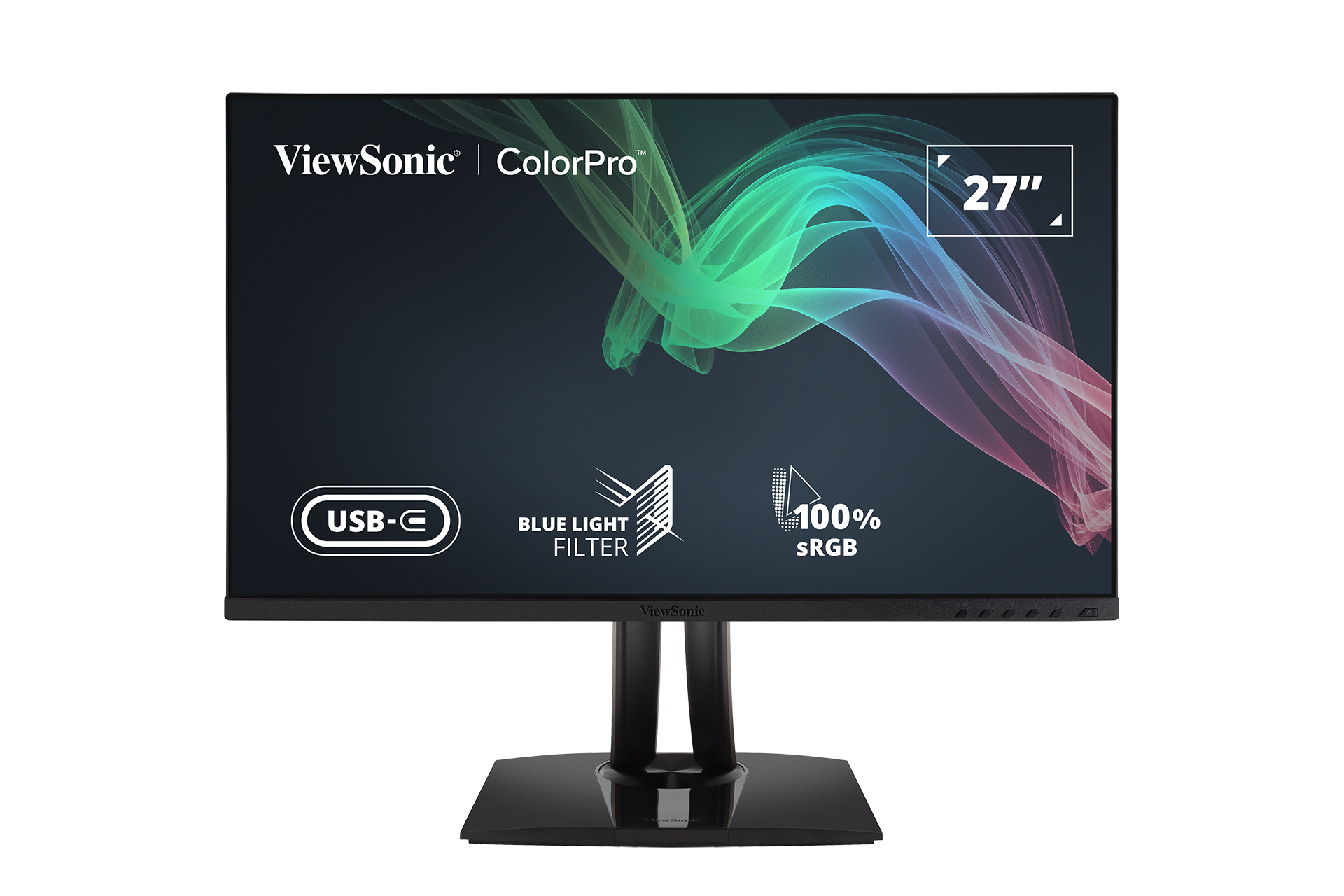
|1=<div class="res-img">[[File:VP2756-4K.png|center|link=]]</div> | |||
|2='''VP2456''' | |||
|3=<ol style="list-style-type:square; color:#C8102E;"> | |||
<li>[[VP2456_Introduction|Einleitung]]</li> | |||
<li>[[VP2456_Initial_Setup|Grundeinstellungen]]</li> | |||
<li>[[VP2456_Connecting_Power_and_Devices|Verbindungen herstellen]]</li> | |||
<li>[[VP2456_Adjusting_the_Viewing_Angle|Betrachtungswinkel anpassen]]</li> | |||
<li>[[VP2456_Quick_Menu|Schnellmenü]]</li> | |||
<li>[[VP2456_Hot_Keys|Schnelltasten]]</li> | |||
<li>[[VP2456_On-Screen_Display_Menu|Allgemeine Aktionen]]</li> | |||
<li>[[VP2456_On-Screen_Display_Menu_Tree|Bildschirmmenübaum]]</li> | |||
<li>[[VP2456_On-Screen_Display_Menu_Options|Menüoption]]</li> | |||
<li>[[VP2456_Advanced_Features_and_Settings|Erweiterte Funktionen und Einstellungen]]</li> | |||
<li>[[VP2456_Specifications|Technische Daten]]</li> | |||
<li>[[VP2456_Regulatory_and_Service_Information|Informationen zu Richtlinien und Service]]</li> | |||
<hr> | |||
<li>[[Monitor_Safety_Precautions_SU|Sicherheitshinweise]]</li> | |||
<li>[[Monitor_Glossary|Glossar]]</li> | |||
<li>[[Monitor_Troubleshooting|Problemlösung]]</li> | |||
<li>[[Monitor_Maintenance|Wartung]]</li> | |||
<hr> | |||
<li>[[VP2456_Full_Guide|'''Vollständige Anleitung herunterladen''']]</li></ol> | |||
}} | |||
{{Product | |||
|1=<div class="res-img">[[File:VP2786-4K.png|center|300px|link=]]</div> | |||
|2='''VP2786-4K''' | |||
|3=<ol style="list-style-type:square; color:#C8102E;"> | |||
<li>[[VP2786-4K_Introduction|Einleitung]]</li> | |||
<li>[[VP2786-4K_Initial_Setup|Grundeinstellungen]]</li> | |||
<li>[[VP2786-4K_Connecting_Power_and_Devices|Verbindungen herstellen]]</li> | |||
<li>[[VP2786-4K_Adjusting_the_Viewing_Angle|Betrachtungswinkel anpassen]]</li> | |||
<li>[[VP2786-4K_Quick_Menu|Schnellmenü]]</li> | |||
<li>[[VP2786-4K_Hot_Keys|Schnelltasten]]</li> | |||
<li>[[VP2786-4K_On-Screen_Display_Menu|Allgemeine Aktionen]]</li> | |||
<li>[[VP2786-4K_On-Screen_Display_Menu_Tree|Bildschirmmenübaum]]</li> | |||
<li>[[VP2786-4K_On-Screen_Display_Menu_Options|Menüoption]]</li> | |||
<li>[[VP2786-4K_Advanced_Features_and_Settings|Erweiterte Funktionen und Einstellungen]]</li> | |||
<li>[[VP2786-4K_Specifications|Technische Daten]]</li> | |||
<li>[[VP2786-4K_Regulatory_and_Service_Information|Informationen zu Richtlinien und Service]]</li> | |||
<hr> | |||
<li>[[Monitor_Safety_Precautions_SU|Sicherheitshinweise]]</li> | |||
<li>[[Monitor_Glossary|Glossar]]</li> | |||
<li>[[Monitor_Troubleshooting|Problemlösung]]</li> | |||
<li>[[Monitor_Maintenance|Wartung]]</li> | |||
<hr> | |||
<li>[[VP2786-4K_Full_Guide|'''Vollständige Anleitung herunterladen''']]</li></ol> | |||
}} | |||
{{Product | |||
|1=<div class="res-img">[[File:VP3881a.png|center|300px|link=]]</div> | |||
|2='''VP3881a''' | |||
|3=<ol style="list-style-type:square; color:#C8102E;"> | |||
<li>[[VP3881a_Introduction|Einleitung]]</li> | |||
<li>[[VP3881a_Initial_Setup|Grundeinstellungen]]</li> | |||
<li>[[VP3881a_Connecting_Power_and_Devices|Verbindungen herstellen]]</li> | |||
<li>[[VP3881a_Adjusting_the_Viewing_Angle|Betrachtungswinkel anpassen]]</li> | |||
<li>[[VP3881a_Quick_Menu|Schnellmenü]]</li> | |||
<li>[[VP3881a_Hot_Keys|Schnelltasten]]</li> | |||
<li>[[VP3881a_On-Screen_Display_Menu|Allgemeine Aktionen]]</li> | |||
<li>[[VP3881a_On-Screen_Display_Menu_Tree|Bildschirmmenübaum]]</li> | |||
<li>[[VP3881a_On-Screen_Display_Menu_Options|Menüoption]]</li> | |||
<li>[[VP3881a_Advanced_Features_and_Settings|Erweiterte Funktionen und Einstellungen]]</li> | |||
<li>[[VP3881a_Specifications|Technische Daten]]</li> | |||
<li>[[VP3881a_Regulatory_and_Service_Information|Informationen zu Richtlinien und Service]]</li> | |||
<hr> | |||
<li>[[Monitor_Safety_Precautions_SU|Sicherheitshinweise]]</li> | |||
<li>[[Monitor_Glossary|Glossar]]</li> | |||
<li>[[Monitor_Troubleshooting|Problemlösung]]</li> | |||
<li>[[Monitor_Maintenance|Wartung]]</li> | |||
<hr> | |||
<li>[[VP3881a_Full_Guide|'''Vollständige Anleitung herunterladen''']]</li></ol> | |||
}} | |||
{{Product | |||
|1=<div class="res-img">[[File:VP2776.png|center|300px|link=]]</div> | |||
|2='''VP2776''' | |||
|3=<ol style="list-style-type:square; color:#C8102E;"> | |||
<li>[[VP2776_Introduction|Einleitung]]</li> | |||
<li>[[VP2776_Initial_Setup|Grundeinstellungen]]</li> | |||
<li>[[VP2776_Connecting_Power_and_Devices|Verbindungen herstellen]]</li> | |||
<li>[[VP2776_Adjusting_the_Viewing_Angle|Betrachtungswinkel anpassen]]</li> | |||
<li>[[VP2776_Quick_Menu|Schnellmenü]]</li> | |||
<li>[[VP2776_Hot_Keys|Schnelltasten]]</li> | |||
<li>[[VP2776_On-Screen_Display_Menu|Allgemeine Aktionen]]</li> | |||
<li>[[VP2776_On-Screen_Display_Menu_Tree|Bildschirmmenübaum]]</li> | |||
<li>[[VP2776_On-Screen_Display_Menu_Options|Menüoption]]</li> | |||
<li>[[VP2776_Advanced_Features_and_Settings|Erweiterte Funktionen und Einstellungen]]</li> | |||
<li>[[VP2776_Specifications|Technische Daten]]</li> | |||
<li>[[VP2776_Regulatory_and_Service_Information|Informationen zu Richtlinien und Service]]</li> | |||
<hr> | |||
<li>[[Monitor_Safety_Precautions_SU|Sicherheitshinweise]]</li> | |||
<li>[[Monitor_Glossary|Glossar]]</li> | |||
<li>[[Monitor_Troubleshooting|Problemlösung]]</li> | |||
<li>[[Monitor_Maintenance|Wartung]]</li> | |||
<hr> | |||
<li>[[VP2776_Full_Guide|'''Vollständige Anleitung herunterladen''']]</li></ol> | |||
}} | |||
{{Product | |||
|1=<div class="res-img">[[File:VP3268a-4K.png|170px|center|link=]]</div> | |||
|2='''VP3256-4K''' | |||
|3=<ol style="list-style-type:square; color:#C8102E;"> | |||
<li>[[VP3256-4K_Introduction|Einleitung]]</li> | |||
<li>[[VP3256-4K_Initial_Setup|Grundeinstellungen]]</li> | |||
<li>[[VP3256-4K_Connecting_Power_and_Devices|Verbindungen herstellen]]</li> | |||
<li>[[VP3256-4K_Adjusting_the_Viewing_Angle|Betrachtungswinkel anpassen]]</li> | |||
<li>[[VP3256-4K_Quick_Menu|Schnellmenü]]</li> | |||
<li>[[VP3256-4K_Hot_Keys|Schnelltasten]]</li> | |||
<li>[[VP3256-4K_On-Screen_Display_Menu|Allgemeine Aktionen]]</li> | |||
<li>[[VP3256-4K_On-Screen_Display_Menu_Tree|Bildschirmmenübaum]]</li> | |||
<li>[[VP3256-4K_On-Screen_Display_Menu_Options|Menüoption]]</li> | |||
<li>[[VP3256-4K_Advanced_Features_and_Settings|Erweiterte Funktionen und Einstellungen]]</li> | |||
<li>[[VP3256-4K_Specifications|Technische Daten]]</li> | |||
<li>[[VP3256-4K_Regulatory_and_Service_Information|Informationen zu Richtlinien und Service]]</li> | |||
<hr> | |||
<li>[[Monitor_Safety_Precautions_SU|Sicherheitshinweise]]</li> | |||
<li>[[Monitor_Glossary|Glossar]]</li> | |||
<li>[[Monitor_Troubleshooting|Problemlösung]]</li> | |||
<li>[[Monitor_Maintenance|Wartung]]</li> | |||
<hr> | |||
<li>[[VP3256-4K_Full_Guide|'''Vollständige Anleitung herunterladen''']]</li></ol> | |||
}} | |||
{{Product | |||
|1=<div class="res-img">[[File:VP2756-4K.png|center|link=]]</div> | |||
|2='''VP2756-4K''' | |||
|3=<ol style="list-style-type:square; color:#C8102E;"> | |||
<li>[[VP2756-4K_Introduction|Einleitung]]</li> | |||
<li>[[VP2756-4K_Initial_Setup|Grundeinstellungen]]</li> | |||
<li>[[VP2756-4K_Connecting_Power_and_Devices|Verbindungen herstellen]]</li> | |||
<li>[[VP2756-4K_Adjusting_the_Viewing_Angle|Betrachtungswinkel anpassen]]</li> | |||
<li>[[VP2756-4K_Quick_Menu|Schnellmenü]]</li> | |||
<li>[[VP2756-4K_Hot_Keys|Schnelltasten]]</li> | |||
<li>[[VP2756-4K_On-Screen_Display_Menu|Allgemeine Aktionen]]</li> | |||
<li>[[VP2756-4K_On-Screen_Display_Menu_Tree|Bildschirmmenübaum]]</li> | |||
<li>[[VP2756-4K_On-Screen_Display_Menu_Options|Menüoption]]</li> | |||
<li>[[VP2756-4K_Advanced_Features_and_Settings|Erweiterte Funktionen und Einstellungen]]</li> | |||
<li>[[VP2756-4K_Specifications|Technische Daten]]</li> | |||
<li>[[VP2756-4K_Regulatory_and_Service_Information|Informationen zu Richtlinien und Service]]</li> | |||
<hr> | |||
<li>[[Monitor_Safety_Precautions_SU|Sicherheitshinweise]]</li> | |||
<li>[[Monitor_Glossary|Glossar]]</li> | |||
<li>[[Monitor_Troubleshooting|Problemlösung]]</li> | |||
<li>[[Monitor_Maintenance|Wartung]]</li> | |||
<hr> | |||
<li>[[VP2756-4K_Full_Guide|'''Vollständige Anleitung herunterladen''']]</li></ol> | |||
}} | |||
{{Product | |||
|1=<div class="res-img">[[File:VP2756-2K.png|center|link=]]</div> | |||
|2='''VP2756-2K''' | |||
|3=<ol style="list-style-type:square; color:#C8102E;"> | |||
<li>[[VP2756-2K_Introduction|Einleitung]]</li> | |||
<li>[[VP2756-2K_Initial_Setup|Grundeinstellungen]]</li> | |||
<li>[[VP2756-2K_Connecting_Power_and_Devices|Verbindungen herstellen]]</li> | |||
<li>[[VP2756-2K_Adjusting_the_Viewing_Angle|Betrachtungswinkel anpassen]]</li> | |||
<li>[[VP2756-2K_Quick_Menu|Schnellmenü]]</li> | |||
<li>[[VP2756-2K_Hot_Keys|Schnelltasten]]</li> | |||
<li>[[VP2756-2K_On-Screen_Display_Menu|Allgemeine Aktionen]]</li> | |||
<li>[[VP2756-2K_On-Screen_Display_Menu_Tree|Bildschirmmenübaum]]</li> | |||
<li>[[VP2756-2K_On-Screen_Display_Menu_Options|Menüoption]]</li> | |||
<li>[[VP2756-2K_Advanced_Features_and_Settings|Erweiterte Funktionen und Einstellungen]]</li> | |||
<li>[[VP2756-2K_Specifications|Technische Daten]]</li> | |||
<li>[[VP2756-2K_Regulatory_and_Service_Information|Informationen zu Richtlinien und Service]]</li> | |||
<hr> | |||
<li>[[Monitor_Safety_Precautions_SU|Sicherheitshinweise]]</li> | |||
<li>[[Monitor_Glossary|Glossar]]</li> | |||
<li>[[Monitor_Troubleshooting|Problemlösung]]</li> | |||
<li>[[Monitor_Maintenance|Wartung]]</li> | |||
<hr> | |||
<li>[[VP2756-2K_Full_Guide|'''Vollständige Anleitung herunterladen''']]</li></ol> | |||
}} | |||
{{Product | |||
|1=<div class="res-img">[[File:VP3268a-4K.png|170px|center|link=]]</div> | |||
|2='''VP3268a-4K''' | |||
|3=<ol style="list-style-type:square; color:#C8102E;"> | |||
<li>[[VP3268a-4K_Introduction|Einleitung]]</li> | |||
<li>[[VP3268a-4K_Initial_Setup|Grundeinstellungen]]</li> | |||
<li>[[VP3268a-4K_Connecting_Power_and_Devices|Verbindungen herstellen]]</li> | |||
<li>[[VP3268a-4K_Adjusting_the_Viewing_Angle|Betrachtungswinkel anpassen]]</li> | |||
<li>[[VP3268a-4K_Quick_Menu|Schnellmenü]]</li> | |||
<li>[[VP3268a-4K_Hot_Keys|Schnelltasten]]</li> | |||
<li>[[VP3268a-4K_On-Screen_Display_Menu|Allgemeine Aktionen]]</li> | |||
<li>[[VP3268a-4K_On-Screen_Display_Menu_Tree|Bildschirmmenübaum]]</li> | |||
<li>[[VP3268a-4K_On-Screen_Display_Menu_Options|Menüoption]]</li> | |||
<li>[[VP3268a-4K_Advanced_Features_and_Settings|Erweiterte Funktionen und Einstellungen]]</li> | |||
<li>[[VP3268a-4K_Specifications|Technische Daten]]</li> | |||
<li>[[VP3268a-4K_Regulatory_and_Service_Information|Informationen zu Richtlinien und Service]]</li> | |||
<hr> | |||
<li>[[Monitor_Safety_Precautions_SU|Sicherheitshinweise]]</li> | |||
<li>[[Monitor_Glossary|Glossar]]</li> | |||
<li>[[Monitor_Troubleshooting|Problemlösung]]</li> | |||
<li>[[Monitor_Maintenance|Wartung]]</li> | |||
<hr> | |||
<li>[[VP3268a-4K_Full_Guide|'''Vollständige Anleitung herunterladen''']]</li></ol> | |||
}} | |||
{{Product | |||
|1=<div class="res-img">[[File:VP2768a-4K.png|150px|center|link=]]</div> | |||
|2='''VP2768a-4K''' | |||
|3=<ol style="list-style-type:square; color:#C8102E;"> | |||
<li>[[VP2768a-4K_Introduction|Einleitung]]</li> | |||
<li>[[VP2768a-4K_Initial_Setup|Grundeinstellungen]]</li> | |||
<li>[[VP2768a-4K_Connecting_Power_and_Devices|Verbindungen herstellen]]</li> | |||
<li>[[VP2768a-4K_Adjusting_the_Viewing_Angle|Betrachtungswinkel anpassen]]</li> | |||
<li>[[VP2768a-4K_Quick_Menu|Schnellmenü]]</li> | |||
<li>[[VP2768a-4K_Hot_Keys|Schnelltasten]]</li> | |||
<li>[[VP2768a-4K_On-Screen_Display_Menu|Allgemeine Aktionen]]</li> | |||
<li>[[VP2768a-4K_On-Screen_Display_Menu_Tree|Bildschirmmenübaum]]</li> | |||
<li>[[VP2768a-4K_On-Screen_Display_Menu_Options|Menüoption]]</li> | |||
<li>[[VP2768a-4K_Advanced_Features_and_Settings|Erweiterte Funktionen und Einstellungen]]</li> | |||
<li>[[VP2768a-4K_Specifications|Technische Daten]]</li> | |||
<li>[[VP2768a-4K_Regulatory_and_Service_Information|Informationen zu Richtlinien und Service]]</li> | |||
<hr> | |||
<li>[[Monitor_Safety_Precautions_SU|Sicherheitshinweise]]</li> | |||
<li>[[Monitor_Glossary|Glossar]]</li> | |||
<li>[[Monitor_Troubleshooting|Problemlösung]]</li> | |||
<li>[[Monitor_Maintenance|Wartung]]</li> | |||
<hr> | |||
<li>[[VP2768a-4K_Full_Guide|'''Vollständige Anleitung herunterladen''']]</li></ol> | |||
}} | |||
{{Product | |||
|1=<div class="res-img">[[File:VP2468a.png|165px|center|link=]]</div> | |||
|2='''VP2468a''' | |||
|3=<ol style="list-style-type:square; color:#C8102E;"> | |||
<li>[[VP2468a_Introduction|Einleitung]]</li> | |||
<li>[[VP2468a_Initial_Setup|Grundeinstellungen]]</li> | |||
<li>[[VP2468a_Connecting_Power_and_Devices|Verbindungen herstellen]]</li> | |||
<li>[[VP2468a_Adjusting_the_Viewing_Angle|Betrachtungswinkel anpassen]]</li> | |||
<li>[[VP2468a_Quick_Menu|Schnellmenü]]</li> | |||
<li>[[VP2468a_Hot_Keys|Schnelltasten]]</li> | |||
<li>[[VP2468a_On-Screen_Display_Menu|Allgemeine Aktionen]]</li> | |||
<li>[[VP2468a_On-Screen_Display_Menu_Tree|Bildschirmmenübaum]]</li> | |||
<li>[[VP2468a_On-Screen_Display_Menu_Options|Menüoption]]</li> | |||
<li>[[VP2468a_Advanced_Features_and_Settings|Erweiterte Funktionen und Einstellungen]]</li> | |||
<li>[[VP2468a_Specifications|Technische Daten]]</li> | |||
<li>[[VP2468a_Regulatory_and_Service_Information|Informationen zu Richtlinien und Service]]</li> | |||
<hr> | |||
<li>[[Monitor_Safety_Precautions|Sicherheitshinweise]]</li> | |||
<li>[[Monitor_Glossary|Glossar]]</li> | |||
<li>[[Monitor_Troubleshooting|Problemlösung]]</li> | |||
<li>[[Monitor_Maintenance|Wartung]]</li> | |||
<hr> | |||
<li>[[VP2468a_Full_Guide|'''Vollständige Anleitung herunterladen''']]</li></ol> | |||
}} | |||
{{Product | |||
|1=<div class="res-img">[[File:VP2768a.png|170px|center|link=]]</div> | |||
|2='''VP2768a''' | |||
|3=<ol style="list-style-type:square; color:#C8102E;"> | |||
<li>[[VP2768a_Introduction|Einleitung]]</li> | |||
<li>[[VP2768a_Initial_Setup|Grundeinstellungen]]</li> | |||
<li>[[VP2768a_Connecting_Power_and_Devices|Verbindungen herstellen]]</li> | |||
<li>[[VP2768a_Adjusting_the_Viewing_Angle|Betrachtungswinkel anpassen]]</li> | |||
<li>[[VP2768a_Quick_Menu|Schnellmenü]]</li> | |||
<li>[[VP2768a_Hot_Keys|Schnelltasten]]</li> | |||
<li>[[VP2768a_On-Screen_Display_Menu|Allgemeine Aktionen]]</li> | |||
<li>[[VP2768a_On-Screen_Display_Menu_Tree|Bildschirmmenübaum]]</li> | |||
<li>[[VP2768a_On-Screen_Display_Menu_Options|Menüoption]]</li> | |||
<li>[[VP2768a_Advanced_Features_and_Settings|Erweiterte Funktionen und Einstellungen]]</li> | |||
<li>[[VP2768a_Specifications|Technische Daten]]</li> | |||
<li>[[VP2768a_Regulatory_and_Service_Information|Informationen zu Richtlinien und Service]]</li> | |||
<hr> | |||
<li>[[Monitor_Safety_Precautions|Sicherheitshinweise]]</li> | |||
<li>[[Monitor_Glossary|Glossar]]</li> | |||
<li>[[Monitor_Troubleshooting|Problemlösung]]</li> | |||
<li>[[Monitor_Maintenance|Wartung]]</li> | |||
<hr> | |||
<li>[[VP2768a_Full_Guide|'''Vollständige Anleitung herunterladen''']]</li></ol> | |||
}} | |||
{{Product | {{Product | ||
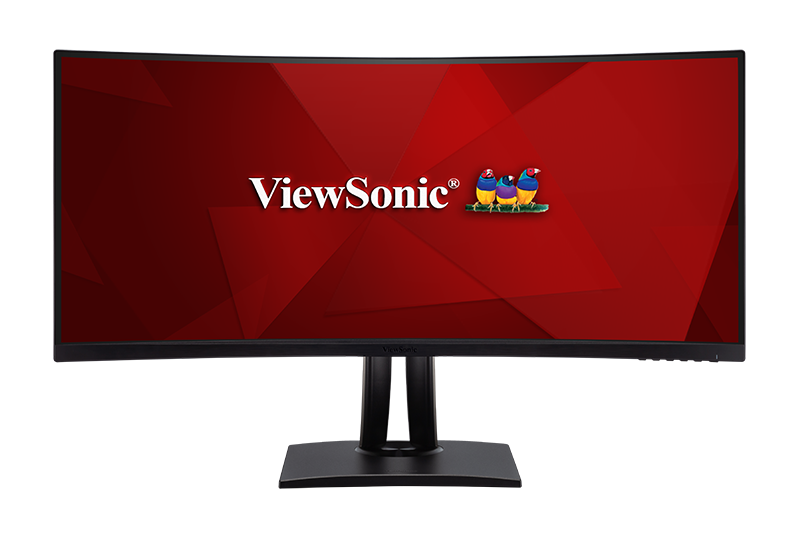
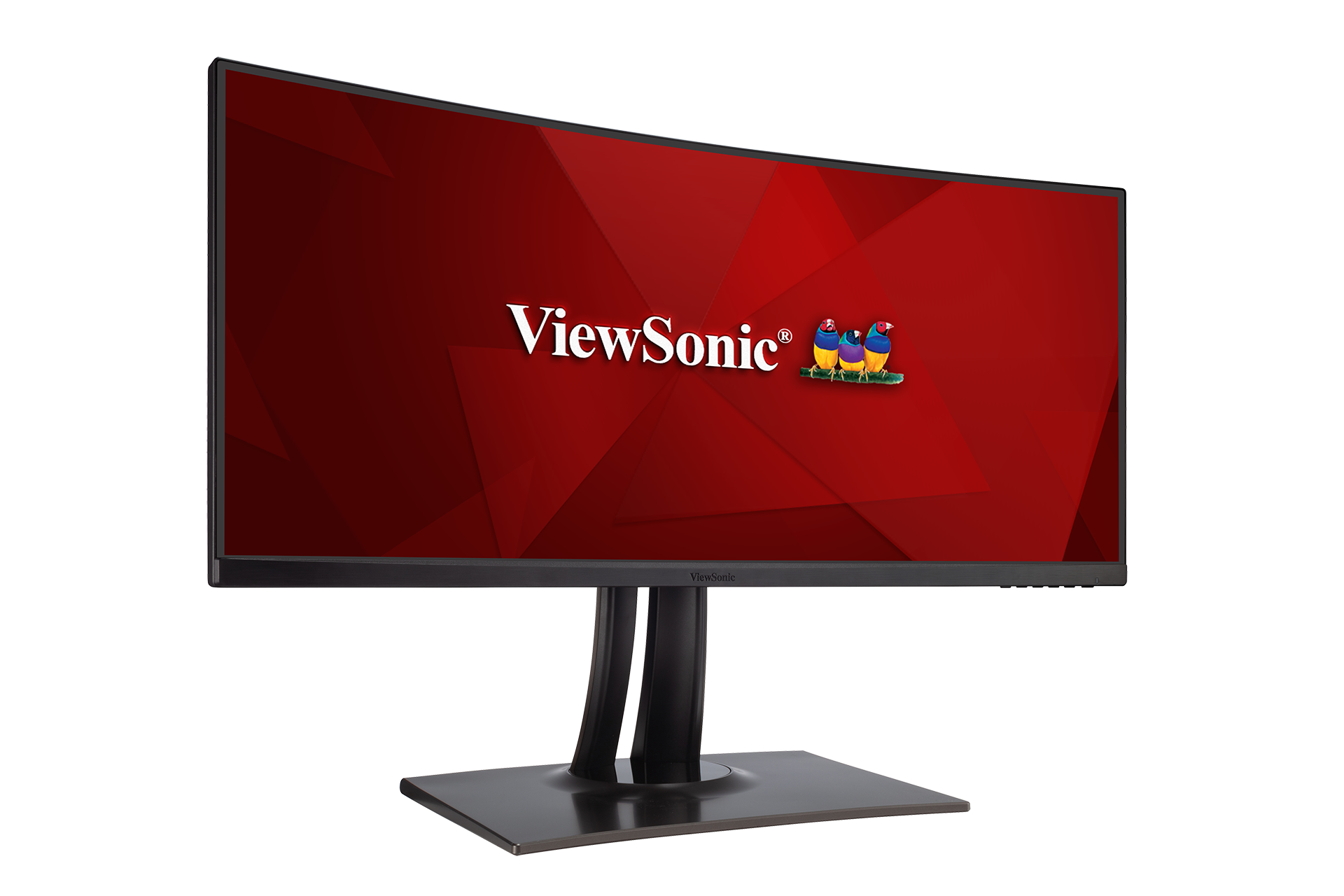
|1=<div class="res-img">[[File:VP3481.png|center|link=]]</div> | |1=<div class="res-img">[[File:VP3481.png|center|link=]]</div> | ||
|2=< | |2='''VP3481''' | ||
|3=<ol style="list-style-type:square"> | |3=<ol style="list-style-type:square; color:#C8102E;"> | ||
<li>[[ | <li>[[VP3481_Introduction|Einleitung]]</li> | ||
<li>[[ | <li>[[VP3481_Initial_Setup|Grundeinstellungen]]</li> | ||
<li>[[ | <li>[[VP3481_Connecting_Power_and_Devices|Verbindungen herstellen]]</li> | ||
<li>[[ | <li>[[VP3481_Adjusting_the_Viewing_Angle|Betrachtungswinkel anpassen]]</li> | ||
<li>[[ | <li>[[VP3481_Quick_Menu|Schnellmenü]]</li> | ||
<li>[[ | <li>[[VP3481_Hot_Keys|Schnelltasten]]</li> | ||
<li>[[ | <li>[[VP3481_On-Screen_Display_Menu|Allgemeine Aktion]]</li> | ||
<li>[[ | <li>[[VP3481_On-Screen_Display_Menu_Tree|Bildschirmmenübaum]]</li> | ||
<li>[[ | <li>[[VP3481_On-Screen_Display_Menu_Options|Menüoption]]</li> | ||
<li>[[ | <li>[[VP3481_Advanced_Features_and_Settings|Erweiterte Funktionen und Einstellungen]]</li> | ||
<li>[[ | <li>[[VP3481_Specifications|Technische Daten]]</li> | ||
<li>[[ | <li>[[VP3481_Regulatory_and_Service_Information|Informationen zu Richtlinien und Service]]</li> | ||
<hr> | |||
<li>[[Monitor_Safety_Precautions|Sicherheitshinweise]]</li> | |||
<li>[[Monitor_Glossary|Glossar]]</li> | |||
<li>[[Monitor_Troubleshooting|Problemlösung]]</li> | |||
<li>[[Monitor_Maintenance|Wartung]]</li> | |||
<hr> | |||
<li>[[VP3481_Full_Guide|'''Vollständige Anleitung herunterladen''']]</li></ol> | |||
}} | |||
{{Product | |||
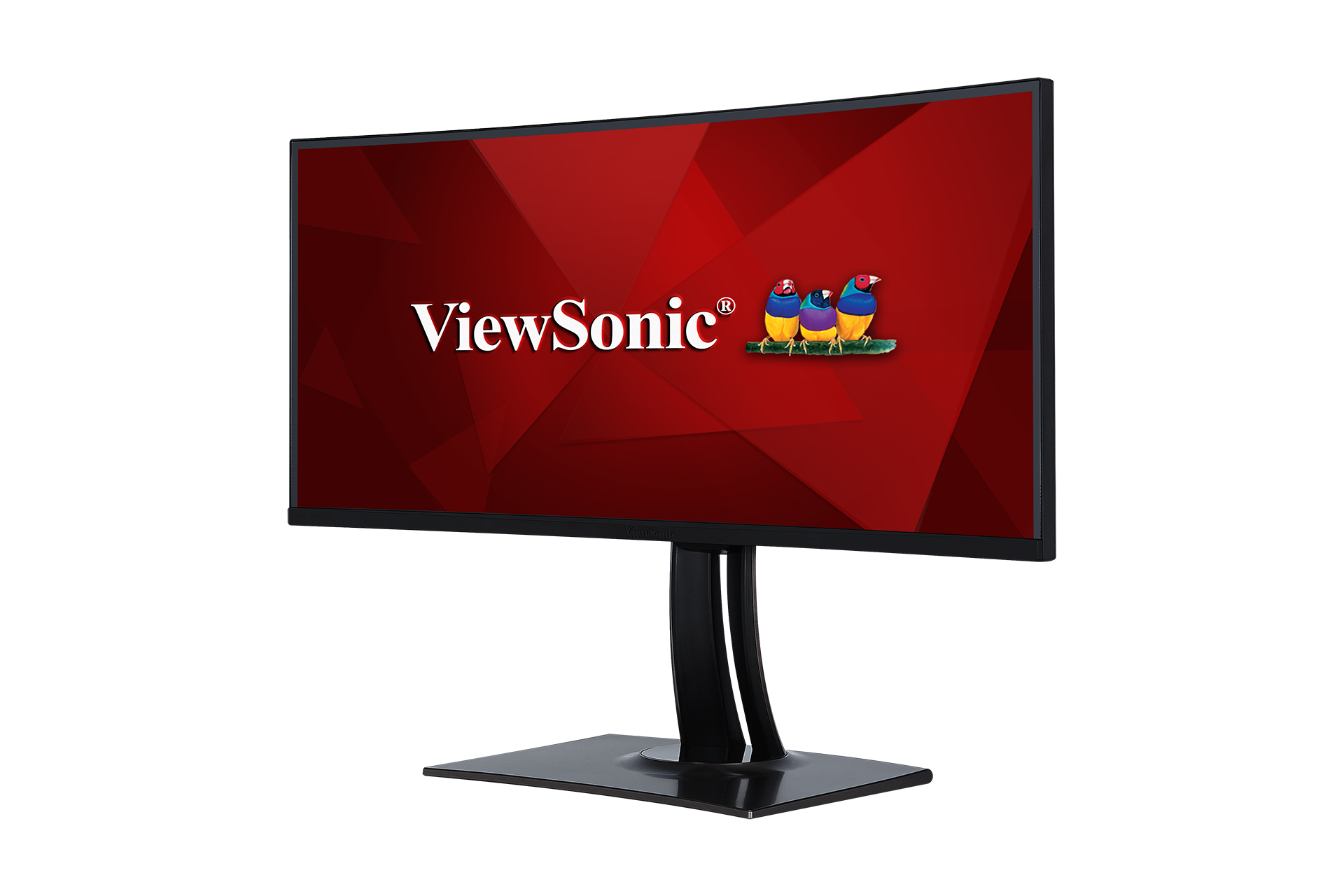
|1=<div class="res-img">[[File:VP3481a.png|200px|center|link=]]</div> | |||
|2='''VP3481a''' | |||
|3=<ol style="list-style-type:square; color:#C8102E;"> | |||
<li>[[VP3481a_Introduction|Einleitung]]</li> | |||
<li>[[VP3481a_Initial_Setup|Grundeinstellungen]]</li> | |||
<li>[[VP3481a_Connecting_Power_and_Devices|Verbindungen herstellen]]</li> | |||
<li>[[VP3481a_Adjusting_the_Viewing_Angle|Betrachtungswinkel anpassen]]</li> | |||
<li>[[VP3481a_Quick_Menu|Schnellmenü]]</li> | |||
<li>[[VP3481a_Hot_Keys|Schnelltasten]]</li> | |||
<li>[[VP3481a_On-Screen_Display_Menu|Allgemeine Aktionen]]</li> | |||
<li>[[VP3481a_On-Screen_Display_Menu_Tree|Bildschirmmenübaum]]</li> | |||
<li>[[VP3481a_On-Screen_Display_Menu_Options|Menüoption]]</li> | |||
<li>[[VP3481a_Advanced_Features_and_Settings|Erweiterte Funktionen und Einstellungen]]</li> | |||
<li>[[VP3481a_Specifications|Technische Daten]]</li> | |||
<li>[[VP3481a_Regulatory_and_Service_Information|Informationen zu Richtlinien und Service]]</li> | |||
<hr> | <hr> | ||
<li>[[Monitor_Safety_Precautions| | <li>[[Monitor_Safety_Precautions|Sicherheitshinweise]]</li> | ||
<li>[[Monitor_Glossary| | <li>[[Monitor_Glossary|Glossar]]</li> | ||
<li>[[Monitor_Troubleshooting| | <li>[[Monitor_Troubleshooting|Problemlösung]]</li> | ||
<li>[[Monitor_Maintenance| | <li>[[Monitor_Maintenance|Wartung]]</li> | ||
<hr> | <hr> | ||
<li>[[ | <li>[[VP3481a_Full_Guide|''' | ||
Vollständige Anleitung herunterladen''']]</li></ol> | |||
}} | }} | ||
{{Product | {{Product | ||
|1=<div class="res-img">[[File:VP2785-4K.png|center|link=]]</div> | |1=<div class="res-img">[[File:VP2785-4K.png|center|link=]]</div> | ||
|2= | |2='''VP2785-4K''' | ||
|3=<ol style="list-style-type:square"> | |3=<ol style="list-style-type:square; color:#C8102E;"> | ||
<li>[https://www.viewsonicglobal.com/public/products_download/user_guide/Display/VP2785-4K/VP2785-4K_UG_DEU.pdf ''' | <li>[https://www.viewsonicglobal.com/public/products_download/user_guide/Display/VP2785-4K/VP2785-4K_UG_DEU.pdf '''Vollständige Anleitung herunterladen''']</li></ol> | ||
}} | }} | ||
{{Product | {{Product | ||
|1=<div class="res-img">[[File:VP2458.png|center|link=]]</div> | |1=<div class="res-img">[[File:VP2458.png|center|link=]]</div> | ||
|2= | |2='''VP2458''' | ||
|3=<ol style="list-style-type:square"> | |3=<ol style="list-style-type:square; color:#C8102E;"> | ||
<li>[https://www.viewsonicglobal.com/public/products_download/user_guide/Display/VP2458/VP2458_UG_DEU.pdf ''' | <li>[https://www.viewsonicglobal.com/public/products_download/user_guide/Display/VP2458/VP2458_UG_DEU.pdf '''Vollständige Anleitung herunterladen''']</li></ol> | ||
}} | }} | ||
{{Product | {{Product | ||
|1=<div class="res-img">[[File:VP3881.png|center|link=]]</div> | |1=<div class="res-img">[[File:VP3881.png|center|link=]]</div> | ||
|2= | |2='''VP3881''' | ||
|3=<ol style="list-style-type:square"> | |3=<ol style="list-style-type:square; color:#C8102E;"> | ||
<li>[https://www.viewsonicglobal.com/public/products_download/user_guide/Display/VP3881/VP3881_UG_DEU.pdf ''' | <li>[https://www.viewsonicglobal.com/public/products_download/user_guide/Display/VP3881/VP3881_UG_DEU.pdf '''Vollständige Anleitung herunterladen''']</li></ol> | ||
}} | }} | ||
{{Product | {{Product | ||
|1=<div class="res-img">[[File:VP2768.png|center|link=]]</div> | |1=<div class="res-img">[[File:VP2768.png|center|link=]]</div> | ||
|2= | |2='''VP2768''' | ||
|3=<ol style="list-style-type:square"> | |3=<ol style="list-style-type:square; color:#C8102E;"> | ||
<li>[https://www.viewsonicglobal.com/public/products_download/user_guide/Display/VP2768/VP2768_UG_DEU.pdf ''' | <li>[https://www.viewsonicglobal.com/public/products_download/user_guide/Display/VP2768/VP2768_UG_DEU.pdf '''Vollständige Anleitung herunterladen''']</li></ol> | ||
}} | }} | ||
{{Product | {{Product | ||
|1=<div class="res-img">[[File:VP3268-4K.png|center|link=]]</div> | |1=<div class="res-img">[[File:VP3268-4K.png|center|link=]]</div> | ||
|2= | |2='''VP3268-4K''' | ||
|3=<ol style="list-style-type:square"> | |3=<ol style="list-style-type:square; color:#C8102E;"> | ||
<li>[https://www.viewsonicglobal.com/public/products_download/user_guide/Display/VP3268-4K/VP3268-4K_UG_DEU.pdf ''' | <li>[https://www.viewsonicglobal.com/public/products_download/user_guide/Display/VP3268-4K/VP3268-4K_UG_DEU.pdf '''Vollständige Anleitung herunterladen''']</li></ol> | ||
}} | }} | ||
{{Product | {{Product | ||
|1=<div class="res-img">[[File:VP2785-2K.png|center|link=]]</div> | |1=<div class="res-img">[[File:VP2785-2K.png|center|link=]]</div> | ||
|2= | |2='''VP2785-2K''' | ||
|3=<ol style="list-style-type:square"> | |3=<ol style="list-style-type:square; color:#C8102E;"> | ||
<li>[https://www.viewsonicglobal.com/public/products_download/user_guide/Display/VP2785-2K/VP2785-2K_UG_DEU.pdf ''' | <li>[https://www.viewsonicglobal.com/public/products_download/user_guide/Display/VP2785-2K/VP2785-2K_UG_DEU.pdf '''Vollständige Anleitung herunterladen''']</li></ol> | ||
}} | }} | ||
<small> | <small>Falls Ihr Gerät nicht aufgelistet ist, suchen Sie bitte [https://www.viewsonic.com/global/search/ hier].</small> | ||
{{#seo: | {{#seo: | ||
|title=ViewSonic | |title=ViewSonic Monitore | ||
|title_mode=append | |title_mode=append | ||
|keywords=ViewSonic, | |keywords=ViewSonic, monitore, professional, ColorPro, VP Series, VP3481, VP2785-4K, Profi VP Serie, Profi, VP Serie, VP3881a | ||
|description=Suchen und finden Sie Antworten auf Ihre Fragen für ViewSonic Professional-Monitore. | |description=Suchen und finden Sie Antworten auf Ihre Fragen für ViewSonic Professional-Monitore. | ||
}} | }} | ||
[[Category:VP Series]] | [[Category:VP Series]] | ||
Latest revision as of 10:09, 27 September 2022
- Einleitung
- Grundeinstellungen
- Verbindungen herstellen
- Betrachtungswinkel anpassen
- Schnellmenü
- Schnelltasten
- Allgemeine Aktionen
- Bildschirmmenübaum
- Menüoption
- Technische Daten
- Informationen zu Richtlinien und Service
- Sicherheitshinweise
- Glossar
- Problemlösung
- Wartung
- Vollständige Anleitung herunterladen
- Einleitung
- Grundeinstellungen
- Verbindungen herstellen
- Betrachtungswinkel anpassen
- Schnellmenü
- Schnelltasten
- Allgemeine Aktionen
- Bildschirmmenübaum
- Menüoption
- Erweiterte Funktionen und Einstellungen
- Technische Daten
- Informationen zu Richtlinien und Service
- Sicherheitshinweise
- Glossar
- Problemlösung
- Wartung
- Vollständige Anleitung herunterladen
- Einleitung
- Grundeinstellungen
- Verbindungen herstellen
- Schnellmenü
- Schnelltasten
- Allgemeine Aktionen
- Bildschirmmenübaum
- Menüoption
- Erweiterte Funktionen und Einstellungen
- Technische Daten
- Informationen zu Richtlinien und Service
- Sicherheitshinweise
- Glossar
- Problemlösung
- Wartung
- Vollständige Anleitung herunterladen
- Einleitung
- Grundeinstellungen
- Verbindungen herstellen
- Betrachtungswinkel anpassen
- Schnellmenü
- Schnelltasten
- Allgemeine Aktionen
- Bildschirmmenübaum
- Menüoption
- Erweiterte Funktionen und Einstellungen
- Technische Daten
- Informationen zu Richtlinien und Service
- Sicherheitshinweise
- Glossar
- Problemlösung
- Wartung
- Vollständige Anleitung herunterladen
- Einleitung
- Grundeinstellungen
- Verbindungen herstellen
- Betrachtungswinkel anpassen
- Schnellmenü
- Schnelltasten
- Allgemeine Aktionen
- Bildschirmmenübaum
- Menüoption
- Erweiterte Funktionen und Einstellungen
- Technische Daten
- Informationen zu Richtlinien und Service
- Sicherheitshinweise
- Glossar
- Problemlösung
- Wartung
- Vollständige Anleitung herunterladen

- Einleitung
- Grundeinstellungen
- Verbindungen herstellen
- Betrachtungswinkel anpassen
- Schnellmenü
- Schnelltasten
- Allgemeine Aktionen
- Bildschirmmenübaum
- Menüoption
- Erweiterte Funktionen und Einstellungen
- Technische Daten
- Informationen zu Richtlinien und Service
- Sicherheitshinweise
- Glossar
- Problemlösung
- Wartung
- Vollständige Anleitung herunterladen
- Einleitung
- Grundeinstellungen
- Verbindungen herstellen
- Betrachtungswinkel anpassen
- Schnellmenü
- Schnelltasten
- Allgemeine Aktionen
- Bildschirmmenübaum
- Menüoption
- Erweiterte Funktionen und Einstellungen
- Technische Daten
- Informationen zu Richtlinien und Service
- Sicherheitshinweise
- Glossar
- Problemlösung
- Wartung
- Vollständige Anleitung herunterladen
- Einleitung
- Grundeinstellungen
- Verbindungen herstellen
- Betrachtungswinkel anpassen
- Schnellmenü
- Schnelltasten
- Allgemeine Aktionen
- Bildschirmmenübaum
- Menüoption
- Erweiterte Funktionen und Einstellungen
- Technische Daten
- Informationen zu Richtlinien und Service
- Sicherheitshinweise
- Glossar
- Problemlösung
- Wartung
- Vollständige Anleitung herunterladen
- Einleitung
- Grundeinstellungen
- Verbindungen herstellen
- Betrachtungswinkel anpassen
- Schnellmenü
- Schnelltasten
- Allgemeine Aktionen
- Bildschirmmenübaum
- Menüoption
- Erweiterte Funktionen und Einstellungen
- Technische Daten
- Informationen zu Richtlinien und Service
- Sicherheitshinweise
- Glossar
- Problemlösung
- Wartung
- Vollständige Anleitung herunterladen
- Einleitung
- Grundeinstellungen
- Verbindungen herstellen
- Betrachtungswinkel anpassen
- Schnellmenü
- Schnelltasten
- Allgemeine Aktionen
- Bildschirmmenübaum
- Menüoption
- Erweiterte Funktionen und Einstellungen
- Technische Daten
- Informationen zu Richtlinien und Service
- Sicherheitshinweise
- Glossar
- Problemlösung
- Wartung
- Vollständige Anleitung herunterladen
- Einleitung
- Grundeinstellungen
- Verbindungen herstellen
- Betrachtungswinkel anpassen
- Schnellmenü
- Schnelltasten
- Allgemeine Aktionen
- Bildschirmmenübaum
- Menüoption
- Erweiterte Funktionen und Einstellungen
- Technische Daten
- Informationen zu Richtlinien und Service
- Sicherheitshinweise
- Glossar
- Problemlösung
- Wartung
- Vollständige Anleitung herunterladen

- Einleitung
- Grundeinstellungen
- Verbindungen herstellen
- Betrachtungswinkel anpassen
- Schnellmenü
- Schnelltasten
- Allgemeine Aktionen
- Bildschirmmenübaum
- Menüoption
- Erweiterte Funktionen und Einstellungen
- Technische Daten
- Informationen zu Richtlinien und Service
- Sicherheitshinweise
- Glossar
- Problemlösung
- Wartung
- Vollständige Anleitung herunterladen

- Einleitung
- Grundeinstellungen
- Verbindungen herstellen
- Betrachtungswinkel anpassen
- Schnellmenü
- Schnelltasten
- Allgemeine Aktionen
- Bildschirmmenübaum
- Menüoption
- Erweiterte Funktionen und Einstellungen
- Technische Daten
- Informationen zu Richtlinien und Service
- Sicherheitshinweise
- Glossar
- Problemlösung
- Wartung
- Vollständige Anleitung herunterladen

- Einleitung
- Grundeinstellungen
- Verbindungen herstellen
- Betrachtungswinkel anpassen
- Schnellmenü
- Schnelltasten
- Allgemeine Aktionen
- Bildschirmmenübaum
- Menüoption
- Erweiterte Funktionen und Einstellungen
- Technische Daten
- Informationen zu Richtlinien und Service
- Sicherheitshinweise
- Glossar
- Problemlösung
- Wartung
- Vollständige Anleitung herunterladen
- Einleitung
- Grundeinstellungen
- Verbindungen herstellen
- Betrachtungswinkel anpassen
- Schnellmenü
- Schnelltasten
- Allgemeine Aktion
- Bildschirmmenübaum
- Menüoption
- Erweiterte Funktionen und Einstellungen
- Technische Daten
- Informationen zu Richtlinien und Service
- Sicherheitshinweise
- Glossar
- Problemlösung
- Wartung
- Vollständige Anleitung herunterladen
- Einleitung
- Grundeinstellungen
- Verbindungen herstellen
- Betrachtungswinkel anpassen
- Schnellmenü
- Schnelltasten
- Allgemeine Aktionen
- Bildschirmmenübaum
- Menüoption
- Erweiterte Funktionen und Einstellungen
- Technische Daten
- Informationen zu Richtlinien und Service
- Sicherheitshinweise
- Glossar
- Problemlösung
- Wartung
- Vollständige Anleitung herunterladen




Falls Ihr Gerät nicht aufgelistet ist, suchen Sie bitte hier.