From ViewSonic Documentation
Features
- 360 degree smart stand with instant Power ON/OFF (with Lens cover function).
- Auto keystone to correct distorted images automatically.
- Eye Protection function for objects that get too close to the lens (30 cm distance / 30 degrees).
- USB-C for video transmission and power supply.
- Embedded battery for easy outdoor projection (up to 6 hours).
- Adjustable light source mode to extend your battery usage hours.
- 16GB internal storage (Max. 12GB available).
- User-friendly UI design for easy navigation.
- Music mode enables users to enjoy music without projecting an image.
- Short throw lens design to allow 1.6m distance to project 60” screen size.
- LED light source with excellent light source life (30,000 hrs).
- Supports 3D display.
- Color modes providing choices for different projection purposes.
- Multi-language On-Screen Display (OSD) Menus.
- NOTE: The apparent brightness of the projected image will vary depending on the ambient lighting conditions, selected input signal contrast/brightness settings, and projection distance.
Package Contents
Projector Overview
| Number
|
Item
|
| 1
|
Speaker
|
| 2
|
Ventilation
|
| 3
|
Focus Ring
|
| 4
|
Tripod Hole
|
| 5
|
IR Receiver
|
| 6
|
Eye Protection Sensor
|
| 7
|
Enter/Power Button
|
| 8
|
Volume Down
|
| 9
|
Volume Up
|
| 10
|
Return
|
| 11
|
Battery Indicator
|
| 12
|
Speaker PR
|
| 13
|
Micro SD
|
| 14
|
DC IN
|
| 15
|
USB-C
|
| 16
|
HDMI Port
|
| 17
|
Audio Out
|
| 18
|
USB Reader (5V/1A out)
|
| 19
|
Reset Button[1]
|
| 20
|
Smart Stand
|
- ↑ In the event of a system crash, use the Reset Button to restart the projector.
Further Reading
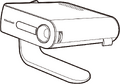 M1 mini Projector
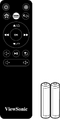 Remote Control (with batteries)
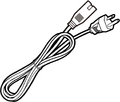 Power Cord
 USB-C Cable (1 m)
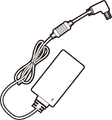 Power Adapter
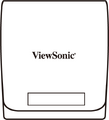 Soft Carry Bag
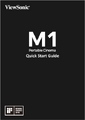 Quick Start Guide


