IFP50-3 Giriş
From ViewSonic Documentation
Paket İçeriği
-
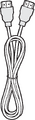 HDMI kablosu (3 m)
 -
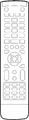 Uzaktan kumanda
 -
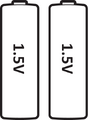 AAA pil x 2
 -
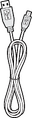 USB kablosu (3 m)
 -
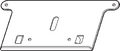 Web Kamerası Levhası
 -
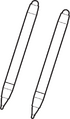 Dokunmatik Kalem x 2
 -
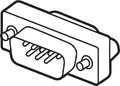 RS-232 adaptör
 -
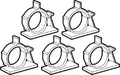 Kelepçe x 5
 -
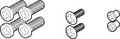 Vida x 8
 -
 Quick Start Guide
 -
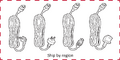 Güç kablosu


Duvara Montaj Kitinin Özellikleri (VESA)
Duvar montajınızı veya mobil montaj braketini kurmak için lütfen duvara montaj kurulum kılavuzundaki talimatları izleyin. Diğer bina malzemelerine takıyorsanız, lütfen en yakın bayinize başvurun.

| Model | VESA Özellk. (A x B) | Standart Vida (C x D) | Miktar |
|---|---|---|---|
| IFP5550-3/A/B - 55” | 400 x 200 mm | M8 x 25 mm | 4 |
| IFP6550-3/A/B - 65” | 600 x 400 mm | M8 x 25 mm | 4 |
| IFP7550-3/A/B - 75” | 800 x 400 mm | M8 x 25 mm | 4 |
| IFP8650-3/A/B - 86” | 800 x 600 mm | M8 x 25 mm | 4 |
| IFP9850-3 - 98" | 800 x 600 mm | M8 x 25 mm | 4 |
Ekranın iç kısmına zarar verebileceğinden, standart boyuttan uzun vida kullanmayın.
Product Overview
Front Panel | Control Panel

Rear Panel

| Number | Description |
|---|---|
| 1 | Power indicator light |
| 2 | Remote control receiver |
| 3 | Turn On/Off the device Tap to enter Energy Saving mode Press and hold for at least two (2) seconds to enter Standby mode |
| 4 | Go to the Home Screen |
| 5 | Return to the previous screen |
| 6 | Enter the Settings menu Press and hold for three (3) seconds to activate Screen Freeze |
| 7 | Decrease the Volume |
| 8 | Increase the Volume |
| 9 | USB 3.0. Smart USB port for PC, HDMI, VGA, and Android input signals. |
| 10 | USB 2.0. Smart USB port for PC, HDMI, VGA, and Android input signals. |
| 11 | Speaker |
| 12 | Subwoofer |
I/O Panel
Lower Right Side

Lower Front Right

Bottom Left

- NOTE:
- TOUCH, HDMI, and VGA are grouped by color; i.e. TOUCH 1 should be used with HDMI 1/2.
- Under the Embedded Player, USB ports only support 2.0 transfer speeds.
| Number | Port | Description |
|---|---|---|
| 1 | HDMI OUT | Connect to devices with HDMI input function. Supports 1080p and 4K@60Hz. |
| 2 | USB 3.0 | Connect USB devices such as hard disks, keyboard, mouse, etc. Automatically switches between PC and Android. |
| 3 | TOUCH 1 |
Touch signal output to external PC |
| 4 | HDMI IN 1/2 | High definition input; connect to PC with HDMI output, set-top box, or other video device. |
| 5 | HDMI IN 3 | High definition input; connect to PC with HDMI output, set-top box, or other video device. |
| 6 | TOUCH 2 |
Touch signal output to external PC |
| 7 | Wi-Fi Module Slot | Slot for adding optional Wi-Fi module. |
| 8 | VGA | External computer video input. |
| 9 | AUDIO IN | External computer audio input. |
| 10 | SPDIF | Multichannel sound via optical signals. |
| 11 | RS-232 | Serial interface; used for mutual transfer of data between devices. |
| 12 | AUDIO OUT | Audio output to an external speaker. |
| 13 | LAN | Standard RJ45 (10M/100M/1G for PC; 10M/100M for Android) Internet connection interface. |
| 14 | USB 2.0 | Connect USB devices such as hard disks, keyboard, mouse, etc.
[ 5V dc/0.5A ] |
| 15 | AC Switch | Turn On/Off AC power supply. "I" = Power On; "O" = Power Off |
| 16 | AC IN | AC power input |