
M1X Introduction: Difference between revisions
From ViewSonic Documentation
Tag: Manual revert |
|||
| Line 36: | Line 36: | ||
| Volume Down | | Volume Down | ||
|- | |- | ||
| <span style="font-size:20px; | | <span style="font-size:20px; font-weight:bold;">③</span> | ||
| Play / Pause | | Play / Pause | ||
|- | |- | ||
Revision as of 03:07, 9 July 2024
Package Contents
-
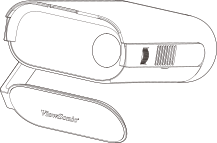 Projector
 -
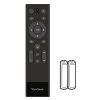 Remote Control with Batteries
 -
 USB Type C Cable
 -
 Power Cord
 -
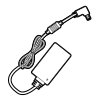 Power Adapter
 -
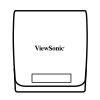 Carrying Bag
 -
 Quick Start Guide


Projector Overview

| Number | Item |
|---|---|
| ① | Volume Up |
| ② | Volume Down |
| ③ | Play / Pause |
| ④ | LED Indicator (Power and Battery LED) |
| ⑤ | Speaker |
| ⑥ | IR Receiver |
| ⑦ | Lens |
| ⑧ | Focus Ring |
| ⑨ | I/O Ports |
| ⑩ | Smart Stand |
| ⑪ | Tripod Mount |
I/O Ports

| Number | Item |
|---|---|
| ❶ | DC IN |
| ❷ | USB Type C[1] |
| ❸ | Audio Out |
| ❹ | HDMI[2][3] |
| ❺ | USB Type A |
Further Reading
 |