
VB-VIS-003 Introduction: Difference between revisions
From ViewSonic Documentation
Created page with "<noinclude> {{Sticky_Menu_VB-AUD-201 |1=VB-VIS-003_Introduction |2=VB-VIS-003_Making_Connections |3=VB-VIS-003_Using_the_Speakerphone |4=VB-VIS-003_Specifications |5=VB-AUD-20..." |
No edit summary |
||
| Line 1: | Line 1: | ||
<noinclude> | <noinclude> | ||
{{Sticky_Menu_VB- | {{Sticky_Menu_VB-VIS-003 | ||
|1=VB-VIS-003_Introduction | |1=VB-VIS-003_Introduction | ||
|2=VB-VIS- | |2=VB-VIS-003_Initial_Setup | ||
|3=VB-VIS- | |3=VB-VIS-003_Making_Connections | ||
|4=VB-VIS- | |4=VB-VIS-003_Using_the_Device | ||
|5=VB- | |5=VB-VIS-003_Using_vDocCam+ | ||
|6=VB-AUD-201_Regulatory_and_Service_Information | |6=VB-VIS-003_Specifications | ||
|7=VB-AUD-201_Regulatory_and_Service_Information | |||
}} | }} | ||
</noinclude> | </noinclude> | ||
| Line 71: | Line 72: | ||
{{#seo: | {{#seo: | ||
|title=ViewBoard | |title=ViewBoard Accessories | ||
|title_mode=append | |title_mode=append | ||
|keywords=ViewBoard | |keywords=ViewBoard, VB-VIS-003, Document Camera, camera | ||
|description=Introduction to | |description=Introduction to VB-VIS-003. | ||
}} | }} | ||
[[Category:VB-VIS-003]] | [[Category:VB-VIS-003]] | ||
Revision as of 05:48, 18 August 2022
Overview
Package Contents
Please take a moment to check if all the necessary items are included in the package. If anything is missing or damaged, please contact your dealer immediately.
-
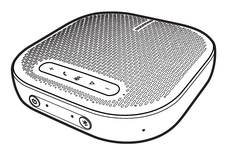 VB-AUD-201
 -
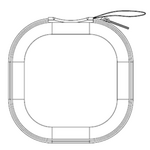 Carrying Case
 -
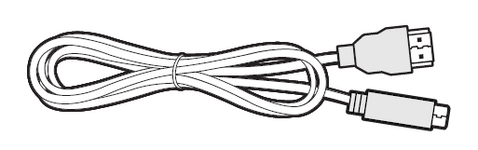 USB 2.0 Type-C to Type-A cable x 1 (1m)
 -
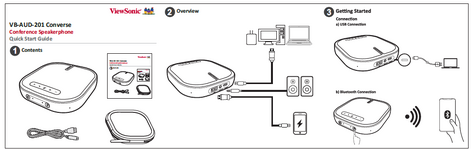 Quick Start Guide (QSG)


Product

| 1 | Volume up button |
| 2 | Call button |
| 3 | Mute button |
| 4 | Multi-function button |
| 5 | Volume down button |
| 6 | Power button |
| 7 | Power LED indicator |
| 8 | Bluetooth LED indicator |
| 9 | Bluetooth button |
| 10 | Status indicator |
| 11 | USB port for charging output (Type A) |
| 12 | Audio output port |
| 13 | USB port for charging input (Type C) |
Warning
- Do not expose the product to a wet environment; and do not place liquid containers (e.g., vases) on the product.
- Do not put uncovered sources of ignition (e.g., lit candles) on the product.
- Keep the product away from direct sunlight, an open fire or other heat sources.
- If using a power adapter for power supply, please use a supported power adapter that has CCC certification.