
M2 Introduction: Difference between revisions
From ViewSonic Documentation
No edit summary |
|||
| Line 25: | Line 25: | ||
=Package Contents= | =Package Contents= | ||
<gallery mode="traditional"> | <gallery mode="traditional"> | ||
M2_Projector.png| M2 Projector | |||
M2_Remote_Control.png| Remote Control | |||
M2_QSG.png| Quick Start Guide | |||
M2_Power_Cord| Power Cord | |||
M2_USBC.png| USB-C Cable | |||
M2_DC_Power.png| DC Power Adapter | |||
M2_Dongle.png| Wi-Fi Dongle | |||
M2_Batteries.png| Batteries | |||
M2_Soft_Carry_Bag.png| Soft Carrying Bag | |||
</gallery> | </gallery> | ||
{{Note-yellow| '''NOTE:''' The power cord and video cables included in your package may vary depending on your country. Please contact your local reseller for more information.}} | {{Note-yellow| '''NOTE:''' The power cord and video cables included in your package may vary depending on your country. Please contact your local reseller for more information.}} | ||
Revision as of 08:18, 5 May 2020
Features
- Short throw lens design allows for a projected 80” screen size from only 2.18 meters away.
- Auto V. keystone to correct a distorted image automatically.
- Bluetooth device connection, Auto Focus, and Screen Mirroring features.
- USB-C for video transmission and power supply.
- Eye protection feature in the event objects get too close to the light source.
- 16 GB internal storage (Max. 12 GB available for user storage).
- Various Color modes for different projection purposes.
- Multi-language On-Screen Display (OSD) menus.
Package Contents
-
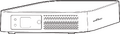 M2 Projector
 -
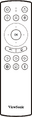 Remote Control
 -
 Quick Start Guide
 -
Power Cord
-
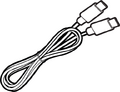 USB-C Cable
 -
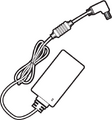 DC Power Adapter
 -
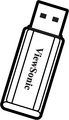 Wi-Fi Dongle
 -
 Batteries
 -
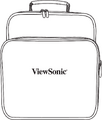 Soft Carrying Bag


NOTE: The power cord and video cables included in your package may vary depending on your country. Please contact your local reseller for more information.
Projector Overview

| Letter | Item |
|---|---|
| A | Projection Lens |
| B | Eye Protection Sensor |
| C | IR Sensor |
| D | Auto Focus Camera |
| E | Speaker |
| F | Power Key & Volume Knob |
| G | Handle |
| H | LED Indicator |
I/O Ports

| Number | Port | Description |
|---|---|---|
| 1 | AC Power Cord Inlet | AC Power Cord inlet |
| 2 | Wi-Fi Dongle | Wi-Fi dongle socket |
| 3 | S/PDIF | S/PDIF signal output socket |
| 4 | Audio Out (3.5 mm jack) | Audio signal output socket |
| 5 | Audio In (3.5 mm jack) | Audio signal input socket for Bluetooth mode |
| 6 | HDMI 1[1] | HDMI port[2] |
| 7 | HDMI 2[1] | HDMI port[2] |
| 8 | USB-C[3] | USB-C port |
| 9 | Micro SD | Micro SD socket (SDXC up to 64 GB - FAT32/NTFS) |
| 10 | LAN | RJ45 LAN port |
| 11 | USB 1 (5V/1.5A Out) | USB 2.0 Type A port (USB Reader - FAT32/NTFS) |
| 12 | USB 2 (5V/2A Out) | USB 3.0 Type A port (USB Reader - FAT32/NTFS) |
| 13 | Reset Button | Reset button for restarting the projector[4] |
| 14 | IR Sensor | IR Sensor for remote control |
- ↑ 1.0 1.1 Supports HDCP 2.0/HDMI 2.2.
- ↑ 2.0 2.1 iPhone/iPad users will need to buy an additional adapter. To avoid compatibility issues, please use Apple authorized accessories.
- ↑ Please use the supplied USB-C cable, and ensure your USB-C device can support video transmission.
- ↑ Insert a paper clip into the Reset button to restart the projector if the system freezes.