
M1X Introduction: Difference between revisions
From ViewSonic Documentation
No edit summary |
// via Wikitext Extension for VSCode |
||
| Line 14: | Line 14: | ||
</noinclude> | </noinclude> | ||
=Package Contents= | =Package Contents= | ||
<gallery mode=" | <gallery mode="nolines"> | ||
M1X_Projector.svg| Projector | M1X_Projector.svg| Projector | ||
M1X_Remote_Control.svg| Remote Control with Batteries | M1X_Remote_Control.svg| Remote Control with Batteries | ||
M1+_G2_Type_C_Cable.svg| USB Type C Cable | |||
M1+_G2_Power_Cord.svg| Power Cord | |||
M1+_G2_Power_Adapter.svg| Power Adapter | |||
M1+_G2_Carry_Bag.svg| Carrying Bag | |||
M1+_G2_QSG.png| Quick Start Guide | |||
</gallery> | </gallery> | ||
Revision as of 06:56, 3 July 2024
Package Contents
-
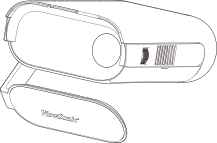 Projector
 -
Remote Control with Batteries
-
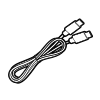 USB Type C Cable
 -
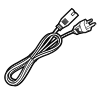 Power Cord
 -
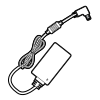 Power Adapter
 -
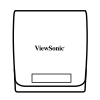 Carrying Bag
 -
 Quick Start Guide


Projector Overview

| Number | Item |
|---|---|
| 1 | Speaker |
| 2 | IR Receiver |
| 3 | Tripod mount |
| 4 | Focus Ring |
| 5 | Micro SD slot |
| 6 | DC IN |
| 7 | USB Type C |
| 8 | HDMI |
| 9 | Audio Out |
| 10 | USB Type A |
| 11 | Enter[1] / Power Button [2] |
| 12 | Volume Down[3] |
| 13 | Volume Up[4] |
| 14 | Return[5] |
| 15 | Speaker |
| 16 | IR Receiver |
| 17 | Battery Indicator |
| 18 | Smart Stand |
| 19 | Lens |
- ↑ Enacts the selected On-Screen Display (OSD) menu item.
- ↑ Press and hold for three (3) seconds to Power On/Off the projector.
- ↑ Decrease the volume level when the OSD menu doesn’t enable; Down.
- ↑ Increase the volume level when the OSD menu doesn’t enable; Up.
- ↑ Press and hold for three (3) seconds to view the source list.
Further Reading
 |