
X100-4K+ Introduction: Difference between revisions
From ViewSonic Documentation
Created page with "<noinclude> {{Sticky_Menu_Projector |1=X100-4K+_Introduction |2=X100-4K+_Remote_Control |3=X100-4K+_Initial_Setup |4=X100-4K+_Connecting_Power_and_Devices |5=X100-4K+_Using_th..." |
|||
| (2 intermediate revisions by the same user not shown) | |||
| Line 106: | Line 106: | ||
{| | {| | ||
|- | |- | ||
|<div class="res-img">[[File: | |<div class="res-img">[[File:library-logo-18.png|600px|link=https://www.viewsonic.com/library/]]</div> | ||
|} | |} | ||
</noinclude> | </noinclude> | ||
{{#seo: | |||
|title=ViewSonic Projector | |||
|title_mode=append | |||
|keywords=X100-4K+, I/O Ports, Front view, Control Panel | |||
|description=An introduction to the X100-4K+'s physical layout and I/O. | |||
}} | |||
{{#seo: | |||
|title=ViewSonic Projector | |||
|title_mode=append | |||
|keywords=X100-4K+, I/O Ports, Front view, Control Panel | |||
|description=An introduction to the X100-4K+'s physical layout and I/O. | |||
}} | |||
[[Category:X100-4K+]] | [[Category:X100-4K+]] | ||
Latest revision as of 10:03, 17 June 2025
Features
- Central and Wide lens shift range is excellent for home cinema projection. Project a 100” screen from 2.65 meters.
- Compatible home automation system with LAN control smart technology. It’s easy to control your smart home equipment.
- 12V trigger, Motorized Focus, and Screen Mirroring features.
- 16 GB internal storage (Max. 12 GB available for user storage).
- Various Color modes for different projection purposes.
- Multi-language On-Screen Display (OSD) menus.
Package Contents
-
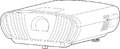 X100-4K Projector
 -
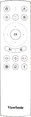 Remote Control
 -
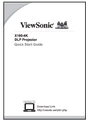 Quick Start Guide
 -
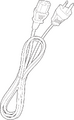 Power Cord
 -
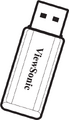 Wi-Fi Dongle
 -
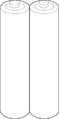 Batteries


NOTE: The power cord and remote control included in your package may vary depending on your country. Please contact your local reseller for more information.
Projector Overview
Projector - Controls and Functions

Lens Shift Cover

Keypad Cover

I/O Ports

| Number | Port | Description |
|---|---|---|
| 1 | AUDIO OUT (3.5 mm jack) | Audio signal output socket |
| 2 | AUX (3.5 mm jack) | Audio signal input socket |
| 3 | 12V Trigger | 12V DC output terminal |
| 4 | RS-232 | RS-232 control port |
| 5 | COMPUTER IN | VGA signal input port |
| 6 | USB (5V/2A Out) | USB 3.0 Type A port (USB Reader - FAT32) |
| 7 | HDMI 1/2/3/4[1] | HDMI port[2] |
| 8 | LAN | RJ45 LAN port |
| 9 | CONTROL | Compatible home automation system |
| 10 | S/PDIF | S/PDIF signal output socket |
| 11 | WIRE IR | Connection port for IR sensor extender |
| 12 | Service | For Firmware updates |

Further Reading
 |