
VP2786-4K Introduction: Difference between revisions
From ViewSonic Documentation
No edit summary |
|||
| (11 intermediate revisions by the same user not shown) | |||
| Line 1: | Line 1: | ||
<noinclude> | <noinclude> | ||
{{ | {{Sticky_Menu_VP2776 | ||
|1=VP2786-4K_Introduction | |1=VP2786-4K_Introduction | ||
|2=VP2786-4K_Initial_Setup | |2=VP2786-4K_Initial_Setup | ||
| Line 11: | Line 11: | ||
|9=VP2786-4K_On-Screen_Display_Menu_Options | |9=VP2786-4K_On-Screen_Display_Menu_Options | ||
|10=VP2786-4K_Advanced_Features_and_Settings | |10=VP2786-4K_Advanced_Features_and_Settings | ||
|11=VP2786-4K_Specifications | |11=VP2786-4K_ColorPro_Wheel_for_Color_Calibration | ||
| | |12=VP2786-4K_Specifications | ||
|13=VP2786-4K_Regulatory_and_Service_Information | |||
}} | }} | ||
</noinclude> | </noinclude> | ||
=Package Contents= | =Package Contents= | ||
<ol style="list-style-type:square | {| | ||
|- | |||
|<ol style="list-style-type:square;"> | |||
<li>Monitor</li> | <li>Monitor</li> | ||
<li>Power Cord</li> | <li>Power Cord</li> | ||
| Line 22: | Line 25: | ||
<li>Quick Start Guide</li> | <li>Quick Start Guide</li> | ||
</ol> | </ol> | ||
|style="text-align:center;"| <div class="res-img">[[File:VP2786-4K.png|400px|link=]]</div> | |||
|} | |||
=Front View / Rear View= | =Front View / Rear View= | ||
<gallery widths=350px heights=350px mode="nolines"> | <gallery widths=350px heights=350px mode="nolines"> | ||
VP2786-4K_Front_View.svg|Front View | |||
VP2786-4K_Rear_View.svg|Rear View | |||
</gallery> | </gallery> | ||
{| class="wikitable" style=" text-align:center; width: 50%;" | {| class="wikitable" style=" text-align:center; width: 50%;" | ||
|- | |- | ||
! style="background-color:# | ! style="background-color:#DB0025; color:#ffffff; width:20%;" | Letter | ||
! style="background-color:# | ! style="background-color:#DB0025; color:#ffffff;" | Item | ||
|- | |- | ||
|'''A''' | |'''A''' | ||
| Line 49: | Line 54: | ||
=I/O Ports= | =I/O Ports= | ||
<div class="res-img">[[File: | <div class="res-img">[[File:VP2786-4K_IO.png| 600px | I/O Ports]]</div> | ||
{| class="wikitable" style="text-align:center; width: 50%;" | {| class="wikitable" style="text-align:center; width: 50%;" | ||
! style="background-color:# | ! style="background-color:#DB0025; color:#ffffff; width:20%;" | Number !! style="background-color:#DB0025; color:#ffffff;" | Item | ||
|- | |- | ||
|'''1''' || AC IN | |'''1''' || AC IN | ||
| Line 69: | Line 74: | ||
|- | |- | ||
|'''8''' || Micro USB | |'''8''' || Micro USB | ||
|} | |||
=Product Overview - ColorPro™ Wheel= | |||
<div class="res-img">[[File:ColorPro_Wheel_Overview.png|700px|ColorPro Wheel]]</div> | |||
{| class="wikitable" style=" text-align:center; width: 50%;" | |||
|- | |||
! style="background-color:#DB0025; color:#ffffff; width:20%;" | Number | |||
! style="background-color:#DB0025; color:#ffffff;" | Item | |||
|- | |||
|'''1''' | |||
|Confirm Button | |||
|- | |||
|'''2''' | |||
|Dial | |||
|- | |||
|'''3''' | |||
|Grip | |||
|- | |||
|'''4''' | |||
|Back Button | |||
|- | |||
|'''5''' | |||
|Lens Cap | |||
|- | |||
|'''6''' | |||
|Lens | |||
|- | |||
|'''7''' | |||
|Adjustable Weight | |||
|} | |} | ||
<noinclude> | <noinclude> | ||
=Further Reading= | =Further Reading= | ||
{| | {| | ||
Latest revision as of 10:40, 29 December 2022
Package Contents
|
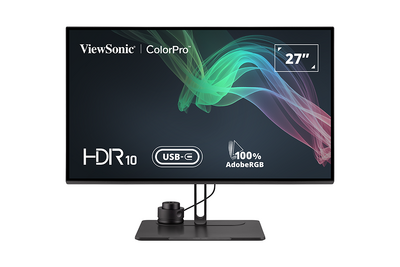 |
Front View / Rear View
-
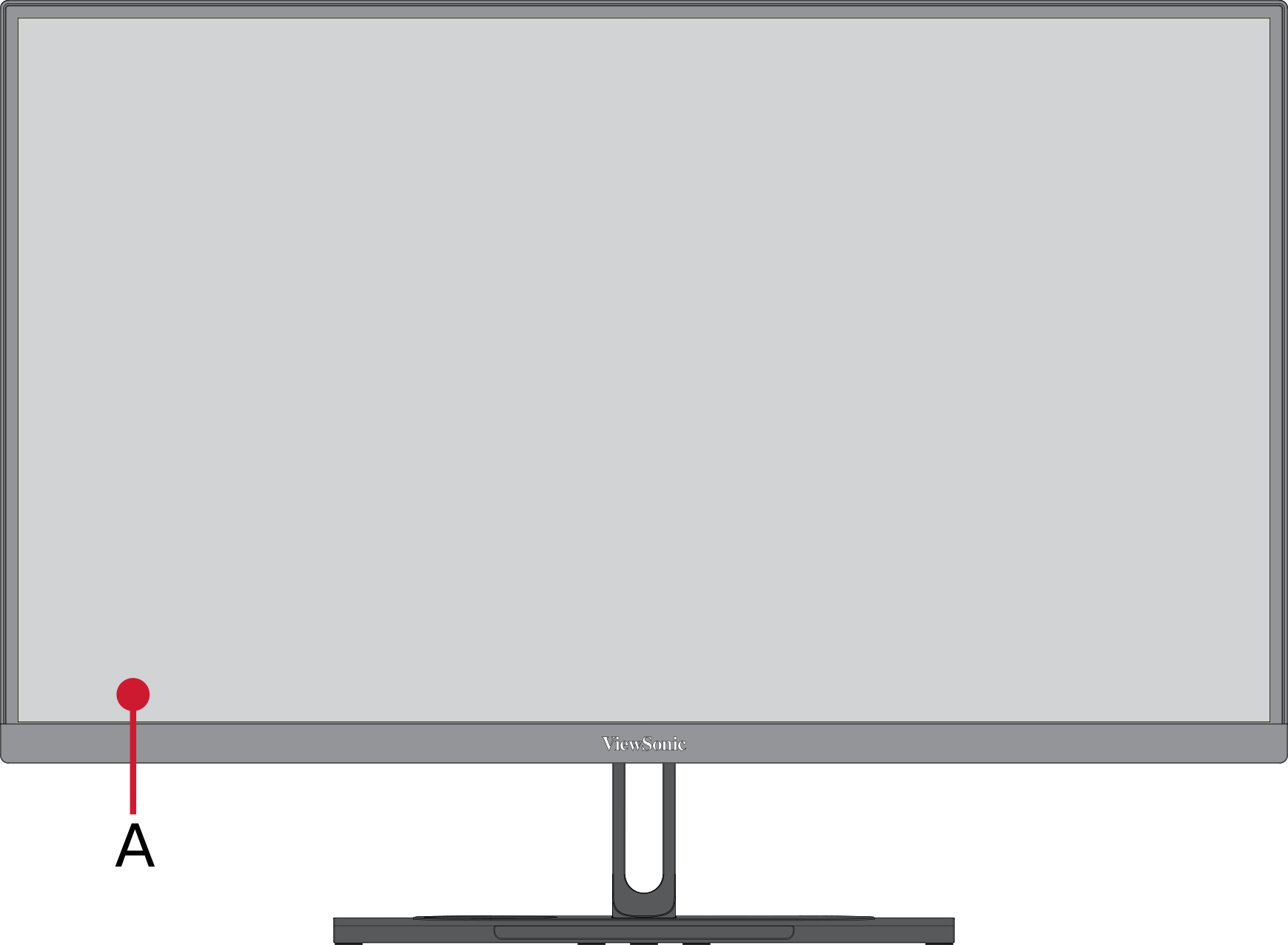 Front View
 -
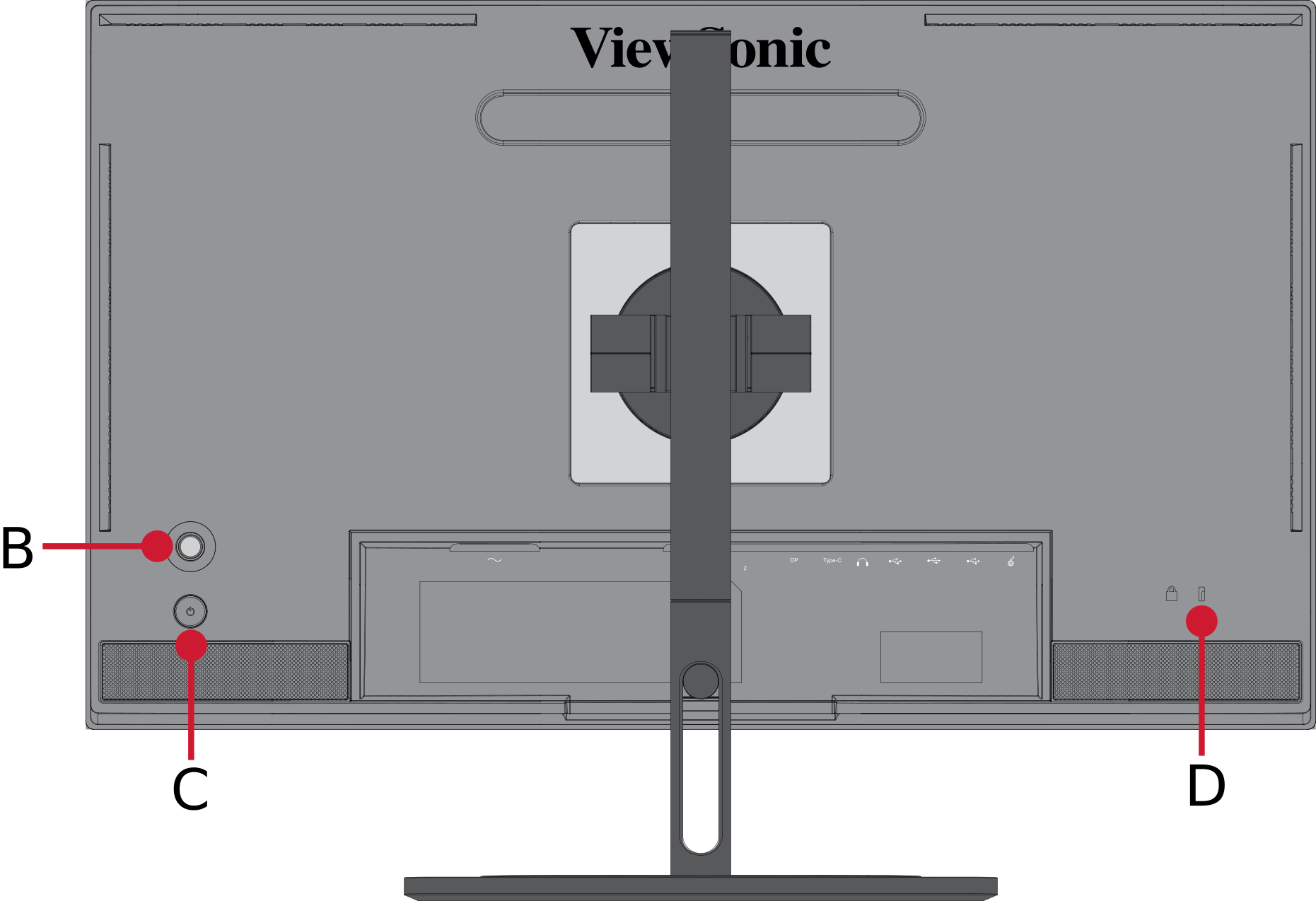 Rear View


| Letter | Item |
|---|---|
| A | Display Screen |
| B | Joy Key |
| C | Power Button |
| D | Security Slot |
I/O Ports

| Number | Item |
|---|---|
| 1 | AC IN |
| 2 | HDMI |
| 3 | DisplayPort |
| 4 | USB Type-C |
| 5 | Audio Out |
| 6 | USB Type-B (Upstream) |
| 7 | USB Type-A (Downstream) |
| 8 | Micro USB |
Product Overview - ColorPro™ Wheel

| Number | Item |
|---|---|
| 1 | Confirm Button |
| 2 | Dial |
| 3 | Grip |
| 4 | Back Button |
| 5 | Lens Cap |
| 6 | Lens |
| 7 | Adjustable Weight |
Further Reading
 |