
LDM231-251 Introduction
From ViewSonic Documentation
Package Contents
- Standard Installation (the System Control Box installed Under the Cabinets)
-
 Installation Guide
 -
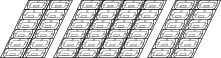 8 x Cabinet Sections
 -
![296 x LED Modules[1]](/images/9/9d/LDS135-151_LED_Module.svg) 296 x LED Modules[1]
296 x LED Modules[1] -
 Screen Bezels
5 x Left & 5 x Right -
 System Control Box
 -
 1 x System Control Box Connector Plate
 -
 Maintenance Tool
P/N:LD-MK-004 -
 Wall Mount Brackets
8 x 1199 mm -
 6 x Wall Mount Connector Plates
 -
 Nuts and Bolts
 -
 Hand Tools
 -
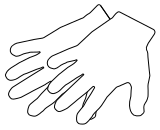 2 x Anti-Static Gloves
 -
![2 x Power Cords[2]](/images/6/62/LDP216-251_Power_Cord.svg) 2 x Power Cords[2]
2 x Power Cords[2] -
 1 x Romote Control
With two AAA batteries -
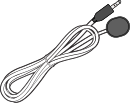 1 x IR Extension Cable
 -
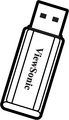 1 x USB Thumb Drive


![296 x LED Modules[1]](/File:LDS135-151_LED_Module.svg)


![2 x Power Cords[2]](/File:LDP216-251_Power_Cord.svg)


- Hidden Installation (the System Control Box installed Behind the Cabinets)
-
 Screen Bezels
6 x Bottom -
 Wall Mount Brackets
6 x 1335 mm -
 2 x Upper System Control Box Mount Brackets
 -
 2 x Lower System Control Box Mount Brackets
 -
 24 x Cable Zip Ties
 -
 Power Cables
2 x One-to-Three
1 x One-to-Two -
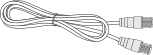 4 x Network Cables (3.5 m)


Note:
- This product is packed in a wooden crate.
- Due to the size and weight, it is recommended that two or more people handle it.
- You can identify the contents inside the case by the product labels on it.
Product Overview
Front Panel

Rear Panel

Control Panel and I/O
Control Panel and I/O

| Number | Port | Description |
|---|---|---|
| 1 | Light Sensor | Ambient light sensor. |
| 2 | IR Receiver | Receiver for remote control signal. |
| 3 | USB Type C | USB 2.0 support (5V/1.0A). |
| 4 | USB 3.0 | USB Reader (5V/0.9A). |
| 5 | USB 2.0 | USB Reader (5V/0.5A). |
| 6 | Menu | Open the display settings or On-Screen Display (OSD) Menu. |
| 7 | Brightness/OK |
|
| 8 | Brightness Decrease | Decrease the brightness level. |
| 9 | Brightness Increase | Increase the brightness level. |
| 10 | Power | Power on, standby and wake button. |
| 11 | Indicator Light | Power status indicator light. |
| 12 | HDMI 4 | 4 High definition input: PIP/PBP, connect to PC with HDMI output, set-top box, or other video device. |
| 13 | Audio Out | Audio output to an external audio device. |
I/O Ports
