
IFP52-1C Introduction
From ViewSonic Documentation
Package Contents
-
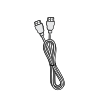 HDMI Cable (10 ft/3 m)
 -
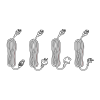 Power Cable
(ship by region) -
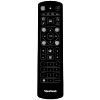 Remote Control
 -
 AAA Battery x 2
 -
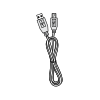 USB Cable for Touch (10 ft/3 m)
 -
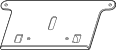 Webcam Plate
 -
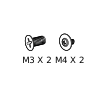 Webcam Screws x 4 (M4x6mm x 2; M3x6mm x 2)
 -
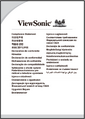 Compliance Statement
 -
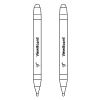 Touch Pen x 2
 -
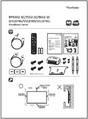 Quick Start Guide
 -
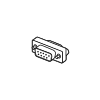 RS-232 Adapter
 -
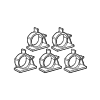 Clamp x 5
 -
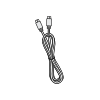 USB Type-C Cable (5.9 ft/1.8 m)
 -
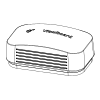 Eraser
 -
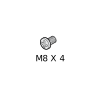 Wall Mount Screws x 4 (M8x25mm x4)


Wall Mount Kit Specifications (VESA)
Please follow the instructions in the wall mount installation guide to install your wall mount or mobile mount bracket. If attaching to other building materials, please contact your nearest dealer.

| Model | VESA Spec. (A x B) | Standard Screw (C x D) | Quantity |
|---|---|---|---|
| IFP6552-1C Series - 65” | 600 x 400 mm | M8 x 25 mm | 4 |
| IFP7552-1C Series - 75” | 800 x 400 mm | M8 x 25 mm | 4 |
| IFP8652-1C Series - 86” | 800 x 600 mm | M8 x 25 mm | 4 |
Do not use screws that are longer than the standard dimension, as they may cause damage to the inside of the display.
Product Overview
Front Panel

Rear Panel

Control Panel

| Number | Description |
|---|---|
| 1 | Ambient Light Sensor to monitor the ambient light |
| 2 | Remote control receiver |
| 3 |
|
| 4 | Back to the ViewBoard player’s main interface |
| 5 | Return to the ViewBoard player’s previous level |
| 6 | Disable/enable the touch screen |
| 7 | Freeze the current image on the screen |
| 8 | Dncrease the Volume |
| 9 | Increase the Volume |
I/O Panels

| Number | Port | Description |
|---|---|---|
| 1 | ||
| 2 | ||
| 3 | ||
| 4 | ||
| 5 | ||
| 6 | ||
| 7 | ||
| 8 | ||
| 9 | ||
| 10 | ||
| 11 | ||
| 12 | ||
| 13 | ||
| 14 | ||
| 15 | ||
| 16 | ||
| 17 | ||
| 18 | ||
| 19 |
Further Reading
 |