
XG340C-2K Introduction: Difference between revisions
From ViewSonic Documentation
Created page with "<noinclude> {{Sticky_Menu_Monitor_3.0_SUF |1=XG340C-2K_Introduction |2=XG340C-2K_Initial_Setup |3=XG340C-2K_Connecting_Power_and_Devices |4=XG340C-2K_Adjusting_the_Viewing_Ang..." |
|||
| Line 26: | Line 26: | ||
=Front View / Rear View= | =Front View / Rear View= | ||
<gallery widths=350px heights=350px mode="nolines"> | <gallery widths=350px heights=350px mode="nolines"> | ||
XG340C-2K_Front_View_ID.svg|Front View | |||
XG340C-2K_Rear_View_ID.svg|Rear View | |||
</gallery> | </gallery> | ||
Revision as of 08:01, 18 May 2022
Package Contents
- Monitor
- Power cord
- Power adapter
- Video cable
- Quick start guide
Front View / Rear View
-
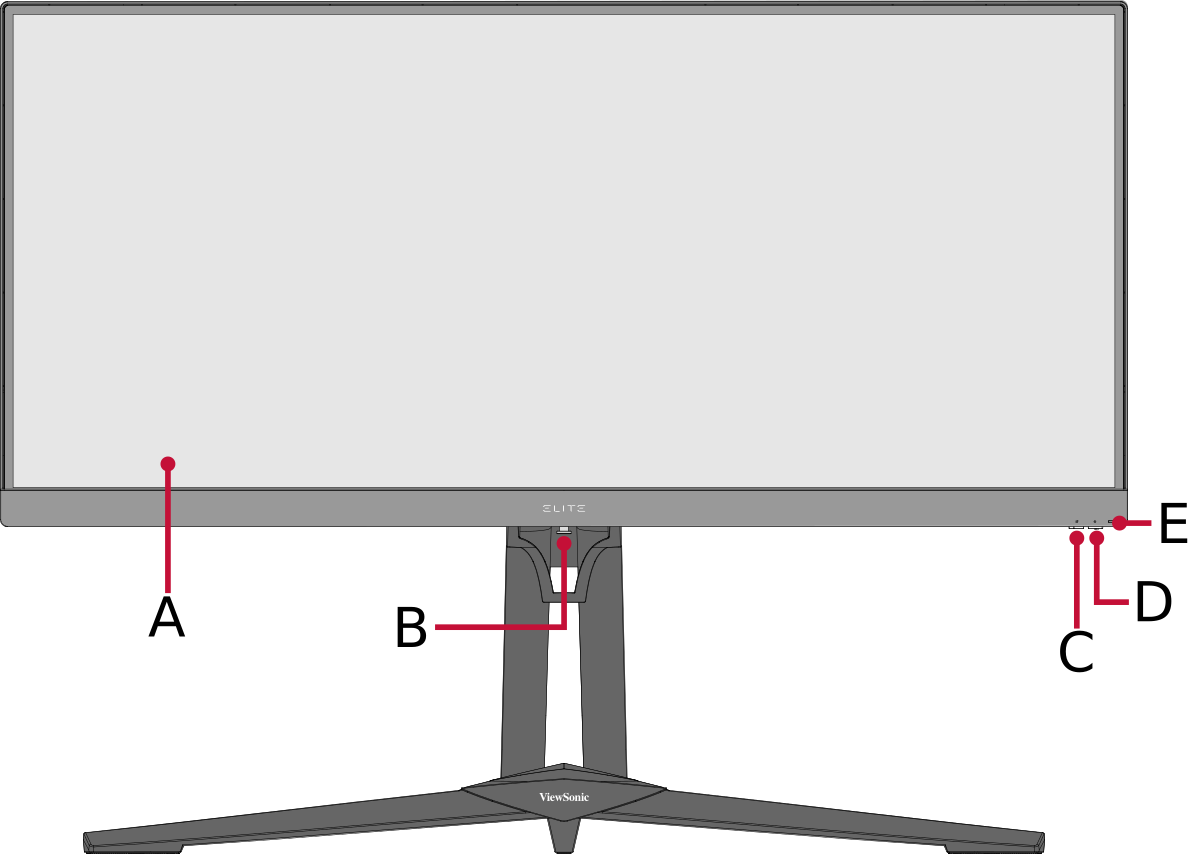 Front View
 -
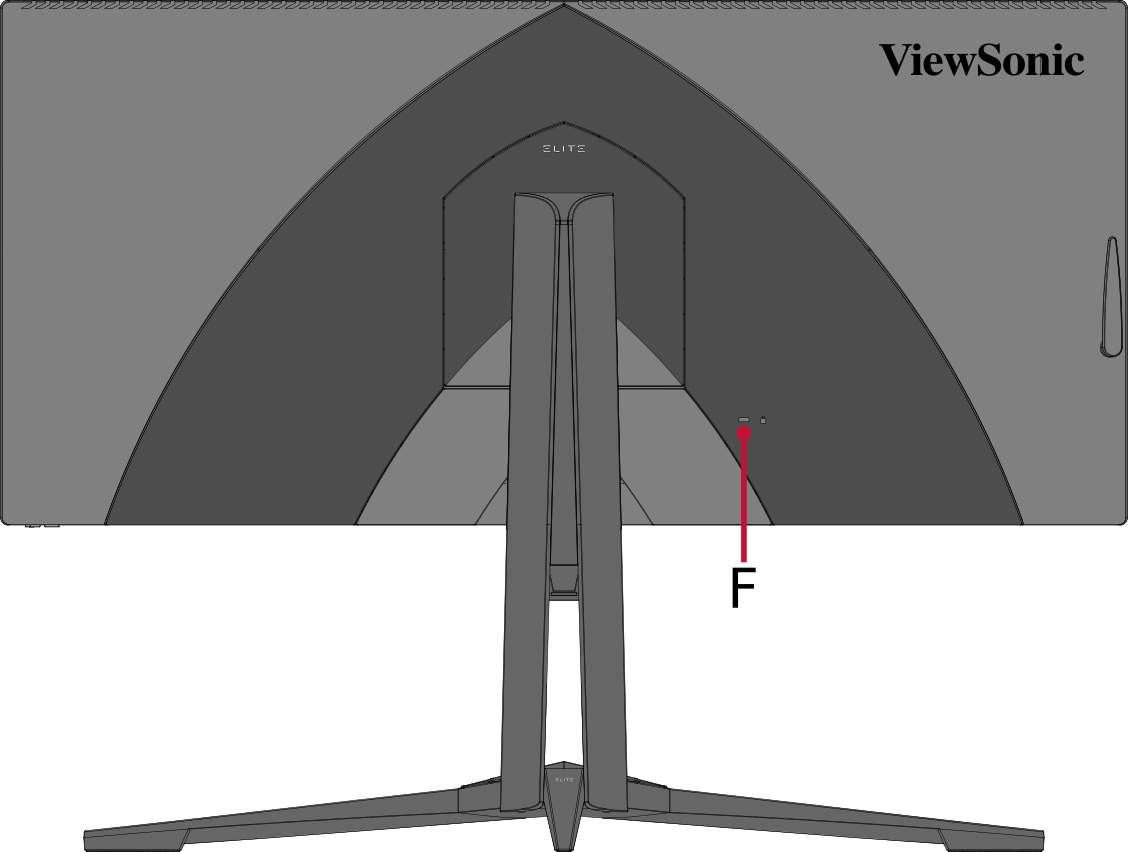 Rear View


| Letter | Item |
|---|---|
| A | Display Screen |
| B | Quick Access Key |
| C | Joy Key |
| D | Power Key |
| E | Power LED |
| F | Security Slot |
I/O Ports

| Number | Item |
|---|---|
| 1 | DC IN |
| 2 | Audio Out |
| 3 | HDMI |
| 4 | DisplayPort |
| 5 | JTAG |
| 6 | USB Type B (USB Upstream) |
| 7 | USB Type A (USB Downstream) (NVIDIA Reflex) |
| 8 | USB Type A (USB Downstream) |
Further Reading
 |