
LDM231-251 Introduction: Difference between revisions
From ViewSonic Documentation
// via Wikitext Extension for VSCode |
// via Wikitext Extension for VSCode |
||
| Line 24: | Line 24: | ||
=Package Contents= | =Package Contents= | ||
<gallery caption="Standard Installation ( | <gallery caption="Standard Installation (the System Control Box installed Under the Cabinets)"> | ||
|Installation Guide | |Installation Guide | ||
LDM231-251 Cabinets.svg | 8 x Cabinet Sections<br> | LDM231-251 Cabinets.svg | 8 x Cabinet Sections<br> | ||
| Line 43: | Line 43: | ||
</gallery> | </gallery> | ||
<gallery caption="Hidden Installation ( | <gallery caption="Hidden Installation (the System Control Box installed Behind the Cabinets)"> | ||
LDM231-251 Screen Bezels Bottom.svg |Screen Bezels<br> 6 x Bottom | LDM231-251 Screen Bezels Bottom.svg |Screen Bezels<br> 6 x Bottom | ||
LDM231-251 Wall Mount Brackets Hidden.svg |Wall Mount Brackets<br>6 x 1335 mm | LDM231-251 Wall Mount Brackets Hidden.svg |Wall Mount Brackets<br>6 x 1335 mm | ||
Revision as of 03:49, 23 July 2024
Package Contents
- Standard Installation (the System Control Box installed Under the Cabinets)
-
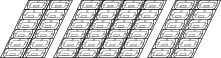 8 x Cabinet Sections
 -
![296 x LED Modules[1]](/images/9/9d/LDS135-151_LED_Module.svg) 296 x LED Modules[1]
296 x LED Modules[1] -
 Screen Bezels
5 x Left & 5 x Right -
 System Control Box
 -
 1 x System Control Box Connector Plate
 -
 Maintenance Tool
P/N:LD-MK-004 -
 Wall Mount Brackets
8 x 1199 mm -
 6 x Wall Mount Connector Plates
 -
 Nuts and Bolts
 -
 Hand Tools
 -
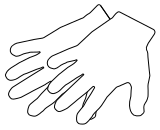 2 x Anti-Static Gloves
 -
![2 x Power Cords[2]](/images/6/62/LDP216-251_Power_Cord.svg) 2 x Power Cords[2]
2 x Power Cords[2] -
 1 x Romote Control
With two AAA batteries -
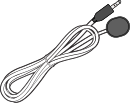 1 x IR Extension Cable
 -
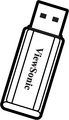 1 x USB Thumb Drive

![296 x LED Modules[1]](/File:LDS135-151_LED_Module.svg)


![2 x Power Cords[2]](/File:LDP216-251_Power_Cord.svg)


- Hidden Installation (the System Control Box installed Behind the Cabinets)
-
 Screen Bezels
6 x Bottom -
 Wall Mount Brackets
6 x 1335 mm -
 2 x Upper System Control Box Mount Brackets
 -
 2 x Lower System Control Box Mount Brackets
 -
 24 x Cable Zip Ties
 -
 Power Cables
2 x One-to-Three
1 x One-to-Two -
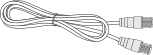 4 x Network Cables (3.5 m)


Note:
- This product is packed in a wooden crate.
- Due to the size and weight, it is recommended that two or more people handle it.
- You can identify the contents inside the case by the product labels on it.