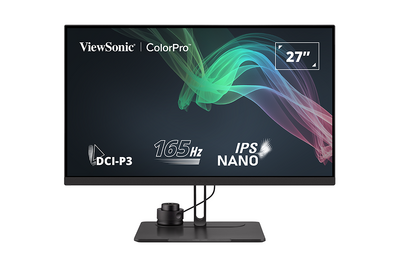
VP2786a-4K Introduction

From ViewSonic Documentation
Revision as of 08:34, 4 September 2024 by Rob.vsi (talk | contribs) (Created page with "<noinclude> {{Sticky_Menu_VP2776 |1=VP2786a-4K_Introduction |2=VP2786a-4K_Initial_Setup |3=VP2786a-4K_Connecting_Power_and_Devices |4=VP2786a-4K_Adjusting_the_Viewing_Angle |5=VP2786a-4K_Quick_Menu |6=VP2786a-4K_Hot_Keys |7=VP2786a-4K_On-Screen_Display_Menu |8=VP2786a-4K_On-Screen_Display_Menu_Tree |9=VP2786a-4K_On-Screen_Display_Menu_Options |10=VP2786a-4K_Advanced_Features_and_Settings |11=VP2786a-4K_ColorPro_Wheel_for_Color_Calibration |12=VP2786a-4K_Specifications |1...")
(diff) ← Older revision | Latest revision (diff) | Newer revision → (diff)
Jump to: navigation, search

Package Contents

  1. Monitor
  2. Power Cord
  3. Video Cable
  4. Quick Start Guide
VP2786a-4K
Note: The cables included in your package may vary depending on your country. Please contact your local reseller for more information.

Front View / Rear View

Front View

Rear View

Front View Rear View

I/O Ports

VP2786a-4K's I/O Ports
Number Description
1 DC IN
2 HDMI
3 DisplayPort
4 Thunderbolt Out
5 Thunderbolt In
6 Audio Out
7 USB Upstream
8 USB Downstream
9 LAN
10 Micro USB
Note: For more information about the / / / / key and its functions, refer to Hot Keys.


Further Reading