
VP2776T-4K Introduction: Difference between revisions
From ViewSonic Documentation
Created page with "<noinclude> {{Sticky_Menu_VP2776 |1=VP2776T-4K_Introduction |2=VP2776T-4K_Initial_Setup |3=VP2776T-4K_Connecting_Power_and_Devices |4=VP2776T-4K_Adjusting_the_Viewing_Angle |5=VP2776T-4K_Quick_Menu |6=VP2776T-4K_Hot_Keys |7=VP2776T-4K_On-Screen_Display_Menu |8=VP2776T-4K_On-Screen_Display_Menu_Tree |9=VP2776T-4K_On-Screen_Display_Menu_Options |10=VP2776T-4K_Advanced_Features_and_Settings |11=VP2776T-4K_ColorPro_Wheel_for_Color_Calibration |12=VP2776T-4K_Specifications |1..." |
|||
| Line 25: | Line 25: | ||
<li>Quick Start Guide</li> | <li>Quick Start Guide</li> | ||
</ol> | </ol> | ||
|style="text-align:center;"| <div class="res-img">[[File: | |style="text-align:center;"| <div class="res-img">[[File:VP2776.png|400px|link=]]</div> | ||
|} | |} | ||
Revision as of 07:45, 27 June 2024
Package Contents
|
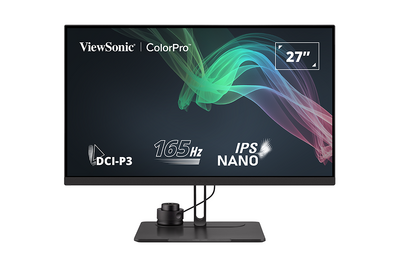 |
Front View / Rear View
-
Front View
-
Rear View


| Letter | Item |
|---|---|
| A | Display Screen |
| B | Joy Key |
| C | Power Button |
| D | Security Slot |
I/O Ports

| Number | Item |
|---|---|
| 1 | AC IN |
| 2 | HDMI |
| 3 | DisplayPort |
| 4 | USB Type-C |
| 5 | Audio Out |
| 6 | USB Type-B (Upstream) |
| 7 | USB Type-A (Downstream) |
| 8 | Micro USB |
Product Overview - ColorPro™ Wheel

| Number | Item |
|---|---|
| 1 | Confirm Button |
| 2 | Dial |
| 3 | Grip |
| 4 | Back Button |
| 5 | Lens Cap |
| 6 | Lens |
| 7 | Adjustable Weight |
Further Reading
 |