
X2000L-4K Introduction: Difference between revisions
From ViewSonic Documentation
Created page with "<noinclude> {{Sticky_Menu_Projector |1=X2000L-4K_Introduction |2=X2000L-4K_Remote_Control |3=X2000L-4K_Initial_Setup |4=X2000L-4K_Connecting_Power_and_Devices |5=X2000L-4K_Usi..." |
|||
| Line 22: | Line 22: | ||
=Package Contents= | =Package Contents= | ||
<gallery mode="nolines" heights="200" widths="200"> | <gallery mode="nolines" heights="200" widths="200"> | ||
X2000L-4K_Projector.svg| X2000L-4K Projector | |||
X1000_Remote_Control.svg| Remote Control | X1000_Remote_Control.svg| Remote Control | ||
X1000_QSG.png| Quick Start Guide | X1000_QSG.png| Quick Start Guide | ||
Revision as of 08:30, 21 July 2022
Features
- Ultra short throw lens for excellent home projection. Project a 100” screen from 0.234 meters (Back I/O side to wall).
- 32 GB internal storage (Max. 26 GB available for user storage).
- Various Color modes for different projection purposes.
- Multi-language On-Screen Display (OSD) menus.
Package Contents
-
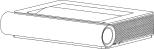 X2000L-4K Projector
 -
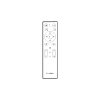 Remote Control
 -
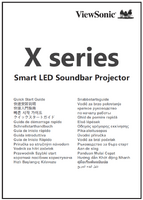 Quick Start Guide
 -
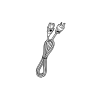 Power Cord
 -
 Batteries
 -
 Distance Card


NOTE: The power cord and remote control included in your package may vary depending on your country. Please contact your local reseller for more information.
Projector Overview
Front

Rear

Sides

Top

I/O Ports
Side I/O

| Number | Port | Description |
|---|---|---|
| 1 | USB (5V/2A Out) | USB 3.0 Type-A port (USB Reader - FAT32/NTFS[1]) |
| 2 | USB (5V/1.5A Out) | USB 2.0 Type-A port (USB Reader - FAT32/NTFS[1]) |
| 3 | USB-C | USB Type-C port |
| 4 | HDMI 1[2] | HDMI port[3] |
| 5 | AUDIO OUT (3.5 mm jack) | Audio signal output socket |
| 6 | AUDIO IN (3.5 mm jack) | Audio signal input socket |
Rear I/O

| Number | Port | Description |
|---|---|---|
| 7 | AUDIO OUT / SUBWOOFER OUT (3.5 mm jack) | Audio signal output socket |
| 8 | HDMI 2[1] | HDMI port[2] |
| 9 | HDMI 3[1] | HDMI port[2] |
| 10 | LAN | RJ45 LAN port |
| 11 | S/PDIF | S/PDIF signal output socket |
| 12 | Service | For Firmware updates |
| 13 | Wi-Fi Dongle | USB 2.0 for Wi-Fi Dongle |
| 14 | AC IN | AC IN socket |
Further Reading
 |