
IFP52-1C Introduction: Difference between revisions
From ViewSonic Documentation
| (18 intermediate revisions by 2 users not shown) | |||
| Line 15: | Line 15: | ||
{{Top}} | {{Top}} | ||
</noinclude> | </noinclude> | ||
=Package Contents= | =Package Contents= | ||
<gallery mode="traditional"> | <gallery mode="traditional" class="center"> | ||
IFP52_HDMI.svg| HDMI Cable (10 ft/3 m) | IFP52_HDMI.svg| HDMI Cable (10 ft/3 m) | ||
IFP52_Power_Cord.svg| Power Cable<br /> (ship by region) | IFP52_Power_Cord.svg| Power Cable<br /> (ship by region) | ||
| Line 39: | Line 40: | ||
<div class="res-img">[[File:IFP52-1C_VESA.png|500px| Wall Mount Kit Specifications]]</div> | <div class="res-img">[[File:IFP52-1C_VESA.png|500px| Wall Mount Kit Specifications]]</div> | ||
{| class="wikitable" style="text-align:center; | {| class="wikitable" style="text-align:center; width:60%; background-color:#ffffff;" | ||
! style="font-weight:bold; background-color:#c41230; color:#ffffff;"| Model | ! style="font-weight:bold; background-color:#c41230; color:#ffffff;"| Model | ||
! style="font-weight:bold; background-color:#c41230; color:#ffffff;"| VESA Spec. (A x B) | ! style="font-weight:bold; background-color:#c41230; color:#ffffff;"| VESA Spec. (A x B) | ||
| Line 61: | Line 62: | ||
|- | |- | ||
|} | |} | ||
{{ | {{Important| | ||
:*Do not use screws that are longer than the standard dimension, as they may cause damage to the inside of the display. | |||
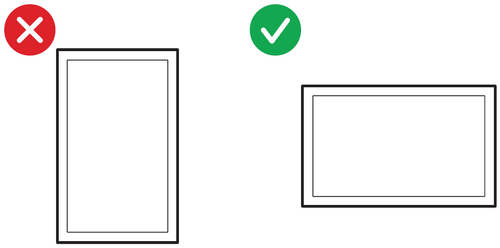
:*Only mount the display in landscape orientation. Never mount in a portrait orientation. | |||
}} | |||
:<div class="res-img">[[File:LFD_Safety_Screen_Orientation_Notice.png|Screen Orientation Safety Notice|500px|link=]]</div> | |||
=Product Overview= | =Product Overview= | ||
| Line 72: | Line 77: | ||
===Control Panel=== | ===Control Panel=== | ||
<div class="res-img">[[File:IFP52-1C_Control_Panel.png|IFP52-1C Control Panel|550px]]</div> | <div class="res-img">[[File:IFP52-1C_Control_Panel.png|IFP52-1C Control Panel|550px]]</div> | ||
{| class="wikitable" style="text-align:center; | {| class="wikitable" style="text-align:center; width:60%; background-color:#ffffff;" | ||
|- | |- | ||
! style="font-weight:bold; background-color:# | ! style="font-weight:bold; background-color:#DB0025; color:#ffffff;"| Number | ||
! style="font-weight:bold; background-color:# | ! style="font-weight:bold; background-color:#DB0025; color:#ffffff;"| Description | ||
|- | |- | ||
| style="font-weight:bold;" | 1 | | style="font-weight:bold;" | 1 | ||
| Line 109: | Line 114: | ||
|} | |} | ||
===I/O | ===I/O Panels=== | ||
<div class="res-img">[[File:IFP52-1C_IO.png|IFP52-1C I/O Panel|700px]]</div> | |||
<div class="res-img">[[File: | |||
{| class="wikitable" style="text-align:center; width:60%; background-color:#ffffff;" | |||
{| class="wikitable" style="text-align:center; | |||
|- | |- | ||
! style="font-weight:bold; background-color:# | ! style="font-weight:bold; background-color:#DB0025; color:#ffffff;"| Number | ||
! style="font-weight:bold; background-color:# | ! style="font-weight:bold; background-color:#DB0025; color:#ffffff;"| Port | ||
! style="font-weight:bold; background-color:# | ! style="font-weight:bold; background-color:#DB0025; color:#ffffff;"| Description | ||
|- | |- | ||
| style="font-weight:bold;" | 1 | | style="font-weight:bold;" | 1 | ||
| USB | | USB Type-C | ||
| style="text-align:left;" | | | style="text-align:left;" | | ||
*Compatible with USB-C with video IN & data (USB 2.0 data rate). | |||
*Supports LAN share by 100M. | |||
*Supports power charge up to 65W. Power charge supported: 5V/3A, 9V/3A, 15V/3A, 20V/3.25A. | |||
|- | |- | ||
| style="font-weight:bold;" | 2 | | style="font-weight:bold;" | 2 | ||
| HDMI 1 | |||
| style="text-align:left;" | High definition input; connect to PC with HDMI output, set-top box, or other video device. Supports 4K display. | |||
|- | |||
| style="font-weight:bold;" | 3 | |||
| TOUCH 1 | | TOUCH 1 | ||
| style="text-align:left;" | | | style="text-align:left;" | | ||
Touch signal output to external PC | *Touch signal output to external PC. | ||
*After connection (with an external PC), the device connected to the USB 3.0 port can directly be used by the external PC. | |||
::<small>'''NOTE:''' For use with the '''HDMI 1''' port only.</small> | |||
|- | |- | ||
| style="font-weight:bold;" | 4 | | style="font-weight:bold;" | 4 | ||
| | | USB | ||
| style="text-align:left;" | | | style="text-align:left;" | Connect USB devices such as hard disks, keyboard, mouse, etc. Automatically switches between PC and ViewBoard. | ||
|- | |- | ||
| style="font-weight:bold;" | 5 | | style="font-weight:bold;" | 5 | ||
| OPS PC Slot | |||
| style="text-align:left;" | Supports standard Open Pluggable Specification PC module. | |||
|- | |||
| style="font-weight:bold;" | 6 | |||
| TOUCH 2 | | TOUCH 2 | ||
| style="text-align:left;" | | | style="text-align:left;" | | ||
Touch signal output to external PC | *Touch signal output to external PC. | ||
*After connection (with an external PC), the device connected to the USB 3.0 port can directly be used by the external PC. | |||
::<small>'''NOTE:''' For use with the '''HDMI 2/3''' port only.</small> | |||
|- | |- | ||
| style="font-weight:bold;" | 7 | | style="font-weight:bold;" | 7 | ||
| | | HDMI 2 | ||
| style="text-align:left;" | | | style="text-align:left;" | High definition input; connect to PC with HDMI output, set-top box, or other video device. Supports 4K display. | ||
:<small>'''NOTE:''' Supports CEC & ARC.</small> | |||
|- | |- | ||
| style="font-weight:bold;" | 8 | | style="font-weight:bold;" | 8 | ||
| | | HDMI 3 | ||
| style="text-align:left;" | | | style="text-align:left;" | High definition input; connect to PC with HDMI output, set-top box, or other video device. Supports 4K display. | ||
|- | |- | ||
| style="font-weight:bold;" | 9 | | style="font-weight:bold;" | 9 | ||
| | | HDMI 4 | ||
| style="text-align:left;" | | | style="text-align:left;" | High definition input; connect to PC with HDMI output, set-top box, or other video device. Supports 4K display. | ||
|- | |- | ||
| style="font-weight:bold;" | 10 | | style="font-weight:bold;" | 10 | ||
| | | TOUCH 3 | ||
| style="text-align:left;" | | | style="text-align:left;" | | ||
*Touch signal output to external PC. | |||
*After connection (with an external PC), the device connected to the USB 3.0 port can directly be used by the external PC. | |||
::<small>'''NOTE:''' For use with the '''HDMI 4''' and '''VGA''' ports only.</small> | |||
|- | |- | ||
| style="font-weight:bold;" | 11 | | style="font-weight:bold;" | 11 | ||
| | | USB | ||
| style="text-align:left;" | | | style="text-align:left;" | For ViewBoard channel and ViewSonic motorized trolly use only. | ||
|- | |- | ||
| style="font-weight:bold;" | 12 | | style="font-weight:bold;" | 12 | ||
| | | AUDIO OUT | ||
| style="text-align:left;" | | | style="text-align:left;" | Audio output to an external speaker/headset. | ||
|- | |- | ||
| style="font-weight:bold;" | 13 | | style="font-weight:bold;" | 13 | ||
| | | Wi-Fi Slot | ||
| style="text-align:left;" | | | style="text-align:left;" | Compatiable with LB-WIFI-001 and VB-WIFI-001 which are designed for ViewBoards and verified by ViewSonic. | ||
:<small>'''NOTE:''' Non-verified Wi-Fi dongles may not be compatible.</small> | |||
|- | |- | ||
| style="font-weight:bold;" | 14 | | style="font-weight:bold;" | 14 | ||
| | | HDMI OUT | ||
| style="text-align:left;" | | | style="text-align:left;" | Connect to devices with HDMI input function. Supports 1080p and 4K@60Hz. <u>Supported by select models.</u> | ||
|- | |- | ||
| style="font-weight:bold;" | 15 | | style="font-weight:bold;" | 15 | ||
| | | LAN | ||
| style="text-align:left;" | | | style="text-align:left;" | Standard RJ45 (10M/100M/1000M) Internet connection interface. Features hub support for network sharing. | ||
|- | |||
| style="font-weight:bold;" | 16 | |||
| RS-232 | |||
| style="text-align:left;" | Serial interface; used for mutual transfer of data between devices. | |||
|- | |||
| style="font-weight:bold;" | 17 | |||
| VGA | |||
| style="text-align:left;" | External computer video input. | |||
|- | |||
| style="font-weight:bold;" | 18 | |||
| AUDIO IN | |||
| style="text-align:left;" | External computer audio input. | |||
|- | |||
| style="font-weight:bold;" | 19 | |||
| SPDIF | |||
| style="text-align:left;" | Multichannel sound via optical signals. | |||
|- | |||
|} | |} | ||
<noinclude> | <noinclude> | ||
= | =Function Overview= | ||
<youtube>hkx_-_YjlmY</youtube> | |||
{{Further_Reading}} | |||
</noinclude> | </noinclude> | ||
Latest revision as of 09:12, 30 October 2024
Package Contents
-
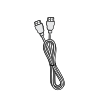 HDMI Cable (10 ft/3 m)
 -
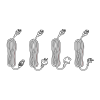 Power Cable
(ship by region) -
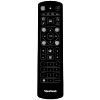 Remote Control
 -
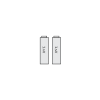 AAA Battery x 2
 -
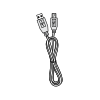 USB Cable for Touch (10 ft/3 m)
 -
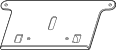 Webcam Plate
 -
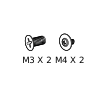 Webcam Screws x 4 (M4x6mm x 2; M3x6mm x 2)
 -
 Compliance Statement
 -
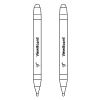 Touch Pen x 2
 -
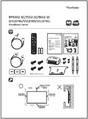 Quick Start Guide
 -
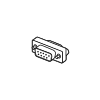 RS-232 Adapter
 -
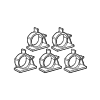 Clamp x 5
 -
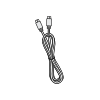 USB Type-C Cable (5.9 ft/1.8 m)
 -
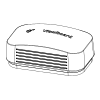 Eraser
 -
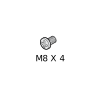 Wall Mount Screws x 4 (M8x25mm x4)


Wall Mount Kit Specifications (VESA)
Please follow the instructions in the wall mount installation guide to install your wall mount or mobile mount bracket. If attaching to other building materials, please contact your nearest dealer.

| Model | VESA Spec. (A x B) | Standard Screw (C x D) | Quantity |
|---|---|---|---|
| IFP6552-1C Series - 65” | 600 x 400 mm | M8 x 25 mm | 4 |
| IFP7552-1C Series - 75” | 800 x 400 mm | M8 x 25 mm | 4 |
| IFP8652-1C Series - 86” | 800 x 600 mm | M8 x 25 mm | 4 |
Important:
- Do not use screws that are longer than the standard dimension, as they may cause damage to the inside of the display.
- Only mount the display in landscape orientation. Never mount in a portrait orientation.
Product Overview
Front Panel

Rear Panel

Control Panel

| Number | Description |
|---|---|
| 1 | Ambient Light Sensor to monitor the ambient light |
| 2 | Remote control receiver |
| 3 |
|
| 4 | Back to the ViewBoard player’s main interface |
| 5 | Return to the ViewBoard player’s previous level |
| 6 | Disable/enable the touch screen |
| 7 | Freeze the current image on the screen |
| 8 | Dncrease the Volume |
| 9 | Increase the Volume |
I/O Panels

| Number | Port | Description |
|---|---|---|
| 1 | USB Type-C |
|
| 2 | HDMI 1 | High definition input; connect to PC with HDMI output, set-top box, or other video device. Supports 4K display. |
| 3 | TOUCH 1 |
|
| 4 | USB | Connect USB devices such as hard disks, keyboard, mouse, etc. Automatically switches between PC and ViewBoard. |
| 5 | OPS PC Slot | Supports standard Open Pluggable Specification PC module. |
| 6 | TOUCH 2 |
|
| 7 | HDMI 2 | High definition input; connect to PC with HDMI output, set-top box, or other video device. Supports 4K display.
|
| 8 | HDMI 3 | High definition input; connect to PC with HDMI output, set-top box, or other video device. Supports 4K display. |
| 9 | HDMI 4 | High definition input; connect to PC with HDMI output, set-top box, or other video device. Supports 4K display. |
| 10 | TOUCH 3 |
|
| 11 | USB | For ViewBoard channel and ViewSonic motorized trolly use only. |
| 12 | AUDIO OUT | Audio output to an external speaker/headset. |
| 13 | Wi-Fi Slot | Compatiable with LB-WIFI-001 and VB-WIFI-001 which are designed for ViewBoards and verified by ViewSonic.
|
| 14 | HDMI OUT | Connect to devices with HDMI input function. Supports 1080p and 4K@60Hz. Supported by select models. |
| 15 | LAN | Standard RJ45 (10M/100M/1000M) Internet connection interface. Features hub support for network sharing. |
| 16 | RS-232 | Serial interface; used for mutual transfer of data between devices. |
| 17 | VGA | External computer video input. |
| 18 | AUDIO IN | External computer audio input. |
| 19 | SPDIF | Multichannel sound via optical signals. |
Function Overview
Further Reading
 |