
IFP32 Introduction: Difference between revisions
From ViewSonic Documentation
No edit summary |
|||
| (12 intermediate revisions by the same user not shown) | |||
| Line 17: | Line 17: | ||
=Package Contents= | =Package Contents= | ||
<gallery mode="traditional"> | <gallery mode="traditional"> | ||
IFP32_HDMI_Cable.svg| HDMI Cable (3 m) | |||
IFP32_Power_Cord.svg| Power Cable<br />(ship by region) | |||
IFP32_Remote_control.svg| Remote Control | |||
IFP32_AAA_Battery.svg| AAA Battery x 2 | |||
IFP32_USB_Cable.svg| USB Cable for Touch Control (3 m) | |||
IFP32_Touch_Pen.svg| Touch Pen x 2 | |||
IFP32_QSG.png| Quick Start Guide | |||
IFP32_Compliance.png| Compliance Statement | |||
IFP32_Wall_Screw.svg| Wall Mount Screws x 4 | |||
</gallery> | </gallery> | ||
| Line 35: | Line 33: | ||
<div class="res-img">[[File:IFP32_VESA.png|500px| Wall Mount Kit Specifications]]</div> | <div class="res-img">[[File:IFP32_VESA.png|500px| Wall Mount Kit Specifications]]</div> | ||
{| class="wikitable" style="text-align:center; | {| class="wikitable" style="text-align:center; width:60%; background-color:#ffffff;" | ||
! style="font-weight:bold; background-color:# | ! style="font-weight:bold; background-color:#DB0025; color:#ffffff;"| Model | ||
! style="font-weight:bold; background-color:# | ! style="font-weight:bold; background-color:#DB0025; color:#ffffff;"| VESA Spec. (A x B) | ||
! style="font-weight:bold; background-color:# | ! style="font-weight:bold; background-color:#DB0025; color:#ffffff;"| Standard Screw (C x D) | ||
! style="font-weight:bold; background-color:# | ! style="font-weight:bold; background-color:#DB0025; color:#ffffff;"| Quantity | ||
|- | |- | ||
| IFP6532 - 65” | | IFP6532 - 65” | ||
| Line 61: | Line 59: | ||
===Front Panel | Control Panel=== | ===Front Panel | Control Panel=== | ||
<div class="res-img">[[File:IFP32_Front_Overview.png|IFP32 Front Panel and Control Panel| | <div class="res-img">[[File:IFP32_Front_Overview.png|IFP32 Front Panel and Control Panel|520px]]</div> | ||
===Rear Panel=== | ===Rear Panel=== | ||
<div class="res-img">[[File:IFP32_Rear_Overview.png|IFP32 Rear Panel|510px]]</div> | <div class="res-img">[[File:IFP32_Rear_Overview.png|IFP32 Rear Panel|510px]]</div> | ||
{| class="wikitable" style="text-align:center; | {| class="wikitable" style="text-align:center; width:60%; background-color:#ffffff;" | ||
|- | |- | ||
! style="font-weight:bold; background-color:# | ! style="font-weight:bold; background-color:#DB0025; color:#ffffff;"| Number | ||
! style="font-weight:bold; background-color:# | ! style="font-weight:bold; background-color:#DB0025; color:#ffffff;"| Description | ||
|- | |- | ||
| style="font-weight:bold;" | 1 | | style="font-weight:bold;" | 1 | ||
| | Power button<br />Turn on/off the device<br />Tap to enter Energy Saving mode<br />Press and hold for at least two (2) seconds to enter Standby mode | | style="text-align:left;" | Power button<br />Turn on/off the device<br />Tap to enter Energy Saving mode<br />Press and hold for at least two (2) seconds to enter Standby mode | ||
|- | |- | ||
| style="font-weight:bold;" | 2 | | style="font-weight:bold;" | 2 | ||
| | | style="text-align:left;" | Ambient light sensor | ||
|- | |- | ||
| style="font-weight:bold;" | 3 | | style="font-weight:bold;" | 3 | ||
| | Remote control IR sensor | | style="text-align:left;" | Remote control IR sensor | ||
|- | |- | ||
| style="font-weight:bold;" | 4 | | style="font-weight:bold;" | 4 | ||
| | USB 2.0. Smart USB port for PC, HDMI, VGA, and ViewBoard input signals | | style="text-align:left;" | USB 2.0. Smart USB port for PC, HDMI, VGA, and ViewBoard input signals | ||
|- | |- | ||
| style="font-weight:bold;" | 5 | | style="font-weight:bold;" | 5 | ||
| | Speaker | | style="text-align:left;" | Speaker | ||
|} | |} | ||
| Line 104: | Line 102: | ||
::* Under the Embedded Player, USB ports only support 2.0 transfer speeds. | ::* Under the Embedded Player, USB ports only support 2.0 transfer speeds. | ||
</small> | </small> | ||
{| class="wikitable" style="text-align:center; | {| class="wikitable" style="text-align:center; width:60%; background-color:#ffffff;" | ||
|- | |- | ||
! style="font-weight:bold; background-color:# | ! style="font-weight:bold; background-color:#DB0025; color:#ffffff;"| Number | ||
! style="font-weight:bold; background-color:# | ! style="font-weight:bold; background-color:#DB0025; color:#ffffff;"| Port | ||
! style="font-weight:bold; background-color:# | ! style="font-weight:bold; background-color:#DB0025; color:#ffffff;"| Description | ||
|- | |- | ||
| style="font-weight:bold;" | 1 | | style="font-weight:bold;" | 1 | ||
| Line 125: | Line 123: | ||
| LAN | | LAN | ||
| style="text-align:left;" | Standard RJ45 (10M/100M for PC; 10M/100M for ViewBoard) Internet connection interface. | | style="text-align:left;" | Standard RJ45 (10M/100M for PC; 10M/100M for ViewBoard) Internet connection interface. | ||
:'''NOTE:''' This network port is used for the Embedded Player and slot-in PC. | |||
|- | |- | ||
| style="font-weight:bold;" | 5 | | style="font-weight:bold;" | 5 | ||
| Line 160: | Line 159: | ||
|} | |} | ||
<noinclude> | <noinclude> | ||
{{Further_Reading}} | |||
{ | |||
</noinclude> | </noinclude> | ||
Latest revision as of 06:15, 20 April 2023
Package Contents
-
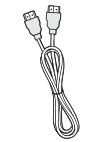 HDMI Cable (3 m)
 -
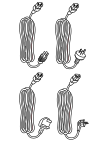 Power Cable
(ship by region) -
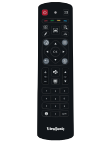 Remote Control
 -
 AAA Battery x 2
 -
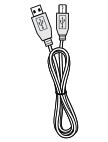 USB Cable for Touch Control (3 m)
 -
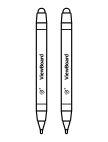 Touch Pen x 2
 -
 Quick Start Guide
 -
 Compliance Statement
 -
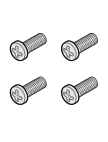 Wall Mount Screws x 4


Wall Mount Kit Specifications (VESA)
Please follow the instructions in the wall mount installation guide to install your wall mount or mobile mount bracket. If attaching to other building materials, please contact your nearest dealer.

| Model | VESA Spec. (A x B) | Standard Screw (C x D) | Quantity |
|---|---|---|---|
| IFP6532 - 65” | 600 x 400 mm | M8 x 25 mm | 4 |
| IFP7532 - 75” | 800 x 400 mm | M8 x 25 mm | 4 |
| IFP8632 - 86” | 800 x 600 mm | M8 x 25 mm | 4 |
Do not use screws that are longer than the standard dimension, as they may cause damage to the inside of the display.
Product Overview
Front Panel | Control Panel

Rear Panel

| Number | Description |
|---|---|
| 1 | Power button Turn on/off the device Tap to enter Energy Saving mode Press and hold for at least two (2) seconds to enter Standby mode |
| 2 | Ambient light sensor |
| 3 | Remote control IR sensor |
| 4 | USB 2.0. Smart USB port for PC, HDMI, VGA, and ViewBoard input signals |
| 5 | Speaker |
I/O Panel
Lower Right Side

Bottom Left

Bottom Right

Bottom Center

- NOTE:
- TOUCH, HDMI, and VGA are grouped by color; i.e. TOUCH 1 should be used with HDMI 1/2.
- Under the Embedded Player, USB ports only support 2.0 transfer speeds.
| Number | Port | Description |
|---|---|---|
| 1 | PC Slot | Slot for adding optional PC module. |
| 2 | HDMI 1/2 | High definition input; connect to PC with HDMI output, set-top box, or other video device. |
| 3 | USB 2.0 | Connect USB devices such as hard disks, keyboard, mouse, etc. [ 5V dc/0.5A ] |
| 4 | LAN | Standard RJ45 (10M/100M for PC; 10M/100M for ViewBoard) Internet connection interface.
|
| 5 | Touch | Touch signal output to external PC. |
| 6 | RS-232 | Serial interface; used for mutual transfer of data between devices. |
| 7 | Audio Out | Audio output to an external speaker. |
| 8 | AC Switch | Turn on/off AC power supply “I” = Power on, “O” = Power off |
| 9 | AC IN | AC power input. |
| 10 | Audio In | External computer audio input. |
| 11 | VGA | External computer video input. |
| 12 | Wi-Fi Module Slot | Slot for adding optional Wi-Fi module (VB-WIFI-002). |
Further Reading
 |