IFP75G1 Using the ViewBoard

From ViewSonic Documentation
Revision as of 03:31, 27 June 2024 by VY (talk | contribs) (Created page with "<noinclude> <div class="noprint"> <div style="top:1px;width:auto;" class="nomobile"> <div class="grid-container"> <div class="item1" style="text-align:center; font-size:16; background-color:#DB0025; font-weight:bold; color:#ffffff;">{{PAGENAME}}</div> <div class="grid-item">Introduction </div> <div class="grid-item">Remote Control </div> <div class="grid-item">Using Gestures</div> <d...")
(diff) ← Older revision | Latest revision (diff) | Newer revision → (diff)
Jump to: navigation, search

Powering ON/OFF your ViewBoard

  1. Ensure the power cord is connected, plugged into a power outlet, and the Power Switch is in the “ON” position.
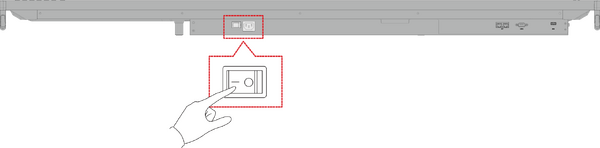
    Power Switch Location

    Note: The AC Power input and Power Switch are located at the bottom of the display.
  2. Press the Power button to turn ON the ViewBoard.
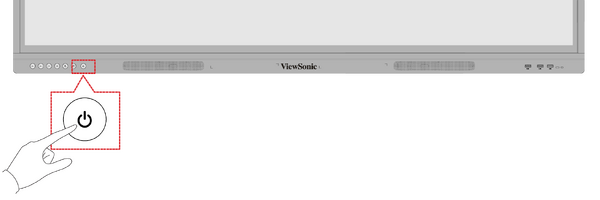
    Press Power Button to turn on the ViewBoard

  3. To turn the ViewBoard OFF, press and hold the Power button.