From ViewSonic Documentation
XG270QG On-Screen Display Menu Options
Game Modes
| Menu Option
|
Description
|
| Standard
|
Select this option for general use.
|
| Custom 1/2
|
Two customizable “Custom” settings are available to help match individual preferences and adapt to every type of game on the market.
|
| FPS
|
Ideal for First-Person Shooter games.
|
| Battle Royale
|
Tuned for Battle Royale games.
|
| MOBA
|
Select this option for Multiplayer Online Battle Arena games.
|
| Console
|
Color accuracy focus for console use.
|
| Movie
|
Ideal setting for watching movies.
|
| Web
|
Ideal setting for surfing the web.
|
Display
| Menu Option
|
Description
|
| OverClocking
|
When “On” overclock the monitor’s 144Hz refresh rate; up to 165Hz.
|
| Contrast
|
Adjusts the difference between the image background (black level) and the foreground (white level).
|
| Brightness
|
Adjusts background black levels of the screen image.
|
| Saturation
|
Adjusts the color depth of each color (red, green, blue, cyan, magenta, and yellow).
|
| 6-Axis Color
|
Adjust the color depth of each color.
|
| Color Temperature
|
Select the color temperature setting.
- sRGB: Lower brightness and more natural colors.
- Bluish: Set the color temperature to 9300K.
- Native: Default color temperature. Recommended for regular use.
- Warm: Set the color temperature to 5000K.
- User Color: Adjust red, green, and blue values as desired.
|
| Input Range
|
The monitor can detect the input signal color range automatically. You can manually change the input range options to fit the correct color range if the colors are not displayed correctly.
- Auto: Automatically recognizes the color format and black and white levels.
- Full Range: Black and white levels are full.
- Limited Range: Black and white levels are limited.
|
| Gamma
|
Allows users to manually adjust the brightness level of the monitor’s grayscale levels.
|
| Scaling Mode
|
Adjust the aspect ratio of the monitor.
|
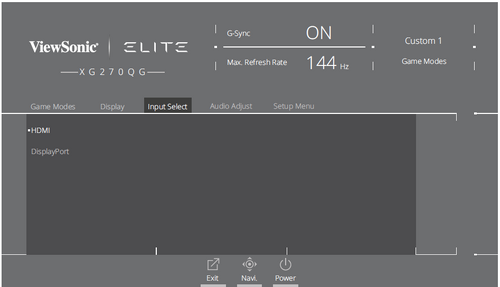
Input Select
Audio Adjust
| Menu Option
|
Description
|
| Volume
|
Adjust the volume level.
|
| Mute
|
Enable to disable the sound.
|

