
VB-AUD-201 Introduction: Difference between revisions
From ViewSonic Documentation
| Line 20: | Line 20: | ||
==Product== | ==Product== | ||
<div class="res-img">[[File:VB- | <div class="res-img">[[File:VB-AUD-201_Overview.png|600px]]</div> | ||
{| class=wikitable style="font-weight:bold; text-align:center;" | |||
|- | |||
! 1 | |||
! style="font-weight:normal;" | Volume up button | |||
|- | |||
| 2 | |||
| style="font-weight:normal;" | Call button | |||
|- | |||
| 3 | |||
| style="font-weight:normal;" | Mute button | |||
|- | |||
| 4 | |||
| style="font-weight:normal;" | Multi-function button | |||
|- | |||
| 5 | |||
| style="font-weight:normal;" | Volume down button | |||
|- | |||
| 6 | |||
| style="font-weight:normal;" | Power button | |||
|- | |||
| 7 | |||
| style="font-weight:normal;" | Power LED indicator | |||
|- | |||
| 8 | |||
| style="font-weight:normal;" | Bluetooth LED indicator | |||
|- | |||
| 9 | |||
| style="font-weight:normal;" | Bluetooth button | |||
|- | |||
| 10 | |||
| style="font-weight:normal;" | Status indicator | |||
|- | |||
| 11 | |||
| style="font-weight:normal;" | USB port for charging output (Type A) | |||
|- | |||
| 12 | |||
| style="font-weight:normal;" | Audio output port | |||
|- | |||
| 13 | |||
| style="font-weight:normal;" | USB port for charging input (Type C) | |||
|} | |||
Revision as of 02:47, 19 July 2022
Overview
Package Contents
Please take a moment to check if all the necessary items are included in the package. If anything is missing or damaged, please contact your dealer immediately.
-
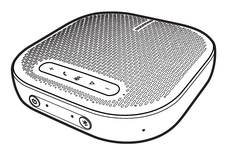 VB-AUD-201
 -
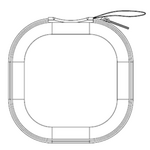 Carrying Case
 -
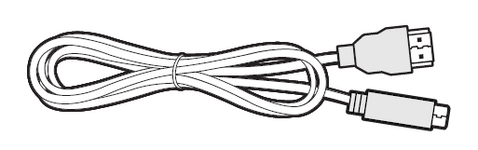 USB 2.0 Type-C to Type-A cable x 1 (1m)
 -
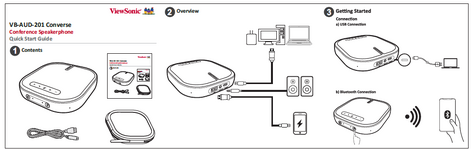 Quick Start Guide (QSG)


Product

| 1 | Volume up button |
|---|---|
| 2 | Call button |
| 3 | Mute button |
| 4 | Multi-function button |
| 5 | Volume down button |
| 6 | Power button |
| 7 | Power LED indicator |
| 8 | Bluetooth LED indicator |
| 9 | Bluetooth button |
| 10 | Status indicator |
| 11 | USB port for charging output (Type A) |
| 12 | Audio output port |
| 13 | USB port for charging input (Type C) |