
IFP55G1 Using the ViewBoard: Difference between revisions
From ViewSonic Documentation
No edit summary |
// via Wikitext Extension for VSCode |
||
| Line 28: | Line 28: | ||
[[File:IFPG1_Power_Switch.png|600px|Power Switch Location]] | [[File:IFPG1_Power_Switch.png|600px|Power Switch Location]] | ||
</p> | </p> | ||
{{Note|The AC Power input and '''Power Switch''' are located at the bottom of the display.}} | |||
</li> | </li> | ||
<li> | <li> | ||
Revision as of 03:21, 25 June 2024
Powering ON/OFF your ViewBoard
-
Ensure the power cord is connected, plugged into a power outlet, and the Power Switch is in the “ON” position.
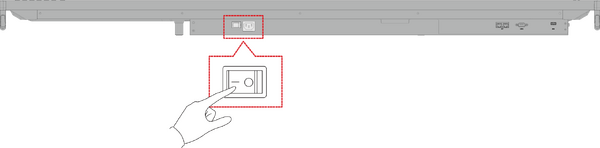 Note: The AC Power input and Power Switch are located at the bottom of the display.
 -
Press the Power button to turn ON the ViewBoard.
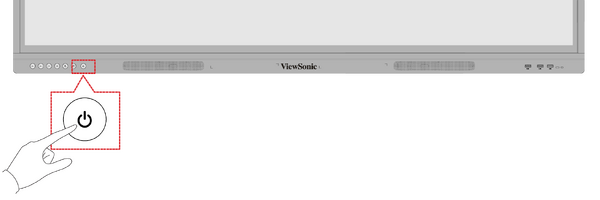
- To turn the ViewBoard OFF, press and hold the Power button.

