PD2211 PD2211T Pen Input Area Mapping
From ViewSonic Documentation
Pen Input Area Mapping
To set the proper pen input area:
- Open ViewSonic Pen Manager either from the Start menu, by going to: Start > ViewSonic Pen Manager, or by selecting the ViewSonic Pen Manager icon from the System Tray.
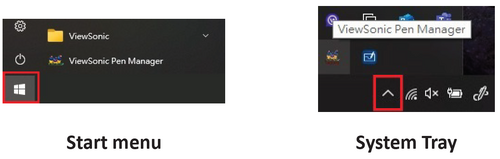
- Select the Mapping tab.

- Select the correct Orientation (Landscape), and Monitor.

- Further adjustments can be made by selecting the Pen tab.


