VG2208A-HD Introduction

From ViewSonic Documentation
Revision as of 06:22, 4 September 2024 by Rob.vsi (talk | contribs) (Created page with "<noinclude> {{Sticky_Menu_Monitor_2.1 |1=VG2208A-HD_Introduction |2=VG2208A-HD_Initial_Setup |3=VG2208A-HD_Connecting_Power_and_Devices |4=VG2208A-HD_Adjusting_the_Viewing_Angle |5=VG2208A-HD_Quick_Menu |6=VG2208A-HD_Hot_Keys |7=VG2208A-HD_On-Screen_Display_Menu |8=VG2208A-HD_On-Screen_Display_Menu_Tree |9=VG2208A-HD_Specifications |10=VG2208A-HD_Regulatory_and_Service_Information }} </noinclude> =Package Contents= {| |- |<ol style="list-style-type:square;"> <li>Monitor<...")
(diff) ← Older revision | Latest revision (diff) | Newer revision → (diff)
Jump to: navigation, search

Package Contents

  1. Monitor
  2. Power cord
  3. Quick start guide
  4. Video cable
  5. USB cable
product photo
Note: The cables included in your package may vary depending on your country. Please contact your local reseller for more information.

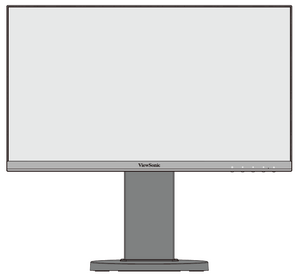
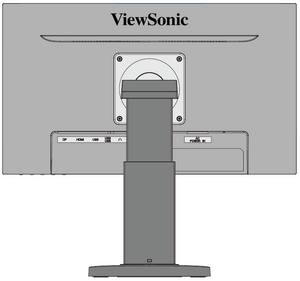
Front View / Rear View

I/O Ports

I/O Ports
Number Item
DisplayPort
HDMI
USB Upstream
USB Downstream
Audio Out
AC IN
NOTE: For more information about the 1 () / 2 / 3 / 4 / 5 ( ) key and its functions, refer to Hot Keys.


Further Reading