
VG2440V Quick Menu
From ViewSonic Documentation
Using the Control Panel Keys
Use the control panel keys to adjust the volume, mute the speaker, mute the microphone, and navigate the On-Screen Display (OSD) Menu.

Quick Menu

-
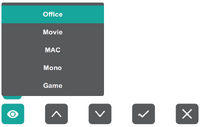 ViewMode
 -
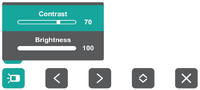 Contrast / Brightness
 -
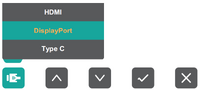 Input Select
 -
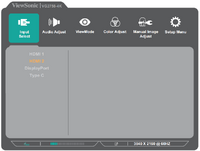 Main Menu


| Icon | Name | Description |
|---|---|---|

|
Volume Down/Volume Up | Press the 1 or 2 key to adjust the speaker volume. |

|
Speaker Mute | Press the 3 key to mute/unmute the speaker. |

|
Microphone Mute | Press the 4 key to mute/unmute the microphone. |

|
Main Menu | Press the 5 key to enter the On-Screen Display (OSD) Menu. |