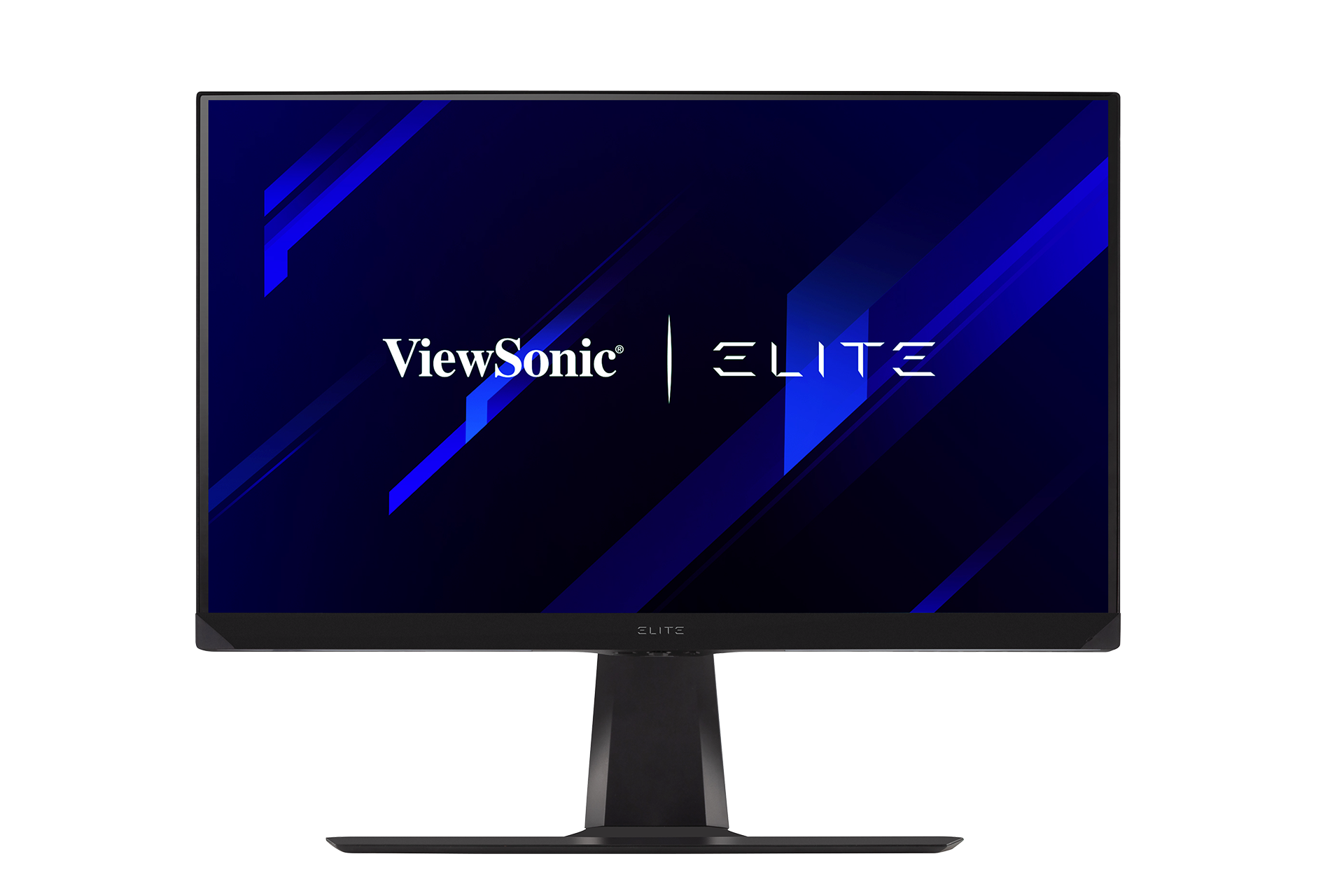
|
|
| Line 3: |
Line 3: |
| |2=XG2536 | | |2=XG2536 |
| |3=<ol style="list-style-type:square; color:#DB0025;"> | | |3=<ol style="list-style-type:square; color:#DB0025;"> |
| <li>[[XG2536_Introduction|Introduction]]</li> | | <li>[[XG2536_Full_Guide|'''User Guide''']]</li> |
| <li>[[XG2536_Initial_Setup|Initial Setup]]</li> | | <li>[https://www.viewsonicglobal.com/public/products_download/user_guide/display/XG2536/XG2536_UG_ENG.pdf '''PDF Download''']</li> |
| <li>[[XG2536_Connecting_Power_and_Devices|Connecting Power and Devices]]</li>
| |
| <li>[[XG2536_Adjusting_the_Viewing_Angle|Adjusting the Viewing Angle]]</li>
| |
| <li>[[XG2536_Quick_Menu|Quick Menu]]</li>
| |
| <li>[[XG2536_Hot_Keys|Hot Keys]]</li>
| |
| <li>[[XG2536_On-Screen_Display_Menu|On-Screen Display Menu Operation]]</li>
| |
| <li>[[XG2536_On-Screen_Display_Menu_Tree|On-Screen Display Menu Tree]]</li>
| |
| <li>[[XG2536_Specifications|Specifications]]</li>
| |
| <li>[[XG2536_Regulatory_and_Service_Information|Regulatory and Service Information]]</li>
| |
| <hr> | | <hr> |
| <li>[[Monitor_Safety_Precautions_SUF|Safety Precautions]]</li> | | <li>[[Monitor_Safety_Precautions_SUF|Safety Precautions]]</li> |
| <li>[[Monitor_Glossary|Glossary]]</li> | | <li>[[Monitor_Glossary|Glossary]]</li> |
| <li>[[Monitor_Troubleshooting|Troubleshooting]]</li> | | <li>[[Monitor_Troubleshooting|Troubleshooting]]</li> |
| <li>[[Monitor_Maintenance|Maintenance]]</li> | | <li>[[Monitor_Maintenance|Maintenance]]</li></ol> |
| <hr>
| | }} |
| <li>[[XG2536_Full_Guide|'''Full Guide''']]</li>
| | |
| <li>[https://www.viewsonicglobal.com/public/products_download/user_guide/display/XG2536/XG2536_UG_ENG.pdf '''PDF Download''']</li></ol>
| | {{Product |
| }}{{Product | |
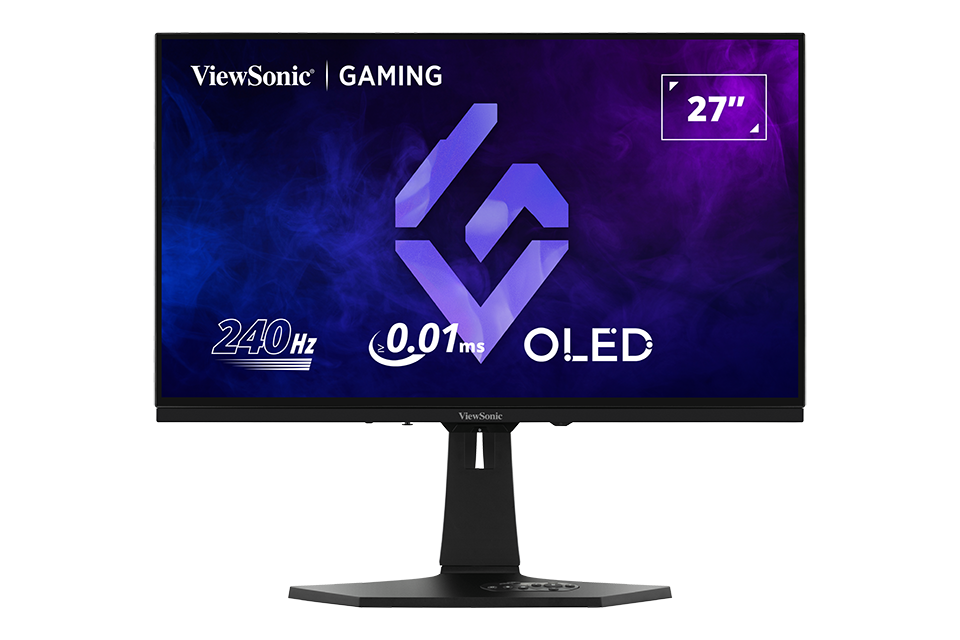
| |1=<div class="res-img">[[File:XG272-2K-OLED.png|center|link=]]</div> | | |1=<div class="res-img">[[File:XG272-2K-OLED.png|center|link=]]</div> |
| |2=XG272-2K-OLED | | |2=XG272-2K-OLED |
| |3=<ol style="list-style-type:square; color:#DB0025;"> | | |3=<ol style="list-style-type:square; color:#DB0025;"> |
| <li>[[XG272-2K-OLED_Introduction|Introduction]]</li> | | <li>[[XG272-2K-OLED_Full_Guide|'''User Guide''']]</li> |
| <li>[[XG272-2K-OLED_Initial_Setup|Initial Setup]]</li> | | <li>[https://www.viewsonicglobal.com/public/products_download/user_guide/display/XG272-2K-OLED/XG272-2K-OLED_UG_ENG.pdf '''PDF Download''']</li> |
| <li>[[XG272-2K-OLED_Connecting_Power_and_Devices|Connecting Power and Devices]]</li>
| |
| <li>[[XG272-2K-OLED_Adjusting_the_Viewing_Angle|Adjusting the Viewing Angle]]</li>
| |
| <li>[[XG272-2K-OLED_Quick_Menu|Quick Menu]]</li>
| |
| <li>[[XG272-2K-OLED_Hot_Keys|Hot Keys]]</li>
| |
| <li>[[XG272-2K-OLED_On-Screen_Display_Menu|On-Screen Display Menu Operation]]</li>
| |
| <li>[[XG272-2K-OLED_On-Screen_Display_Menu_Tree|On-Screen Display Menu Tree]]</li>
| |
| <li>[[XG272-2K-OLED_On-Screen_Display_Menu_Options|On-Screen Display Menu Options]]</li>
| |
| <li>[[XG272-2K-OLED_Advanced_Features_and_Settings|Advanced Features and Settings]]</li>
| |
| <li>[[XG272-2K-OLED_Specifications|Specifications]]</li>
| |
| <li>[[XG272-2K-OLED_Regulatory_and_Service_Information|Regulatory and Service Information]]</li>
| |
| <hr> | | <hr> |
| <li>[[Monitor_Safety_Precautions_SU|Safety Precautions]]</li> | | <li>[[Monitor_Safety_Precautions_SU|Safety Precautions]]</li> |
| <li>[[Monitor_Glossary|Glossary]]</li> | | <li>[[Monitor_Glossary|Glossary]]</li> |
| <li>[[Monitor_Troubleshooting|Troubleshooting]]</li> | | <li>[[Monitor_Troubleshooting|Troubleshooting]]</li> |
| <li>[[Monitor_Maintenance|Maintenance]]</li> | | <li>[[Monitor_Maintenance|Maintenance]]</li></ol> |
| <hr>
| | }} |
| <li>[[XG272-2K-OLED_Full_Guide|'''Full Guide''']]</li>
| | |
| <li>[https://www.viewsonicglobal.com/public/products_download/user_guide/display/XG272-2K-OLED/XG272-2K-OLED_UG_ENG.pdf '''PDF Download''']</li></ol>
| | {{Product |
| }}{{Product | |
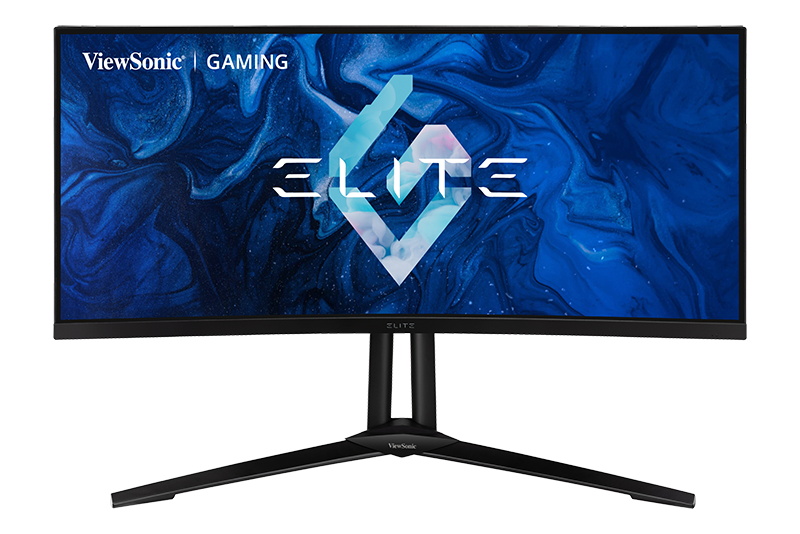
| |1=<div class="res-img">[[File:XG341C-2K.png|center|link=]]</div> | | |1=<div class="res-img">[[File:XG341C-2K.png|center|link=]]</div> |
| |2=XG341C-2K | | |2=XG341C-2K |
| |3=<ol style="list-style-type:square; color:#DB0025;"> | | |3=<ol style="list-style-type:square; color:#DB0025;"> |
| <li>[[XG341C-2K_Introduction|Introduction]]</li> | | <li>[[XG341C-2K_Full_Guide|'''User Guide''']]</li> |
| <li>[[XG341C-2K_Initial_Setup|Initial Setup]]</li> | | <li>[https://www.viewsonicglobal.com/public/products_download/user_guide/display/XG341C-2K/XG341C-2K_UG_ENG.pdf '''PDF Download''']</li> |
| <li>[[XG341C-2K_Connecting_Power_and_Devices|Connecting Power and Devices]]</li>
| |
| <li>[[XG341C-2K_Adjusting_the_Viewing_Angle|Adjusting the Viewing Angle]]</li>
| |
| <li>[[XG341C-2K_Quick_Menu|Quick Menu]]</li>
| |
| <li>[[XG341C-2K_Hot_Keys|Hot Keys]]</li>
| |
| <li>[[XG341C-2K_On-Screen_Display_Menu|On-Screen Display Menu Operation]]</li>
| |
| <li>[[XG341C-2K_On-Screen_Display_Menu_Tree|On-Screen Display Menu Tree]]</li>
| |
| <li>[[XG341C-2K_On-Screen_Display_Menu_Options|On-Screen Display Menu Options]]</li>
| |
| <li>[[XG341C-2K_Advanced_Features_and_Settings|Advanced Features and Settings]]</li>
| |
| <li>[[XG341C-2K_Specifications|Specifications]]</li>
| |
| <li>[[XG341C-2K_Regulatory_and_Service_Information|Regulatory and Service Information]]</li>
| |
| <hr> | | <hr> |
| <li>[[Monitor_Safety_Precautions_SU|Safety Precautions]]</li> | | <li>[[Monitor_Safety_Precautions_SU|Safety Precautions]]</li> |
| <li>[[Monitor_Glossary|Glossary]]</li> | | <li>[[Monitor_Glossary|Glossary]]</li> |
| <li>[[Monitor_Troubleshooting|Troubleshooting]]</li> | | <li>[[Monitor_Troubleshooting|Troubleshooting]]</li> |
| <li>[[Monitor_Maintenance|Maintenance]]</li> | | <li>[[Monitor_Maintenance|Maintenance]]</li></ol> |
| <hr>
| |
| <li>[[XG341C-2K_Full_Guide|'''Full Guide''']]</li>
| |
| <li>[http://www.viewsonicglobal.com/public/products_download/user_guide/display/XG341C-2K/XG341C-2K_UG_ENG.pdf '''PDF Download''']</li></ol>
| |
| }} | | }} |
|
| |
|
| Line 75: |
Line 42: |
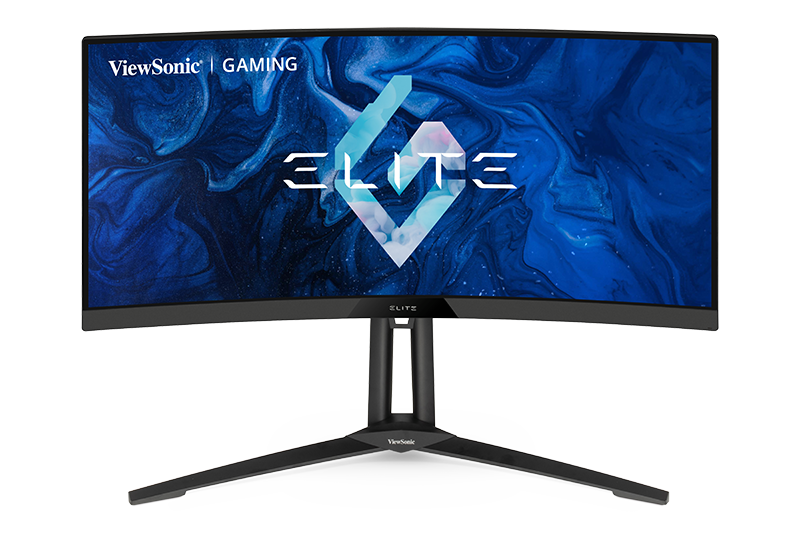
| |2=XG340C-2K | | |2=XG340C-2K |
| |3=<ol style="list-style-type:square; color:#DB0025;"> | | |3=<ol style="list-style-type:square; color:#DB0025;"> |
| <li>[[XG340C-2K_Introduction|Introduction]]</li> | | <li>[[XG340C-2K_Full_Guide|'''User Guide''']]</li> |
| <li>[[XG340C-2K_Initial_Setup|Initial Setup]]</li> | | <li>[https://www.viewsonicglobal.com/public/products_download/user_guide/display/XG340C-2K/XG340C-2K_UG_ENG.pdf '''PDF Download''']</li> |
| <li>[[XG340C-2K_Connecting_Power_and_Devices|Connecting Power and Devices]]</li>
| |
| <li>[[XG340C-2K_Adjusting_the_Viewing_Angle|Adjusting the Viewing Angle]]</li>
| |
| <li>[[XG340C-2K_Quick_Menu|Quick Menu]]</li>
| |
| <li>[[XG340C-2K_Hot_Keys|Hot Keys]]</li>
| |
| <li>[[XG340C-2K_On-Screen_Display_Menu|On-Screen Display Menu Operation]]</li>
| |
| <li>[[XG340C-2K_On-Screen_Display_Menu_Tree|On-Screen Display Menu Tree]]</li>
| |
| <li>[[XG340C-2K_On-Screen_Display_Menu_Options|On-Screen Display Menu Options]]</li>
| |
| <li>[[XG340C-2K_Advanced_Features_and_Settings|Advanced Features and Settings]]</li>
| |
| <li>[[XG340C-2K_Specifications|Specifications]]</li>
| |
| <li>[[XG340C-2K_Regulatory_and_Service_Information|Regulatory and Service Information]]</li>
| |
| <hr> | | <hr> |
| <li>[[Monitor_Safety_Precautions_SU|Safety Precautions]]</li> | | <li>[[Monitor_Safety_Precautions_SU|Safety Precautions]]</li> |
| <li>[[Monitor_Glossary|Glossary]]</li> | | <li>[[Monitor_Glossary|Glossary]]</li> |
| <li>[[Monitor_Troubleshooting|Troubleshooting]]</li> | | <li>[[Monitor_Troubleshooting|Troubleshooting]]</li> |
| <li>[[Monitor_Maintenance|Maintenance]]</li> | | <li>[[Monitor_Maintenance|Maintenance]]</li></ol> |
| <hr>
| |
| <li>[[XG340C-2K_Full_Guide|'''Full Guide''']]</li>
| |
| <li>[http://www.viewsonicglobal.com/public/products_download/user_guide/display/XG340C-2K/XG340C-2K_UG_ENG.pdf '''PDF Download''']</li></ol>
| |
| }} | | }} |
|
| |
|
| Line 101: |
Line 55: |
| |2=XG2407 | | |2=XG2407 |
| |3=<ol style="list-style-type:square; color:#DB0025;"> | | |3=<ol style="list-style-type:square; color:#DB0025;"> |
| <li>[[XG2407_Introduction|Introduction]]</li> | | <li>[[XG2407_Full_Guide|'''User Guide''']]</li> |
| <li>[[XG2407_Initial_Setup|Initial Setup]]</li> | | <li>[https://www.viewsonicglobal.com/public/products_download/user_guide/display/XG2407-7/XG2407_UG_ENG.pdf '''PDF Download''']</li> |
| <li>[[XG2407_Connecting_Power_and_Devices|Connecting Power and Devices]]</li>
| |
| <li>[[XG2407_Adjusting_the_Viewing_Angle|Adjusting the Viewing Angle]]</li>
| |
| <li>[[XG2407_Quick_Menu|Quick Menu]]</li>
| |
| <li>[[XG2407_Hot_Keys|Hot Keys]]</li>
| |
| <li>[[XG2407_On-Screen_Display_Menu|On-Screen Display Menu Operation]]</li>
| |
| <li>[[XG2407_On-Screen_Display_Menu_Tree|On-Screen Display Menu Tree]]</li>
| |
| <li>[[XG2407_Specifications|Specifications]]</li>
| |
| <li>[[XG2407_Regulatory_and_Service_Information|Regulatory and Service Information]]</li>
| |
| <hr> | | <hr> |
| <li>[[Monitor_Safety_Precautions_SUF|Safety Precautions]]</li> | | <li>[[Monitor_Safety_Precautions_SUF|Safety Precautions]]</li> |
| <li>[[Monitor_Glossary|Glossary]]</li> | | <li>[[Monitor_Glossary|Glossary]]</li> |
| <li>[[Monitor_Troubleshooting|Troubleshooting]]</li> | | <li>[[Monitor_Troubleshooting|Troubleshooting]]</li> |
| <li>[[Monitor_Maintenance|Maintenance]]</li> | | <li>[[Monitor_Maintenance|Maintenance]]</li></ol> |
| <hr>
| |
| <li>[[XG2407_Full_Guide|'''Full Guide''']]</li>
| |
| <li>[https://www.viewsonicglobal.com/public/products_download/user_guide/display/XG2407-7/XG2407_UG_ENG.pdf '''PDF Download''']</li></ol>
| |
| }} | | }} |
|
| |
|
| Line 125: |
Line 68: |
| |2=XG321UG | | |2=XG321UG |
| |3=<ol style="list-style-type:square; color:#DB0025;"> | | |3=<ol style="list-style-type:square; color:#DB0025;"> |
| <li>[[XG321UG_Introduction|Introduction]]</li> | | <li>[[XG321UG_Full_Guide|'''User Guide''']]</li> |
| <li>[[XG321UG_Initial_Setup|Initial Setup]]</li> | | <li>[https://www.viewsonicglobal.com/public/products_download/user_guide/display/XG321UG/XG321UG_UG_ENG.pdf '''PDF Download''']</li> |
| <li>[[XG321UG_Connecting_Power_and_Devices|Connecting Power and Devices]]</li>
| |
| <li>[[XG321UG_Adjusting_the_Viewing_Angle|Adjusting the Viewing Angle]]</li>
| |
| <li>[[XG321UG_Quick_Menu|Quick Menu]]</li>
| |
| <li>[[XG321UG_Hot_Keys|Hot Keys]]</li>
| |
| <li>[[XG321UG_On-Screen_Display_Menu|On-Screen Display Menu Operation]]</li>
| |
| <li>[[XG321UG_On-Screen_Display_Menu_Tree|On-Screen Display Menu Tree]]</li>
| |
| <li>[[XG321UG_On-Screen_Display_Menu_Options|On-Screen Display Menu Options]]</li>
| |
| <li>[[XG321UG_Advanced_Features_and_Settings|Advanced Features and Settings]]</li>
| |
| <li>[[XG321UG_Specifications|Specifications]]</li>
| |
| <li>[[XG321UG_Regulatory_and_Service_Information|Regulatory and Service Information]]</li>
| |
| <hr> | | <hr> |
| <li>[[Monitor_Safety_Precautions_SU|Safety Precautions]]</li> | | <li>[[Monitor_Safety_Precautions_SU|Safety Precautions]]</li> |
| <li>[[Monitor_Glossary|Glossary]]</li> | | <li>[[Monitor_Glossary|Glossary]]</li> |
| <li>[[Monitor_Troubleshooting|Troubleshooting]]</li> | | <li>[[Monitor_Troubleshooting|Troubleshooting]]</li> |
| <li>[[Monitor_Maintenance|Maintenance]]</li> | | <li>[[Monitor_Maintenance|Maintenance]]</li></ol> |
| <hr>
| |
| <li>[[XG321UG_Full_Guide|'''Full Guide''']]</li>
| |
| <li>[http://www.viewsonicglobal.com/public/products_download/user_guide/display/XG321UG/XG321UG_UG_ENG.pdf '''PDF Download''']</li></ol>
| |
| }} | | }} |
|
| |
|
| Line 151: |
Line 81: |
| |2=XG320U | | |2=XG320U |
| |3=<ol style="list-style-type:square; color:#DB0025;"> | | |3=<ol style="list-style-type:square; color:#DB0025;"> |
| <li>[[XG320U_Introduction|Introduction]]</li> | | <li>[[XG320U_Full_Guide|'''User Guide''']]</li> |
| <li>[[XG320U_Initial_Setup|Initial Setup]]</li> | | <li>[https://www.viewsonicglobal.com/public/products_download/user_guide/display/XG320U/XG320U_UG_ENG.pdf '''PDF Download''']</li> |
| <li>[[XG320U_Connecting_Power_and_Devices|Connecting Power and Devices]]</li>
| |
| <li>[[XG320U_Adjusting_the_Viewing_Angle|Adjusting the Viewing Angle]]</li>
| |
| <li>[[XG320U_Quick_Menu|Quick Menu]]</li>
| |
| <li>[[XG320U_Hot_Keys|Hot Keys]]</li>
| |
| <li>[[XG320U_On-Screen_Display_Menu|On-Screen Display Menu Operation]]</li>
| |
| <li>[[XG320U_On-Screen_Display_Menu_Tree|On-Screen Display Menu Tree]]</li>
| |
| <li>[[XG320U_On-Screen_Display_Menu_Options|On-Screen Display Menu Options]]</li>
| |
| <li>[[XG320U_Advanced_Features_and_Settings|Advanced Features and Settings]]</li>
| |
| <li>[[XG320U_Specifications|Specifications]]</li>
| |
| <li>[[XG320U_Regulatory_and_Service_Information|Regulatory and Service Information]]</li>
| |
| <hr> | | <hr> |
| <li>[[Monitor_Safety_Precautions_SU|Safety Precautions]]</li> | | <li>[[Monitor_Safety_Precautions_SU|Safety Precautions]]</li> |
| <li>[[Monitor_Glossary|Glossary]]</li> | | <li>[[Monitor_Glossary|Glossary]]</li> |
| <li>[[Monitor_Troubleshooting|Troubleshooting]]</li> | | <li>[[Monitor_Troubleshooting|Troubleshooting]]</li> |
| <li>[[Monitor_Maintenance|Maintenance]]</li> | | <li>[[Monitor_Maintenance|Maintenance]]</li></ol> |
| <hr>
| |
| <li>[[XG320U_Full_Guide|'''Full Guide''']]</li>
| |
| <li>[http://www.viewsonicglobal.com/public/products_download/user_guide/display/XG320U/XG320U_UG_ENG.pdf '''PDF Download''']</li></ol>
| |
| }} | | }} |
|
| |
|
| Line 177: |
Line 94: |
| |2=XG320Q | | |2=XG320Q |
| |3=<ol style="list-style-type:square; color:#DB0025;"> | | |3=<ol style="list-style-type:square; color:#DB0025;"> |
| <li>[[XG320Q_Introduction|Introduction]]</li> | | <li>[[XG320Q_Full_Guide|'''User Guide''']]</li> |
| <li>[[XG320Q_Initial_Setup|Initial Setup]]</li> | | <li>[https://www.viewsonicglobal.com/public/products_download/user_guide/display/XG320Q/XG320Q_UG_ENG.pdf '''PDF Download''']</li> |
| <li>[[XG320Q_Connecting_Power_and_Devices|Connecting Power and Devices]]</li>
| |
| <li>[[XG320Q_Adjusting_the_Viewing_Angle|Adjusting the Viewing Angle]]</li>
| |
| <li>[[XG320Q_Quick_Menu|Quick Menu]]</li>
| |
| <li>[[XG320Q_Hot_Keys|Hot Keys]]</li>
| |
| <li>[[XG320Q_On-Screen_Display_Menu|On-Screen Display Menu Operation]]</li>
| |
| <li>[[XG320Q_On-Screen_Display_Menu_Tree|On-Screen Display Menu Tree]]</li>
| |
| <li>[[XG320Q_On-Screen_Display_Menu_Options|On-Screen Display Menu Options]]</li>
| |
| <li>[[XG320Q_Advanced_Features_and_Settings|Advanced Features and Settings]]</li>
| |
| <li>[[XG320Q_Specifications|Specifications]]</li>
| |
| <li>[[XG320Q_Regulatory_and_Service_Information|Regulatory and Service Information]]</li>
| |
| <hr> | | <hr> |
| <li>[[Monitor_Safety_Precautions_SU|Safety Precautions]]</li> | | <li>[[Monitor_Safety_Precautions_SU|Safety Precautions]]</li> |
| <li>[[Monitor_Glossary|Glossary]]</li> | | <li>[[Monitor_Glossary|Glossary]]</li> |
| <li>[[Monitor_Troubleshooting|Troubleshooting]]</li> | | <li>[[Monitor_Troubleshooting|Troubleshooting]]</li> |
| <li>[[Monitor_Maintenance|Maintenance]]</li> | | <li>[[Monitor_Maintenance|Maintenance]]</li></ol> |
| <hr>
| |
| <li>[[XG320Q_Full_Guide|'''Full Guide''']]</li>
| |
| <li>[http://www.viewsonicglobal.com/public/products_download/user_guide/display/XG320Q/XG320Q_UG_ENG.pdf '''PDF Download''']</li></ol>
| |
| }} | | }} |
|
| |
|
| Line 203: |
Line 107: |
| |2=XG271QG | | |2=XG271QG |
| |3=<ol style="list-style-type:square; color:#DB0025;"> | | |3=<ol style="list-style-type:square; color:#DB0025;"> |
| <li>[[XG271QG_Introduction|Introduction]]</li> | | <li>[[XG271QG_Full_Guide|'''User Guide''']]</li> |
| <li>[[XG271QG_Initial_Setup|Initial Setup]]</li> | | <li>[https://www.viewsonicglobal.com/public/products_download/user_guide/display/XG271QG/XG271QG_UG_ENG.pdf '''PDF Download''']</li> |
| <li>[[XG271QG_Connecting_Power_and_Devices|Connecting Power and Devices]]</li>
| |
| <li>[[XG271QG_Adjusting_the_Viewing_Angle|Adjusting the Viewing Angle]]</li>
| |
| <li>[[XG271QG_Quick_Menu|Quick Menu]]</li>
| |
| <li>[[XG271QG_Hot_Keys|Hot Keys]]</li>
| |
| <li>[[XG271QG_On-Screen_Display_Menu|On-Screen Display Menu Operation]]</li>
| |
| <li>[[XG271QG_On-Screen_Display_Menu_Tree|On-Screen Display Menu Tree]]</li>
| |
| <li>[[XG271QG_On-Screen_Display_Menu_Options|On-Screen Display Menu Options]]</li>
| |
| <li>[[XG271QG_Advanced_Features_and_Settings|Advanced Features and Settings]]</li>
| |
| <li>[[XG271QG_Specifications|Specifications]]</li>
| |
| <li>[[XG271QG_Regulatory_and_Service_Information|Regulatory and Service Information]]</li>
| |
| <hr> | | <hr> |
| <li>[[Monitor_Safety_Precautions_SU|Safety Precautions]]</li> | | <li>[[Monitor_Safety_Precautions_SU|Safety Precautions]]</li> |
| <li>[[Monitor_Glossary|Glossary]]</li> | | <li>[[Monitor_Glossary|Glossary]]</li> |
| <li>[[Monitor_Troubleshooting|Troubleshooting]]</li> | | <li>[[Monitor_Troubleshooting|Troubleshooting]]</li> |
| <li>[[Monitor_Maintenance|Maintenance]]</li> | | <li>[[Monitor_Maintenance|Maintenance]]</li></ol> |
| <hr>
| |
| <li>[[XG271QG_Full_Guide|'''Full Guide''']]</li>
| |
| <li>[https://www.viewsonicglobal.com/public/products_download/user_guide/display/XG271QG/XG271QG_UG_ENG.pdf '''PDF Download''']</li></ol>
| |
| }} | | }} |
|
| |
|
| Line 229: |
Line 120: |
| |2=XG251G | | |2=XG251G |
| |3=<ol style="list-style-type:square; color:#DB0025;"> | | |3=<ol style="list-style-type:square; color:#DB0025;"> |
| <li>[[XG251G_Introduction|Introduction]]</li> | | <li>[[XG251G_Full_Guide|'''User Guide''']]</li> |
| <li>[[XG251G_Initial_Setup|Initial Setup]]</li> | | <li>[https://www.viewsonicglobal.com/public/products_download/user_guide/display/XG251G/XG251G_UG_ENG.pdf '''PDF Download''']</li> |
| <li>[[XG251G_Connecting_Power_and_Devices|Connecting Power and Devices]]</li>
| |
| <li>[[XG251G_Adjusting_the_Viewing_Angle|Adjusting the Viewing Angle]]</li>
| |
| <li>[[XG251G_Quick_Menu|Quick Menu]]</li>
| |
| <li>[[XG251G_Hot_Keys|Hot Keys]]</li>
| |
| <li>[[XG251G_On-Screen_Display_Menu|On-Screen Display Menu Operation]]</li>
| |
| <li>[[XG251G_On-Screen_Display_Menu_Tree|On-Screen Display Menu Tree]]</li>
| |
| <li>[[XG251G_On-Screen_Display_Menu_Options|On-Screen Display Menu Options]]</li>
| |
| <li>[[XG251G_Advanced_Features_and_Settings|Advanced Features and Settings]]</li>
| |
| <li>[[XG251G_Specifications|Specifications]]</li>
| |
| <li>[[XG251G_Regulatory_and_Service_Information|Regulatory and Service Information]]</li>
| |
| <hr> | | <hr> |
| <li>[[Monitor_Safety_Precautions_SU|Safety Precautions]]</li> | | <li>[[Monitor_Safety_Precautions_SU|Safety Precautions]]</li> |
| <li>[[Monitor_Glossary|Glossary]]</li> | | <li>[[Monitor_Glossary|Glossary]]</li> |
| <li>[[Monitor_Troubleshooting|Troubleshooting]]</li> | | <li>[[Monitor_Troubleshooting|Troubleshooting]]</li> |
| <li>[[Monitor_Maintenance|Maintenance]]</li> | | <li>[[Monitor_Maintenance|Maintenance]]</li></ol> |
| <hr>
| |
| <li>[[XG251G_Full_Guide|'''Full Guide''']]</li>
| |
| <li>[http://www.viewsonicglobal.com/public/products_download/user_guide/display/XG251G/XG251G_UG_ENG.pdf '''PDF Download''']</li></ol>
| |
| }} | | }} |
|
| |
|
| Line 255: |
Line 133: |
| |2=XG250 | | |2=XG250 |
| |3=<ol style="list-style-type:square; color:#DB0025;"> | | |3=<ol style="list-style-type:square; color:#DB0025;"> |
| <li>[[XG250_Introduction|Introduction]]</li> | | <li>[[XG250_Full_Guide|'''User Guide''']]</li> |
| <li>[[XG250_Initial_Setup|Initial Setup]]</li> | | <li>[https://www.viewsonicglobal.com/public/products_download/user_guide/display/XG250/XG250_UG_ENG.pdf '''PDF Download''']</li> |
| <li>[[XG250_Connecting_Power_and_Devices|Connecting Power and Devices]]</li>
| |
| <li>[[XG250_Adjusting_the_Viewing_Angle|Adjusting the Viewing Angle]]</li>
| |
| <li>[[XG250_Quick_Menu|Quick Menu]]</li>
| |
| <li>[[XG250_Hot_Keys|Hot Keys]]</li>
| |
| <li>[[XG250_On-Screen_Display_Menu|On-Screen Display Menu Operation]]</li>
| |
| <li>[[XG250_On-Screen_Display_Menu_Tree|On-Screen Display Menu Tree]]</li>
| |
| <li>[[XG250_On-Screen_Display_Menu_Options|On-Screen Display Menu Options]]</li>
| |
| <li>[[XG250_Advanced_Features_and_Settings|Advanced Features and Settings]]</li>
| |
| <li>[[XG250_Specifications|Specifications]]</li>
| |
| <li>[[XG250_Regulatory_and_Service_Information|Regulatory and Service Information]]</li>
| |
| <hr> | | <hr> |
| <li>[[Monitor_Safety_Precautions_SU|Safety Precautions]]</li> | | <li>[[Monitor_Safety_Precautions_SU|Safety Precautions]]</li> |
| <li>[[Monitor_Glossary|Glossary]]</li> | | <li>[[Monitor_Glossary|Glossary]]</li> |
| <li>[[Monitor_Troubleshooting|Troubleshooting]]</li> | | <li>[[Monitor_Troubleshooting|Troubleshooting]]</li> |
| <li>[[Monitor_Maintenance|Maintenance]]</li> | | <li>[[Monitor_Maintenance|Maintenance]]</li></ol> |
| <hr>
| |
| <li>[[XG250_Full_Guide|'''Full Guide''']]</li>
| |
| <li>[http://www.viewsonicglobal.com/public/products_download/user_guide/display/XG250/XG250_UG_ENG.pdf '''PDF Download''']</li></ol>
| |
| }} | | }} |
|
| |
|
| Line 281: |
Line 146: |
| |2=XG2431 | | |2=XG2431 |
| |3=<ol style="list-style-type:square; color:#DB0025;"> | | |3=<ol style="list-style-type:square; color:#DB0025;"> |
| <li>[[XG2431_Introduction|Introduction]]</li> | | <li>[[XG2431_Full_Guide|'''User Guide''']]</li> |
| <li>[[XG2431_Initial_Setup|Initial Setup]]</li> | | <li>[https://www.viewsonicglobal.com/public/products_download/user_guide/display/XG2431/XG2431_UG_ENG.pdf '''PDF Download''']</li> |
| <li>[[XG2431_Connecting_Power_and_Devices|Connecting Power and Devices]]</li>
| |
| <li>[[XG2431_Adjusting_the_Viewing_Angle|Adjusting the Viewing Angle]]</li>
| |
| <li>[[XG2431_Quick_Menu|Quick Menu]]</li>
| |
| <li>[[XG2431_Hot_Keys|Hot Keys]]</li>
| |
| <li>[[XG2431_On-Screen_Display_Menu|On-Screen Display Menu Operation]]</li>
| |
| <li>[[XG2431_On-Screen_Display_Menu_Tree|On-Screen Display Menu Tree]]</li>
| |
| <li>[[XG2431_Specifications|Specifications]]</li>
| |
| <li>[[XG2431_Regulatory_and_Service_Information|Regulatory and Service Information]]</li>
| |
| <hr> | | <hr> |
| <li>[[Monitor_Safety_Precautions_SUF|Safety Precautions]]</li> | | <li>[[Monitor_Safety_Precautions_SUF|Safety Precautions]]</li> |
| <li>[[Monitor_Glossary|Glossary]]</li> | | <li>[[Monitor_Glossary|Glossary]]</li> |
| <li>[[Monitor_Troubleshooting|Troubleshooting]]</li> | | <li>[[Monitor_Troubleshooting|Troubleshooting]]</li> |
| <li>[[Monitor_Maintenance|Maintenance]]</li> | | <li>[[Monitor_Maintenance|Maintenance]]</li></ol> |
| <hr>
| |
| <li>[[XG2431_Full_Guide|'''Full Guide''']]</li>
| |
| <li>[http://www.viewsonicglobal.com/public/products_download/user_guide/display/XG2431/XG2431_UG_ENG.pdf '''PDF Download''']</li></ol>
| |
| }} | | }} |
|
| |
|
| Line 305: |
Line 159: |
| |2=XG270QG | | |2=XG270QG |
| |3=<ol style="list-style-type:square; color:#DB0025;"> | | |3=<ol style="list-style-type:square; color:#DB0025;"> |
| <li>[[XG270QG_Introduction|Introduction]]</li> | | <li>[[XG270QG_Full_Guide|'''User Guide''']]</li> |
| <li>[[XG270QG_Initial_Setup|Initial Setup]]</li> | | <li>[https://www.viewsonicglobal.com/public/products_download/user_guide/Display/XG270QG/XG270QG_UG_ENG.pdf '''PDF Download''']</li> |
| <li>[[XG270QG_Connecting_Power_and_Devices|Connecting Power and Devices]]</li>
| |
| <li>[[XG270QG_Adjusting_the_Viewing_Angle|Adjusting the Viewing Angle]]</li>
| |
| <li>[[XG270QG_Quick_Menu|Quick Menu]]</li>
| |
| <li>[[XG270QG_Hot_Keys|Hot Keys]]</li>
| |
| <li>[[XG270QG_On-Screen_Display_Menu|On-Screen Display Menu Operation]]</li>
| |
| <li>[[XG270QG_On-Screen_Display_Menu_Tree|On-Screen Display Menu Tree]]</li>
| |
| <li>[[XG270QG_On-Screen_Display_Menu_Options|On-Screen Display Menu Options]]</li>
| |
| <li>[[XG270QG_Advanced_Features_and_Settings|Advanced Features and Settings]]</li>
| |
| <li>[[XG270QG_Specifications|Specifications]]</li>
| |
| <li>[[XG270QG_Regulatory_and_Service_Information|Regulatory and Service Information]]</li>
| |
| <hr> | | <hr> |
| <li>[[Monitor_Safety_Precautions|Safety Precautions]]</li> | | <li>[[Monitor_Safety_Precautions|Safety Precautions]]</li> |
| <li>[[Monitor_Glossary|Glossary]]</li> | | <li>[[Monitor_Glossary|Glossary]]</li> |
| <li>[[Monitor_Troubleshooting|Troubleshooting]]</li> | | <li>[[Monitor_Troubleshooting|Troubleshooting]]</li> |
| <li>[[Monitor_Maintenance|Maintenance]]</li> | | <li>[[Monitor_Maintenance|Maintenance]]</li></ol> |
| <hr>
| |
| <li>[[XG270QG_Full_Guide|'''Full Guide''']]</li>
| |
| <li>[http://www.viewsonicglobal.com/public/products_download/user_guide/Display/XG270QG/XG270QG_UG_ENG.pdf '''PDF Download''']</li></ol>
| |
| }} | | }} |
|
| |
|