
IFP55G1 Introduction: Difference between revisions
From ViewSonic Documentation
// via Wikitext Extension for VSCode |
// via Wikitext Extension for VSCode |
||
| Line 122: | Line 122: | ||
<p> | <p> | ||
[[File:IFPG1_Front_IO_Panel.png|450px|Front I/O Panel]]<br> | [[File:IFPG1_Front_IO_Panel.png|450px|Front I/O Panel]]<br> | ||
[[File:IFPG1_Front_IO.png| | [[File:IFPG1_Front_IO.png|300px|Front I/O]] | ||
</p> | </p> | ||
Revision as of 06:06, 21 June 2024
Package Contents
Note: The power cord and video cables included in your package may vary depending on your country. Please contact your local reseller for more information.
-
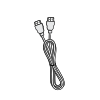 HDMI Cable
(3 m) -
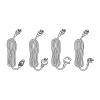 Power Cord
(ship by region) -
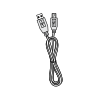 USB Touch Cable (3 m)
 -
 Remote Control
 -
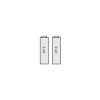 AAA Battery x 2
 -
 Compliance Statement
 -
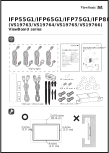 Quick Start Guide
 -
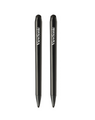 Touch Pen x 2
 -
 Replacement Pen Nib x 4
 -
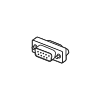 RS-232 Adapter
 -
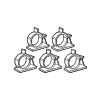 Clamp x 5
 -
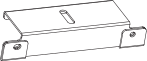 Camera Plate
 -
 Wall Mount Screws
 -
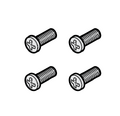 Wall Mount Screws (M8 x 25mm x 4)


Wall Mount Kit Specifications (VESA)

| Model | VESA Spec. (A x B) |
Standard Screw (C x D) |
Quantity |
|---|---|---|---|
| IFP6533 - 65” | 600 x 400 mm | M8 x 25 mm | 4 |
NOTE:
- Please follow the instructions in the wall mount installation guide to install your wall mount (check here) or mobile mount bracket (check the video here). If attaching to other building materials, please contact your nearest dealer.
- Do not use screws that are longer than the standard dimension, as they may cause damage to the inside of the display.
Product Overview
Front Panel

Rear Panel

Control Panel and Front I/O

| Number | Item | Description |
|---|---|---|
| 1 | 
|
Decrease screen brightness. |
| 2 | 
|
Increase screen brightness. |
| 3 | 
|
Decrease the volume. |
| 4 | 
|
Increase the volume. |
| 5 | 
|
Disable/Enable the touch screen. |
| 6 | 
|
Launch the Menu system. |
| 7 | 
|
|
I/O Panels
Front I/O


| Number | Port | Description |
|---|---|---|
| 1 | RS-232 |
|
| 2 | LAN |
|
| 3 | USB Type A |
|
| 4 | TOUCH 2 | Touch signal output to external PC
|
| 5 | HDMI 2/3 |
|
| 6 | HDMI OUT | Extend content out to another display device |
| 7 | SPDIF | SPDIF output |
| 8 | AUDIO OUT | Audio out to an external speaker |
| 9 | AUDIO IN | External PC audio input |
| 10 | VGA | External PC image input |
| 11 | Power Switch | Turn ON/OFF AC power supply |
| 12 | AC IN | AC power input |
Rear I/O

Further Reading
 |