
VP2756-4K Introduction: Difference between revisions
From ViewSonic Documentation
Created page with "<noinclude> {{Sticky_Menu_Monitor_3.0_SUF |1=VP2756-4K_Introduction |2=VP2756-4K_Initial_Setup |3=VP2756-4K_Connecting_Power_and_Devices |4=VP2756-4K_Adjusting_the_Viewing_Ang..." |
No edit summary |
||
| Line 49: | Line 49: | ||
=I/O Ports= | =I/O Ports= | ||
<div class="res-img">[[File:VP2756- | <div class="res-img">[[File:VP2756-4K_IO.png| 600px | I/O Ports]]</div> | ||
{| class="wikitable" style="text-align:center; width: 50%;" | {| class="wikitable" style="text-align:center; width: 50%;" | ||
Latest revision as of 06:51, 13 August 2021
Package Contents
- Monitor
- Power cord
- Video cable
- Quick start guide
Front View / Rear View
-
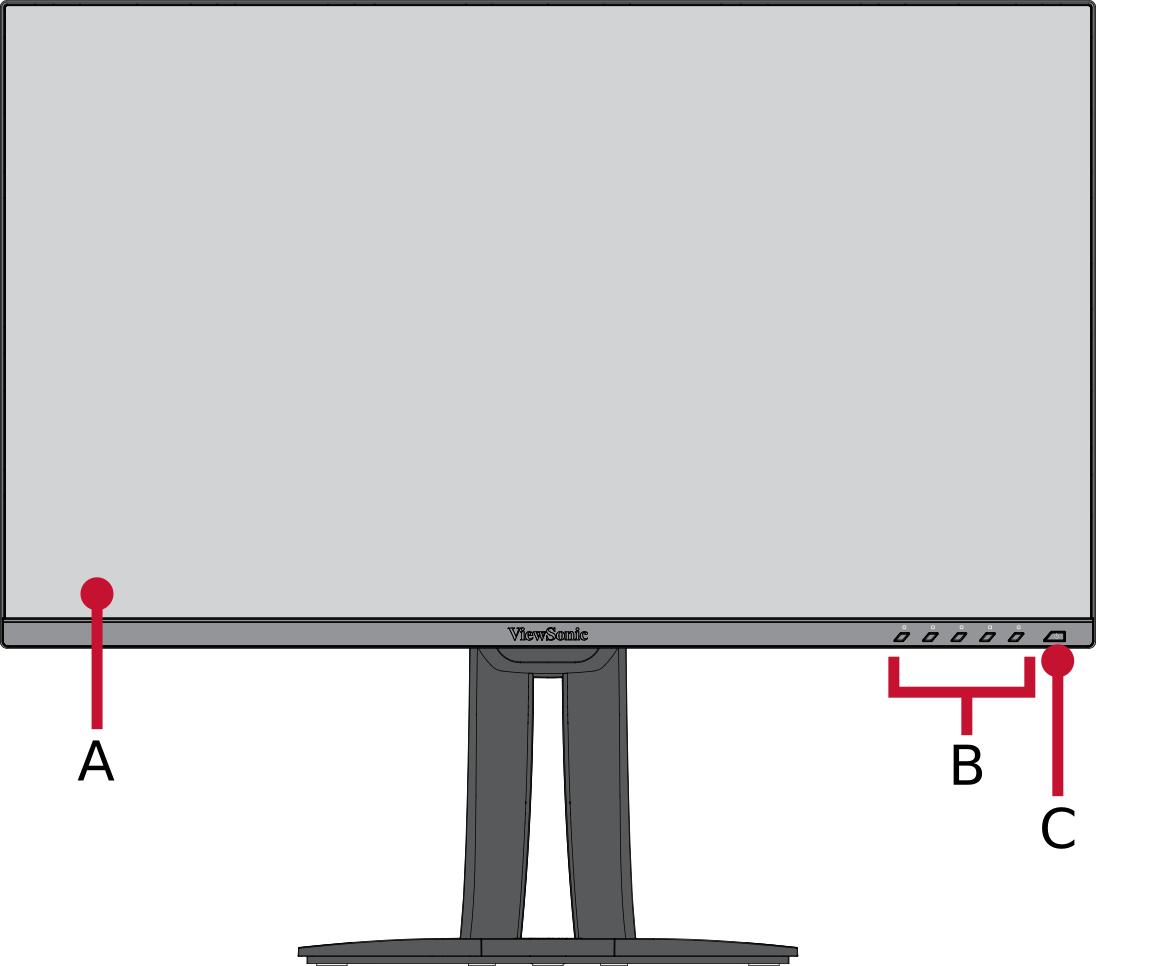 Front View
 -
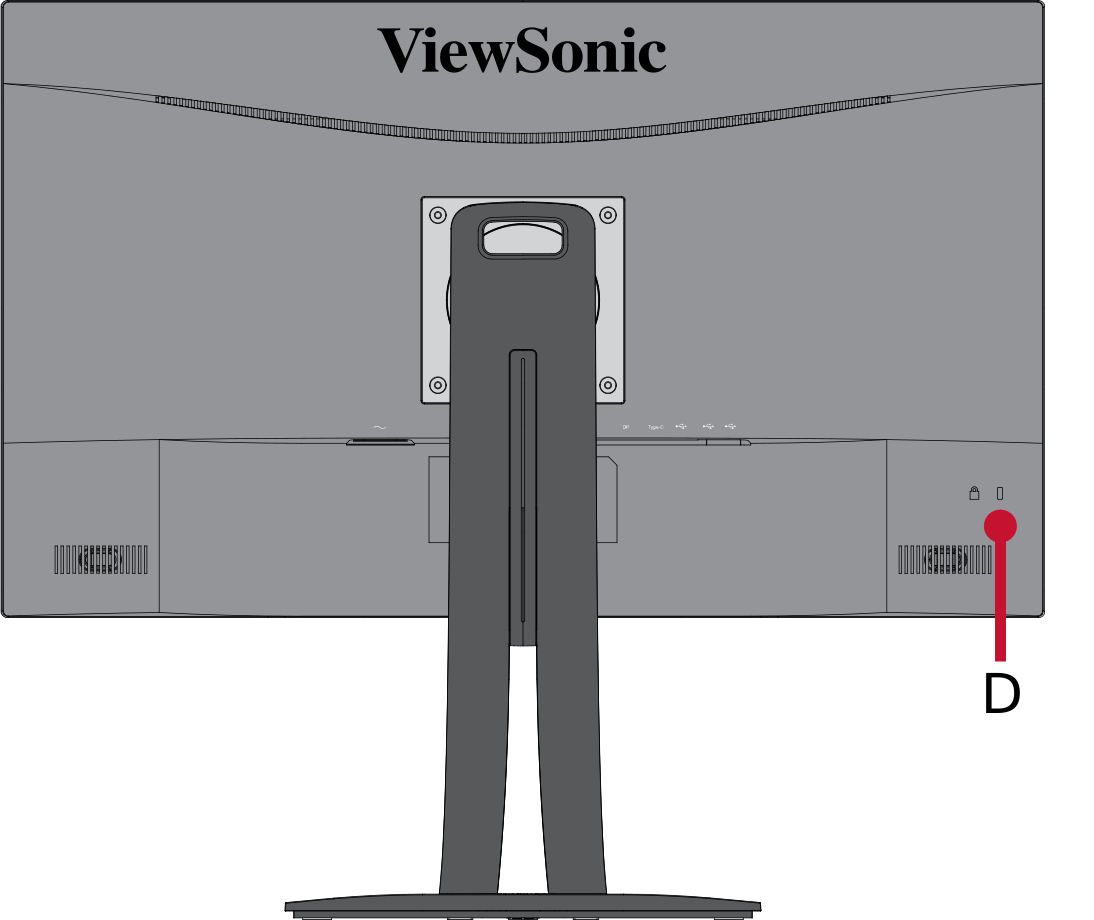 Rear View


| Letter | Item |
|---|---|
| A | Display Screen |
| B | Control Panel Keys |
| C | Power Button |
| D | Security Slot |
I/O Ports

| Number | Item |
|---|---|
| 1 | AC IN |
| 2 | HDMI |
| 3 | DisplayPort |
| 4 | USB Type C |
| 5 | USB Type B (Upstream) |
| 6 | USB Type A (Downstream) |
Further Reading
 |