
VP275-4K On-Screen Display Menu: Difference between revisions
From ViewSonic Documentation
Created page with "<noinclude> {{Sticky_Menu_Monitor_3.0_SUF |1=VP275-4K_Introduction |2=VP275-4K_Initial_Setup |3=VP275-4K_Connecting_Power_and_Devices |4=VP275-4K_Adjusting_the_Viewing_Angle |5=VP275-4K_Quick_Menu |6=VP275-4K_Hot_Keys |7=VP275-4K_On-Screen_Display_Menu |8=VP275-4K_On-Screen_Display_Menu_Tree |9=VP275-4K_On-Screen_Display_Menu_Options |10=VP275-4K_Advanced_Features_and_Settings |11=VP275-4K_Specifications |12=VP275-4K_Regulatory_and_Service_Information }} </noinclude> __N..." |
|||
| Line 16: | Line 16: | ||
</noinclude> __NOTOC__ | </noinclude> __NOTOC__ | ||
=General Operation= | =General Operation= | ||
<ol><li>Press the '''2'''/'''3'''/'''4''' key to display the Quick Menu. Then press the '''4''' key to display the On-Screen Display (OSD) Menu.</li> | <ol><li>Press the '''1'''/'''2'''/'''3'''/'''4''' key to display the Quick Menu. Then press the '''4''' key to display the On-Screen Display (OSD) Menu.</li> | ||
:<div class="res-img">[[File:VP275-4K_OSD_Operations_1.PNG|500px| Display the OSD Menu]]</div> | :<div class="res-img">[[File:VP275-4K_OSD_Operations_1.PNG|500px| Display the OSD Menu]]</div> | ||
<li>Press the '''1''' or '''2''' key to select the main menu. Then press the '''3''' key to enter the selected menu.</li> | <li>Press the '''1''' or '''2''' key to select the main menu. Then press the '''3''' key to enter the selected menu.</li> | ||
Revision as of 08:14, 10 August 2023
General Operation
- Press the 1/2/3/4 key to display the Quick Menu. Then press the 4 key to display the On-Screen Display (OSD) Menu.
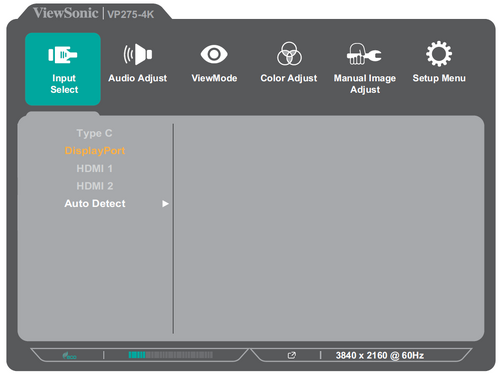
- Press the 1 or 2 key to select the main menu. Then press the 3 key to enter the selected menu.
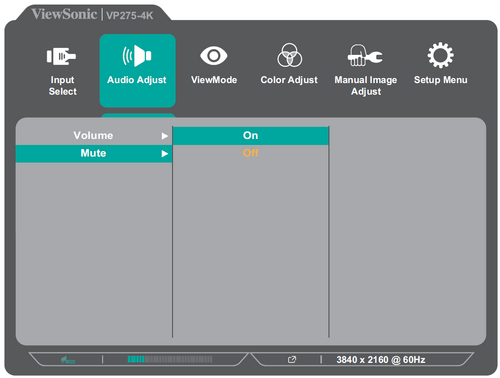
- Press the 1 or 2 key to select the desired menu option. Then press the 3 key to enter the sub-menu.
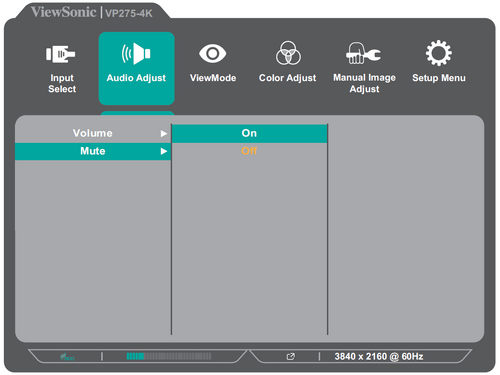
- Press the 1 or 2 key to adjust/select the setting. Then press the 3 key to confirm.
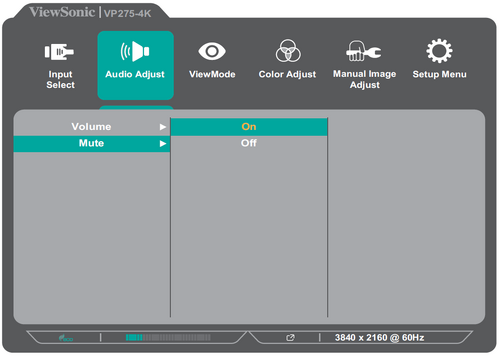
- NOTE: Certain menu option adjustments do not require the user to press the 3 key to confirm the selection. Follow the key guide that appears on the bottom of the screen to select the option or make adjustments.
- Press the 4 key to return to the previous menu.


- NOTE: To exit the OSD Menu, press the 5 key.