
VP2756-2K Introduction: Difference between revisions
From ViewSonic Documentation
Created page with "<noinclude> {{Sticky_Menu_Monitor_3.0_SUF |1=VP2756-2K_Introduction |2=VP2756-2K_Initial_Setup |3=VP2756-2K_Connecting_Power_and_Devices |4=VP2756-2K_Adjusting_the_Viewing_Ang..." |
No edit summary |
||
| Line 67: | Line 67: | ||
|} | |} | ||
<noinclude> | <noinclude> | ||
=Unboxing Video= | |||
<youtube>o-VftuslAZU</youtube> | |||
=Further Reading= | =Further Reading= | ||
{| | {| | ||
Latest revision as of 09:17, 20 September 2022
Package Contents
- Monitor
- Power cord
- Video cable
- Quick start guide
Front View / Rear View
-
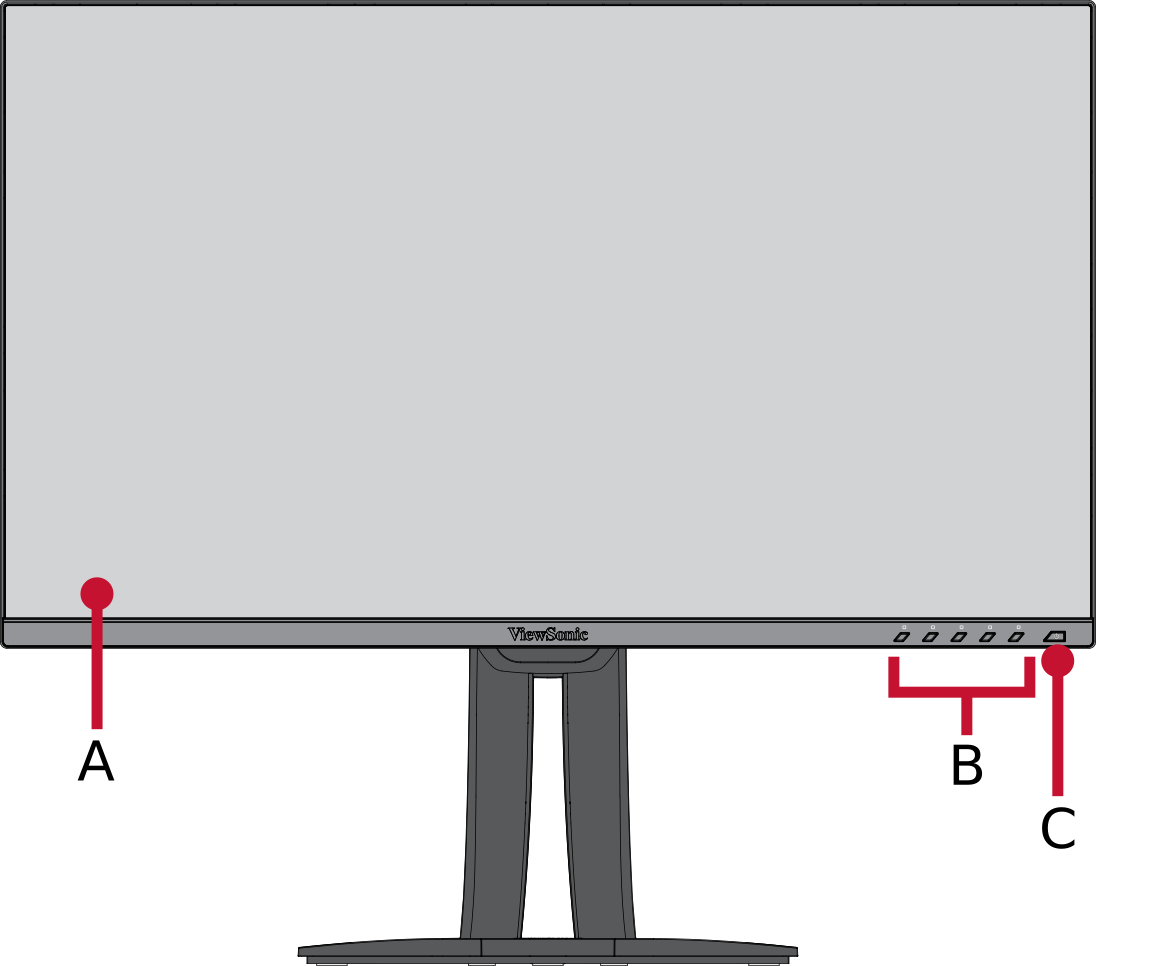 Front View
 -
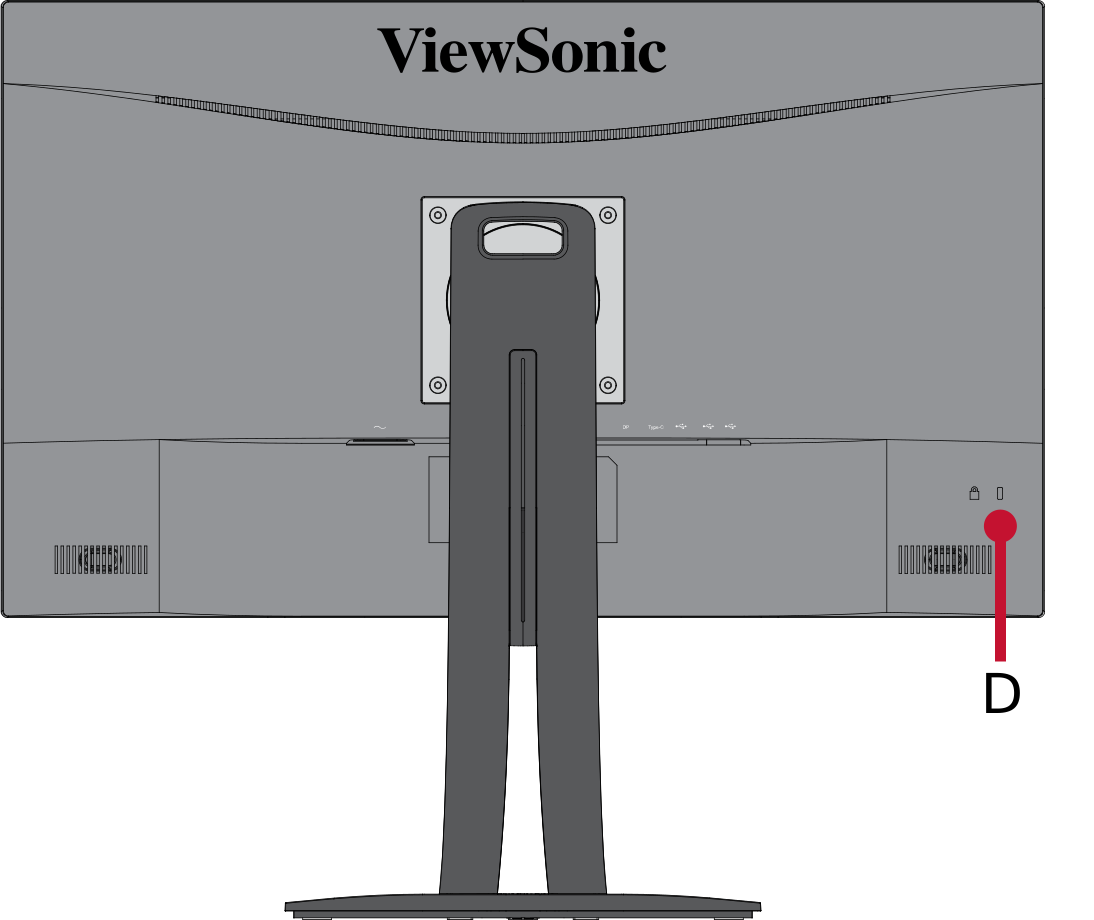 Rear View


| Letter | Item |
|---|---|
| A | Display Screen |
| B | Control Panel Keys |
| C | Power Button |
| D | Security Slot |
I/O Ports

| Number | Item |
|---|---|
| 1 | AC IN |
| 2 | HDMI |
| 3 | DisplayPort |
| 4 | USB Type C |
| 5 | USB Type B (Upstream) |
| 6 | USB Type A (Downstream) |
Unboxing Video
Further Reading
 |