
VG2208A-HD Introduction: Difference between revisions
From ViewSonic Documentation
No edit summary |
No edit summary |
||
| (4 intermediate revisions by the same user not shown) | |||
| Line 34: | Line 34: | ||
! style="background-color:#DB0025; color:#ffffff; width:20%;" | Number !! style="background-color:#DB0025; color:#ffffff;" | Description | ! style="background-color:#DB0025; color:#ffffff; width:20%;" | Number !! style="background-color:#DB0025; color:#ffffff;" | Description | ||
|- | |- | ||
| | |'''1''' || Control Panel Keys | ||
|- | |- | ||
| | |'''2''' || I/O Ports | ||
|- | |- | ||
|} | |} | ||
| Line 43: | Line 43: | ||
<div class="res-img">[[File:VG2208A-HD_IO.png|600px|alt=I/O Ports]]</div> | <div class="res-img">[[File:VG2208A-HD_IO.png|600px|alt=I/O Ports]]</div> | ||
{| class="wikitable" style="text-align:center; width:50%; background-color:#ffffff;" | {| class="wikitable" style="text-align:center; width:50%; background-color:#ffffff;" | ||
! style="background-color:#DB0025; color:#ffffff; width:20%;" | Number !! style="background-color:#DB0025; color:#ffffff;" | | ! style="background-color:#DB0025; color:#ffffff; width:20%;" | Number !! style="background-color:#DB0025; color:#ffffff;" | Description | ||
|- | |- | ||
| | |'''1''' || DisplayPort | ||
|- | |- | ||
| | |'''2''' || HDMI | ||
|- | |- | ||
| | |'''3''' || VGA | ||
|- | |- | ||
| | |'''4''' || Audio Out | ||
|- | |- | ||
| | |'''5''' || AC IN | ||
|- | |- | ||
|} | |} | ||
:<div class="note-yellow" style="background-color: #ffff99; border: solid 1px #ffff88; border-radius: 3px; border-left:solid 8px #fed141; padding:8px; width:auto; max-width:70%;">'''NOTE: '''For more information about the '''1 (<span style="font-size:24px;">★</span>) / 2 / 3 / 4 / 5 ( <i class='fas fa-power-off' style="font-size: | :<div class="note-yellow" style="background-color: #ffff99; border: solid 1px #ffff88; border-radius: 3px; border-left:solid 8px #fed141; padding:8px; width:auto; max-width:70%;">'''NOTE: '''For more information about the '''1 (<span style="font-size:24px;">★</span>) / 2 / 3 / 4 / 5 ( <i class='fas fa-power-off' style="font-size:18px"></i> )''' key and its functions, refer to [[VG2208A-HD_Hot_Keys|Hot Keys]].</div> | ||
<noinclude> | <noinclude> | ||
=Further Reading= | =Further Reading= | ||
Latest revision as of 06:47, 4 September 2024
Package Contents
|
 |
Note: The cables included in your package may vary depending on your country. Please contact your local reseller for more information.
Front View / Rear View
-
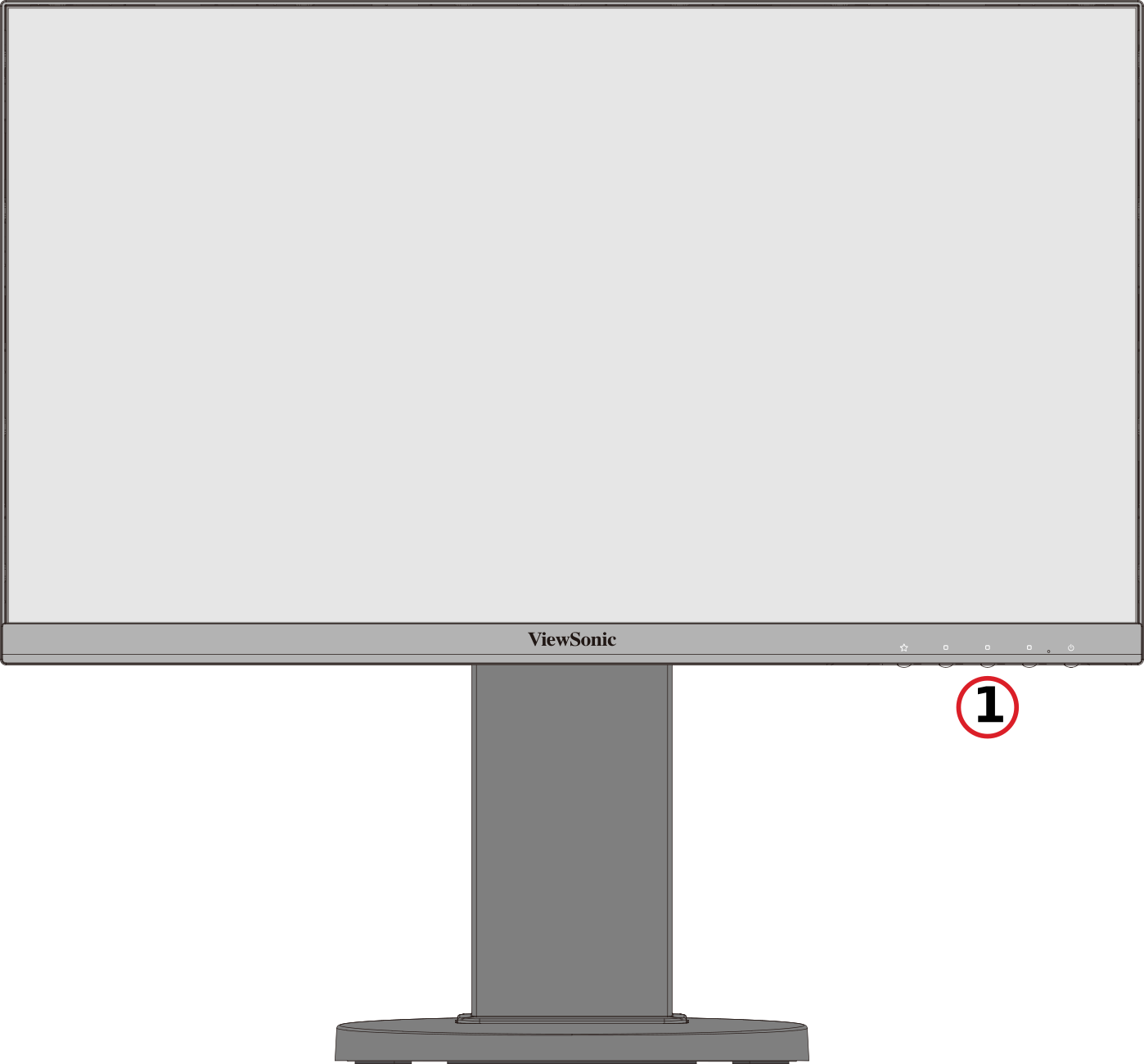 Front View
 -
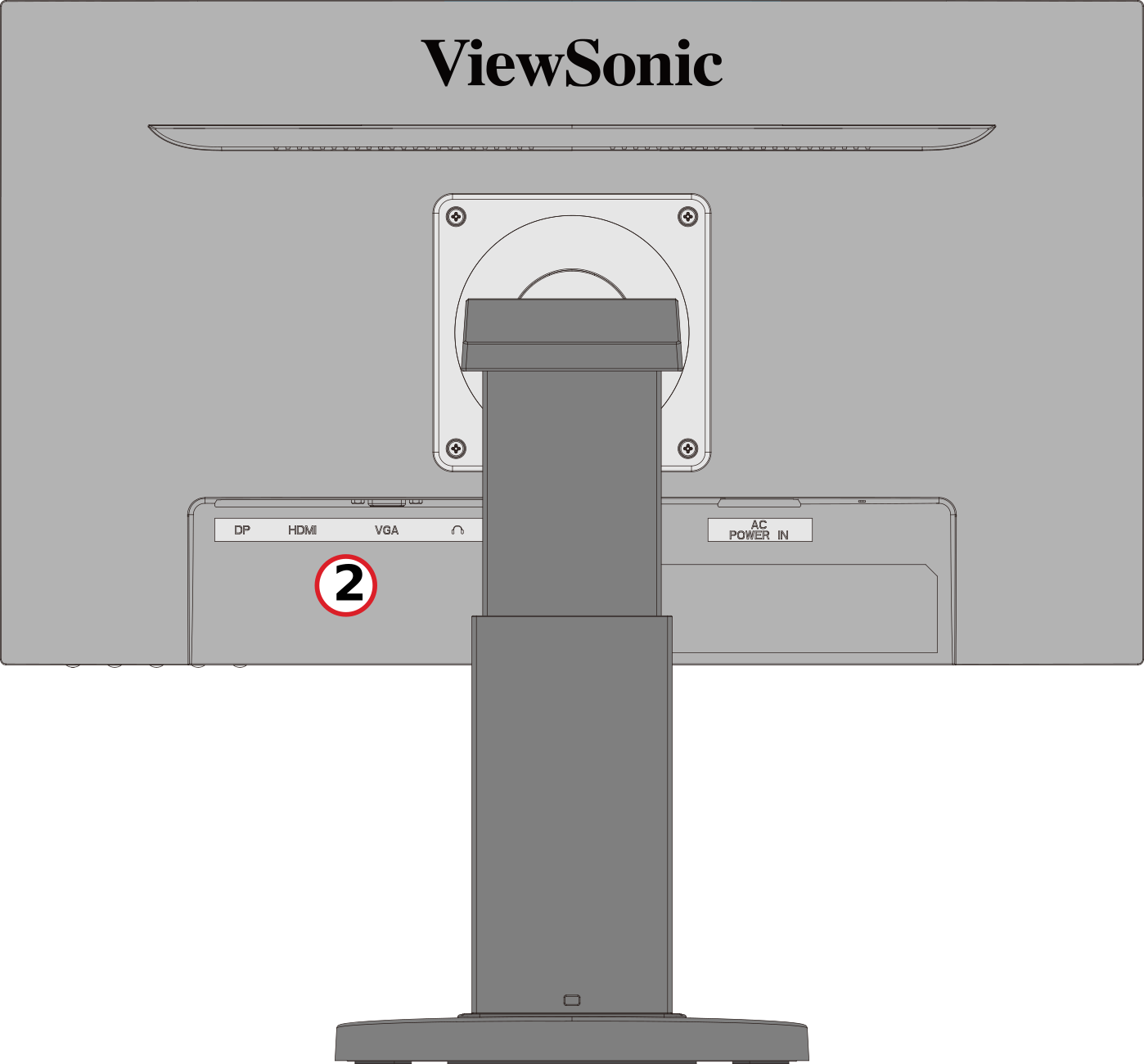 Rear View


| Number | Description |
|---|---|
| 1 | Control Panel Keys |
| 2 | I/O Ports |
I/O Ports

| Number | Description |
|---|---|
| 1 | DisplayPort |
| 2 | HDMI |
| 3 | VGA |
| 4 | Audio Out |
| 5 | AC IN |
- NOTE: For more information about the 1 (★) / 2 / 3 / 4 / 5 ( ) key and its functions, refer to Hot Keys.
Further Reading
 |