
CDE4312 Using the Display: Difference between revisions
From ViewSonic Documentation
No edit summary |
No edit summary |
||
| (2 intermediate revisions by the same user not shown) | |||
| Line 5: | Line 5: | ||
|3=CDE4312_Connecting_Devices | |3=CDE4312_Connecting_Devices | ||
|4=CDE4312_Using_the_Display | |4=CDE4312_Using_the_Display | ||
|5= | |5=CDE4312_General_Settings | ||
|6= | |6=CDE4312_On-Screen_Display_Menu | ||
|7=CDE4312_Embedded_Applications | |7=CDE4312_Embedded_Applications | ||
|8=CDE4312_RS-232_Protocols | |8=CDE4312_RS-232_Protocols | ||
| Line 12: | Line 12: | ||
|10=CDE4312_Regulatory_and_Service_Information | |10=CDE4312_Regulatory_and_Service_Information | ||
}} | }} | ||
</noinclude> | </noinclude> | ||
=Power On/Off your | =Power On/Off your Display= | ||
<ol><li>Ensure the power cord is connected, plugged into a power outlet, and the power switch is in the “On” position.</li> | <ol><li>Ensure the power cord is connected, plugged into a power outlet, and the power switch is in the “On” position.</li> | ||
<div class="res-img">[[File:CDE4312_Power_Switch.png|500px]]</div> | <div class="res-img">[[File:CDE4312_Power_Switch.png|500px]]</div> | ||
Latest revision as of 08:24, 6 December 2022
Power On/Off your Display
- Ensure the power cord is connected, plugged into a power outlet, and the power switch is in the “On” position.
- NOTE: The AC IN socket is located at the rear, and the Power Switch is located underneath the display.
- Press the Power button to turn on the display.
- To turn the display off, press and hold the Power button.

Initial Launch Setup
When you first turn on your display, an initial setup wizard will launch.
-
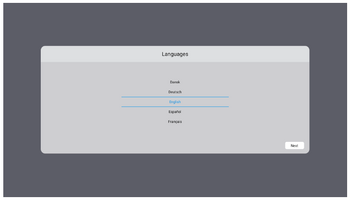 Language Select
 -
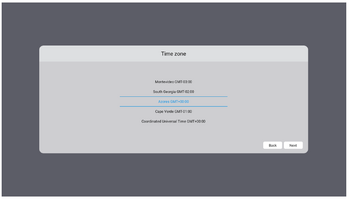 Time Zone
 -
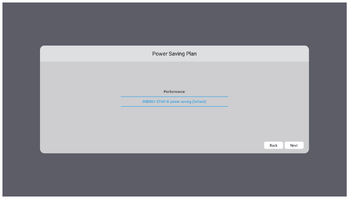 Power Saving Mode
 -
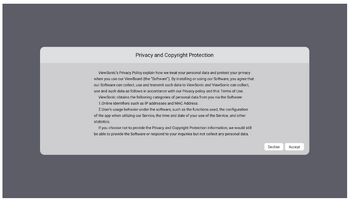 Privacy and Copyright Protection


- Select your Language.
- Select your Time Zone.
- Select your Power Saving Mode.
- Accept/Decline the Privacy and Copyright Protection Agreement.
Home Screen
From the Home Screen all the installed applications can be accessed.

- NOTE: Press the Home button on the remote control at any time to return to the Home Screen.