
ViewSign Desktop Advanced Guide Options Menu
Options Menu
By choosing File' > Options the following window will appear with 14 configuration sections available.
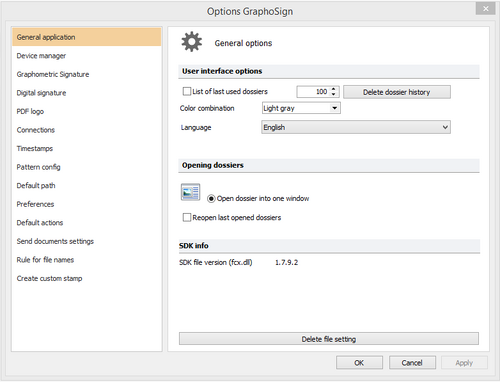
After any change in user options, the "Apply" button is enabled and you will need to click it and then click OK to confirm the changes. Options are saved in an .ini file in the path "C:\Users\[User]\AppData\Roaming\Namirial\ViewSign Desktop 1\settings.ini" where [USER] represents the current Windows user profile. There isn't a function that allows you to automatically replicate the options for all of the available user profiles on your PC.
Changing one or more options across the various functions available provides a customized software configuration for your specific needs, saved in your user profile on the PC.
General Application
The application’s General section consists of three groups of options:
- User Interface Options
- Dossier Opening
- Info SDK