
VG2709-2K-MHD Introduction: Difference between revisions
From ViewSonic Documentation
No edit summary |
|||
| (9 intermediate revisions by the same user not shown) | |||
| Line 1: | Line 1: | ||
<noinclude> | <noinclude> | ||
{{ | {{Sticky_Menu_Monitor_2.1 | ||
|1=VG2709-2K-MHD_Introduction | |1=VG2709-2K-MHD_Introduction | ||
|2=VG2709-2K-MHD_Initial_Setup | |2=VG2709-2K-MHD_Initial_Setup | ||
| Line 9: | Line 9: | ||
|7=VG2709-2K-MHD_On-Screen_Display_Menu | |7=VG2709-2K-MHD_On-Screen_Display_Menu | ||
|8=VG2709-2K-MHD_On-Screen_Display_Menu_Tree | |8=VG2709-2K-MHD_On-Screen_Display_Menu_Tree | ||
|9=VG2709-2K- | |9=VG2709-2K-MHD_Specifications | ||
|10 | |10=VG2709-2K-MHD_Regulatory_and_Service_Information | ||
}} | }} | ||
</noinclude> | </noinclude> | ||
=Package Contents= | =Package Contents= | ||
{| | {| | ||
| Line 27: | Line 27: | ||
=Front View / Rear View= | =Front View / Rear View= | ||
<gallery widths= | <gallery widths="300" heights="300" mode="nolines"> | ||
VG2709-2K- | File:VG2709-2K-MHD Front View.svg|Front View | ||
VG2709-2K- | File:VG2709-2K-MHD Rear View.svg|Rear View | ||
</gallery> | </gallery> | ||
| Line 52: | Line 52: | ||
=I/O Ports= | =I/O Ports= | ||
<div class="res-img">[[File:VG2709-2K-MHD_IO. | <div class="res-img">[[File:VG2709-2K-MHD_IO.PNG| 600px | I/O Ports]]</div> | ||
{| class="wikitable" style="text-align:center; width: 50%;" | {| class="wikitable" style="text-align:center; width: 50%;" | ||
| Line 75: | Line 75: | ||
|title=ViewSonic Monitor | |title=ViewSonic Monitor | ||
|title_mode=append | |title_mode=append | ||
|keywords= | |keywords=VG2709-2K-MHD, I/O Ports, Front view, Control Panel | ||
|description=An introduction to the | |description=An introduction to the VG2709-2K-MHD monitor's physical layout and I/O. | ||
}} | }} | ||
[[Category:VG2709-2K-MHD]] | |||
[[Category: | |||
Latest revision as of 10:20, 6 March 2023
Package Contents
|
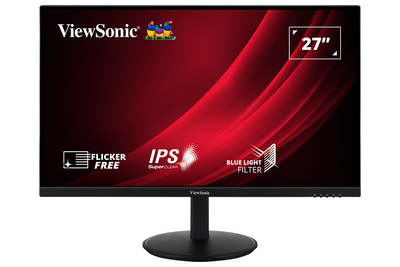 |
Front View / Rear View
-
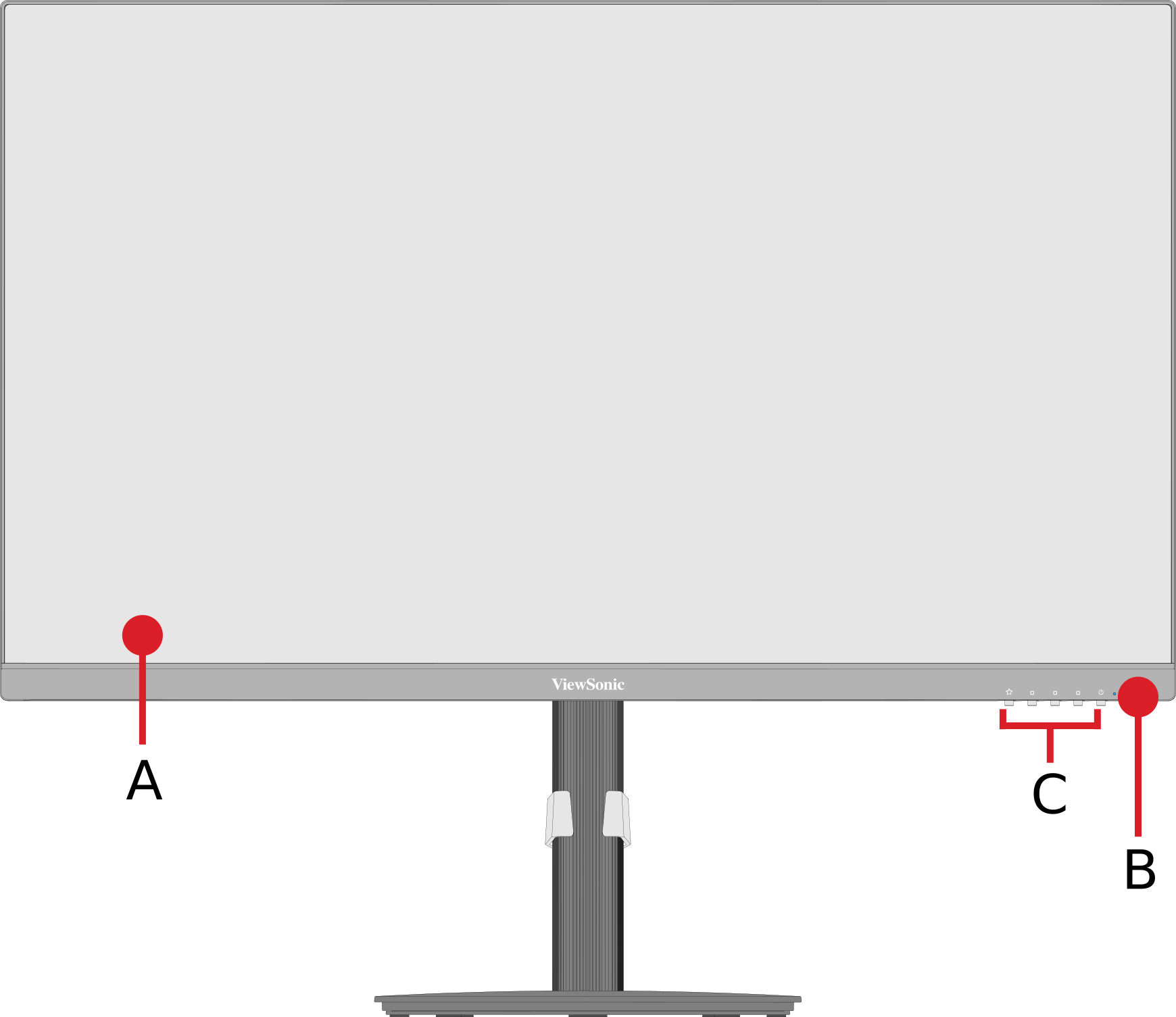 Front View
 -
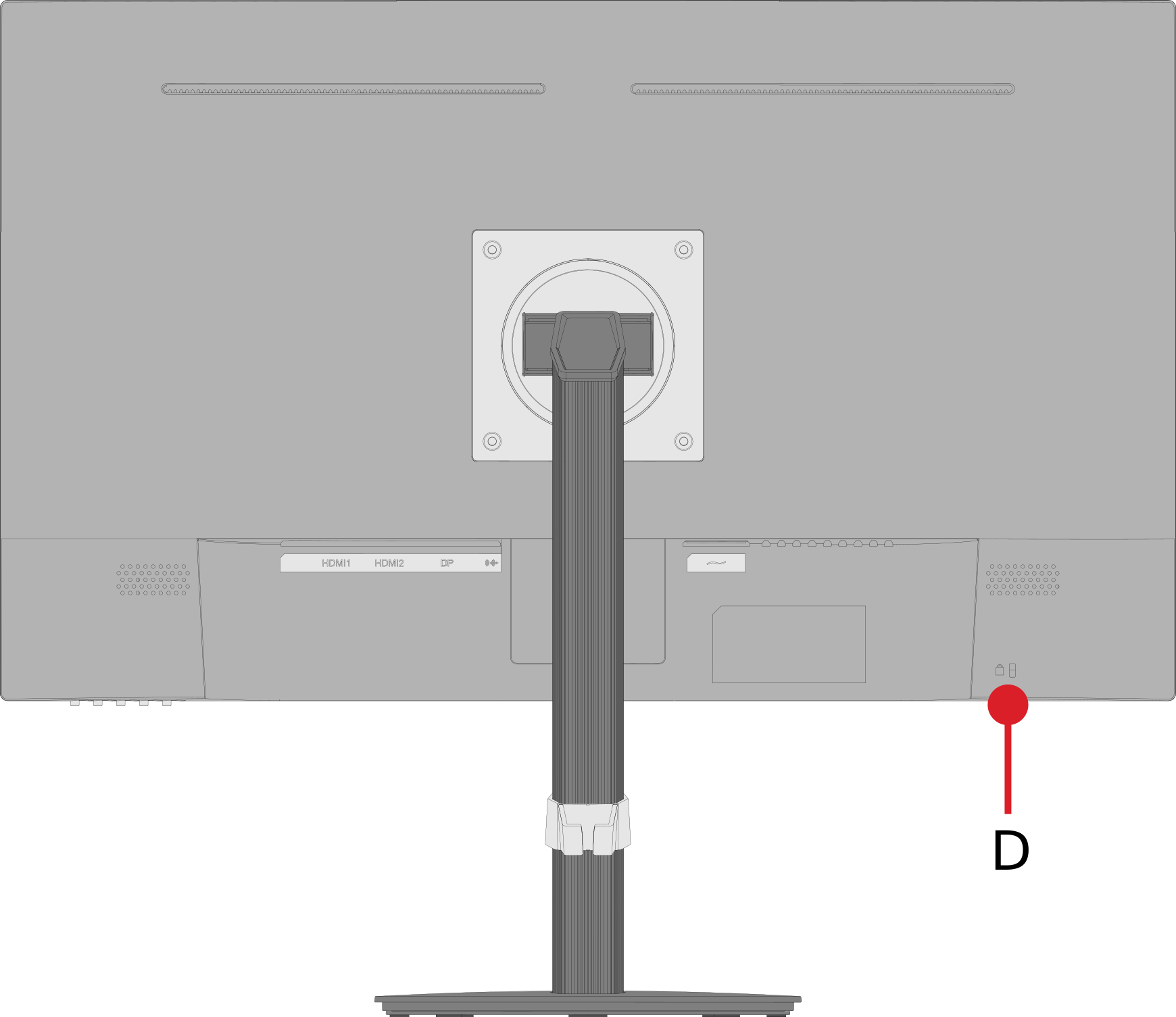 Rear View


| Letter | Item |
|---|---|
| A | Display Screen |
| B | Power Button |
| C | Control Panel Keys |
| D | Security Slot |
I/O Ports

| Number | Item |
|---|---|
| 1 | HDMI |
| 2 | DisplayPort |
| 3 | Audio Out |
| 4 | AC In |
Further Reading
 |