
XG2409A: Difference between revisions
From ViewSonic Documentation
| Line 11: | Line 11: | ||
==Product Overview== | ==Product Overview== | ||
<gallery widths=" | <gallery widths="350" heights="350" mode="nolines"> | ||
File:XG2409A_Front_View.svg|Front View|<div style="font-style:normal; text-align:center">Front View</div> | File:XG2409A_Front_View.svg|Front View|<div style="font-style:normal; text-align:center">Front View</div> | ||
File:XG2409A_Rear_View.svg|Rear View|<div style="font-style:normal; text-align:center">Rear View</div> | File:XG2409A_Rear_View.svg|Rear View|<div style="font-style:normal; text-align:center">Rear View</div> | ||
Revision as of 07:44, 4 November 2024
Introduction
Package Contents
- Monitor
- Power Adapter
- Video Cable
- Quick Start Guide
Note: The cables included in your package may vary depending on your country. Please contact your local reseller for more information.
Product Overview
-
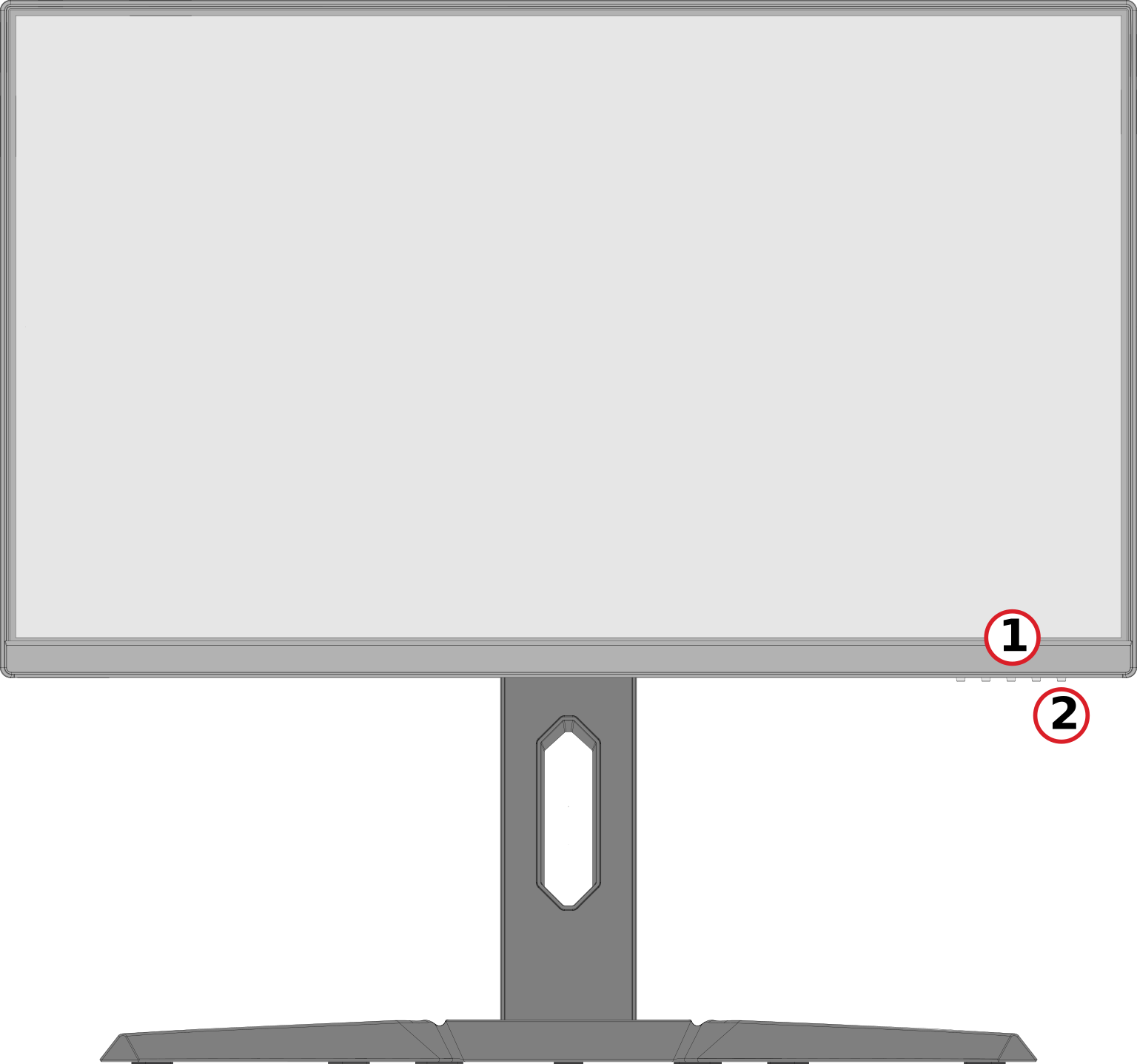 Front View
 -
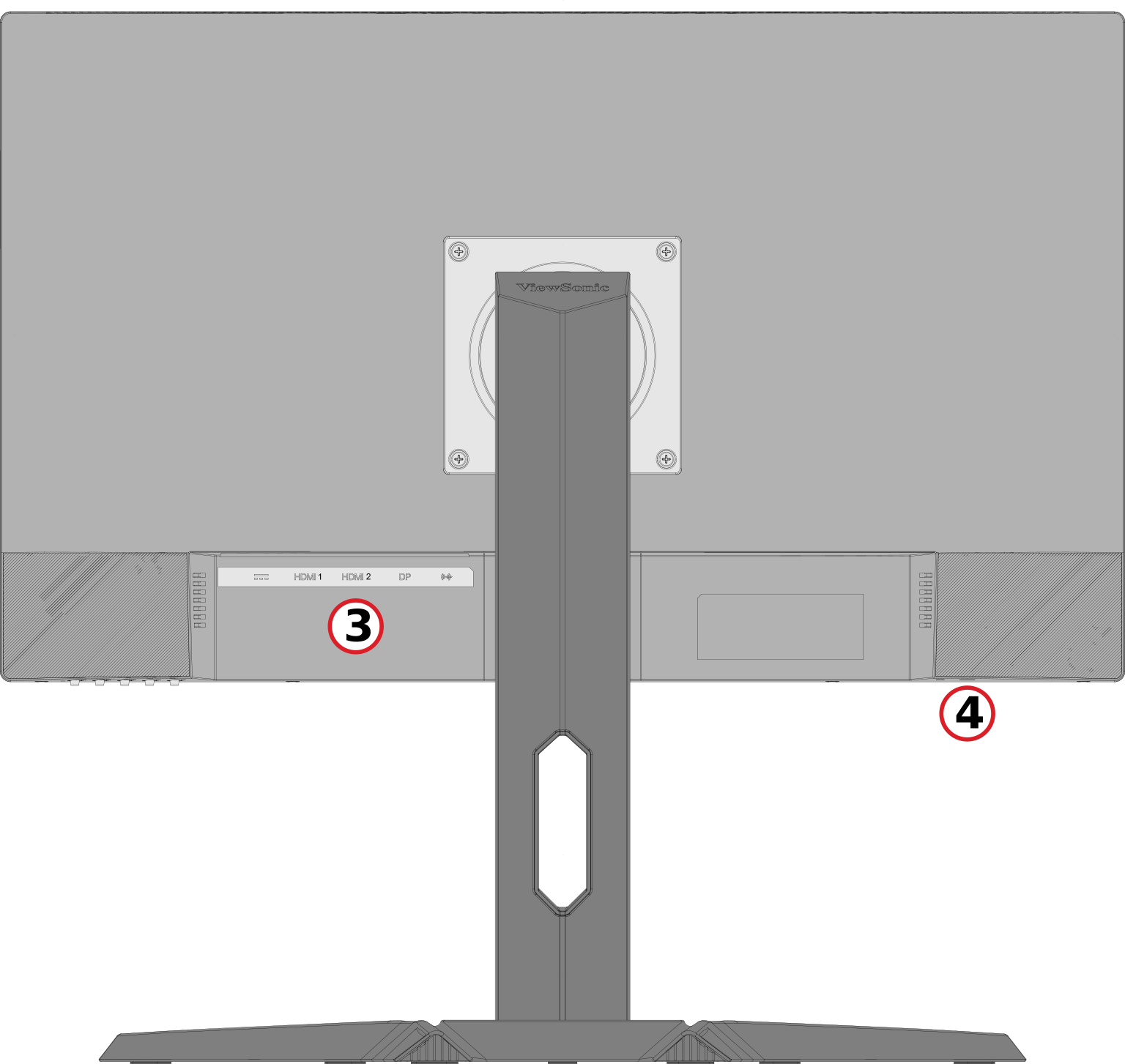 Rear View


| Number | Description |
|---|---|
| 1 | Control Panel Keys |
| 2 | Power Button |
| 3 | I/O Ports |
| 4 | Security Lock Slot |
I/O Ports

| Number | Description |
|---|---|
| 1 | DC IN |
| 2 | HDMI |
| 3 | DisplayPort |
| 4 | Audio Out |
Note: For more information about the Control Panel Keys, refer to Hot Keys.
Initial Setup
Installing the Stand
 |
 |
Note: Place the monitor on a flat, stable surface to ensure safety and optimal performance.