
XG2409A: Difference between revisions
From ViewSonic Documentation
Created page with "<noinclude>{{Print}}</noinclude> {{#seo: |title=ViewSonic Monitor |title_mode=append |keywords=XG2409A, full user guide, user manual, download |description=XG2409A full user manual. }} Category:XG2409A" |
No edit summary |
||
| Line 1: | Line 1: | ||
<noinclude>{{Print}}</noinclude> | <noinclude>{{Print}}</noinclude> | ||
=Introduction= | |||
==Package Contents== | |||
<ol style="list-style-type:square;"> | |||
<li>Monitor</li> | |||
<li>Power Adapter</li> | |||
<li>Video Cable</li> | |||
<li>Quick Start Guide</li> | |||
</ol> | |||
{{Note|The cables included in your package may vary depending on your country. Please contact your local reseller for more information.}} | |||
==Product Overview== | |||
<gallery widths="400" heights="400" mode="nolines"> | |||
File:XG2409A_Front_View.svg|Front View|<div style="font-style:normal; text-align:center">Front View</div> | |||
File:XG2409A_Rear_View.svg|Rear View|<div style="font-style:normal; text-align:center">Rear View</div> | |||
</gallery> | |||
{| class="wikitable" style="text-align:center; width:50%; background-color:#ffffff;" | |||
! style="background-color:#DB0025; color:#ffffff; width:20%;" | Number !! style="background-color:#DB0025; color:#ffffff;" |Description | |||
|- | |||
|'''1''' | |||
|Control Panel Keys | |||
|- | |||
|'''2''' | |||
|Power Button | |||
|- | |||
|'''3''' | |||
|I/O Ports | |||
|- | |||
|'''4''' | |||
|Security Lock Slot | |||
|- | |||
|} | |||
==I/O Ports== | |||
=Initial Setup= | |||
=Making Connections= | |||
=Using the Monitor= | |||
=Appendix= | |||
Revision as of 06:59, 4 November 2024
Introduction
Package Contents
- Monitor
- Power Adapter
- Video Cable
- Quick Start Guide
Note: The cables included in your package may vary depending on your country. Please contact your local reseller for more information.
Product Overview
-
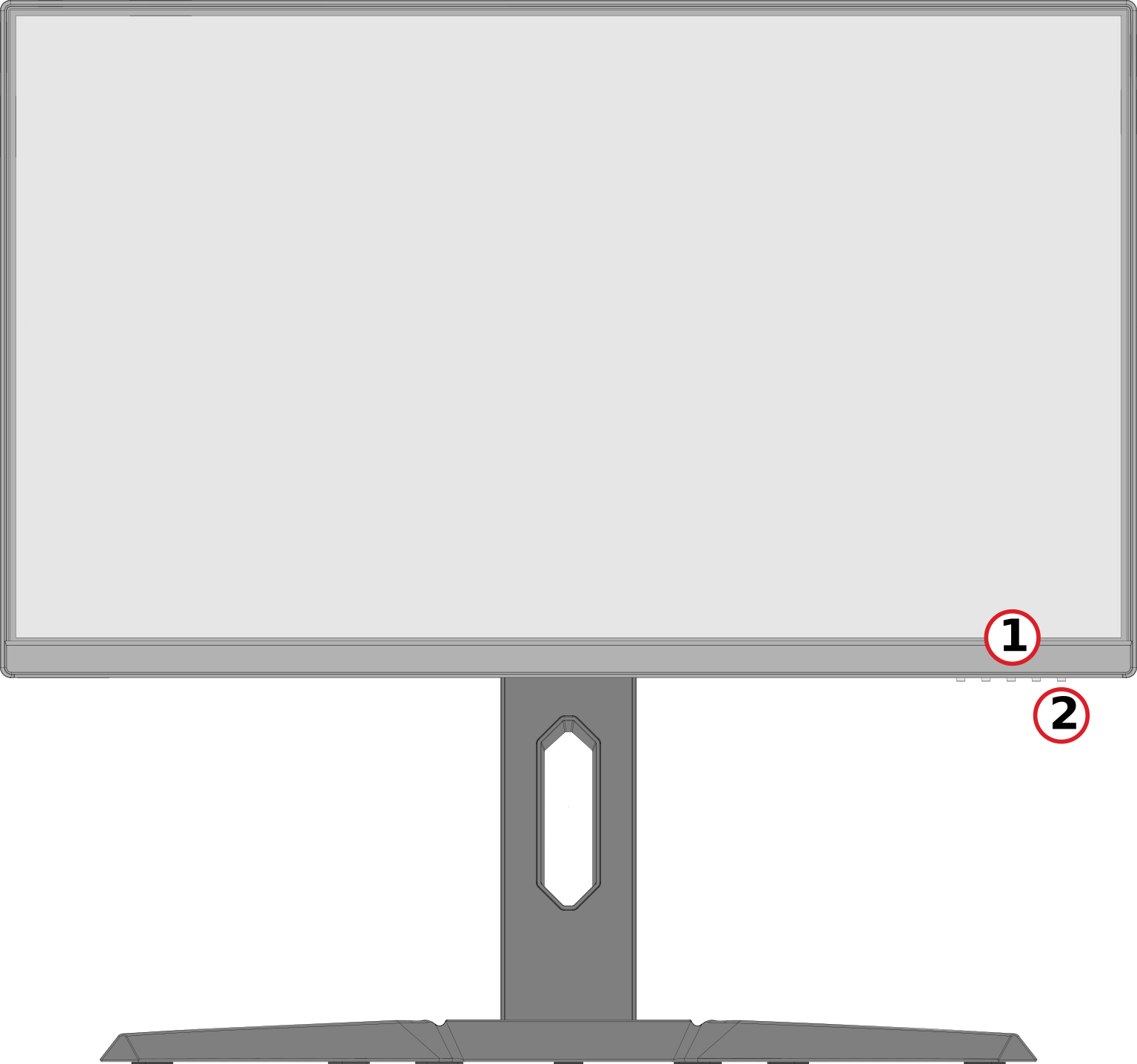 Front View
 -
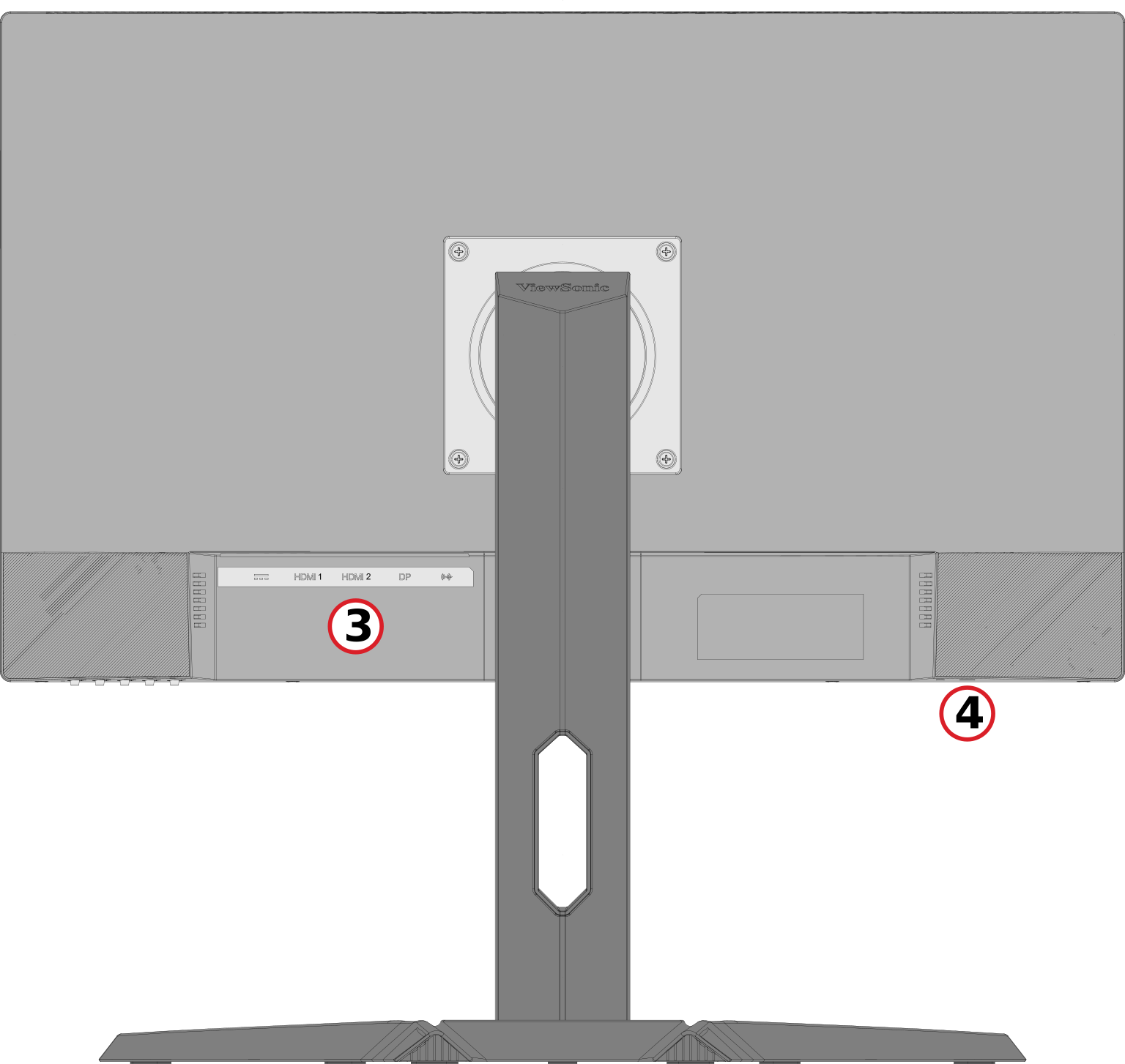 Rear View


| Number | Description |
|---|---|
| 1 | Control Panel Keys |
| 2 | Power Button |
| 3 | I/O Ports |
| 4 | Security Lock Slot |